Home Blog Page 4

How Does Revolut Make Money: Revolut Business Model that you need to know about in 2025

In today’s fast-paced world, financial flexibility and efficiency are paramount. Revolut emerges as a groundbreaking platform, transforming how people manage their money, make transactions, and navigate the complexities of global currencies, all from the convenience of their mobile devices. With millions of users globally, Revolut has become the go-to solution for those seeking a seamless, cost-effective way to handle their finances. Understanding Revolut goes beyond just user engagement; it’s about revolutionizing financial management, saving money, and enhancing daily life. Find out in this article how does Revolut make money.

Revolut has developed a diverse revenue model through subscription plans, currency exchange fees, and strategic partnerships with financial institutions. This approach highlights its financial operations, growth potential, and impact on the fintech sector.

Find out more about Revolut through our team’s articles on what is Revolut.

Revolut Business Model

Revenue Streams

Subscription Fees

  • Premium Accounts: Revolut offers different tiers of premium accounts (Plus, Premium, and Metal) with additional features such as higher limits on free currency exchanges, travel insurance, and priority customer support. Users pay a monthly or annual subscription fee for these accounts.

Read more Disclosing the Facts of Subscription Business Model

Interchange Fees

  • Card Transactions: Revolut earns interchange fees from merchants whenever users make purchases using their Revolut cards. These fees are a percentage of the transaction amount.

Currency Exchange Fees

  • Forex Transactions: While Revolut is offering free currency exchanges up to a certain limit, it charges a fee for exchanges beyond this limit and for exchanges made during weekends.

Cryptocurrency Trading Fees

  • Crypto Transactions: Revolut charges a fee on transactions involving buying, selling, and trading cryptocurrencies.

Find out more about cryptocurrencies in our article How does Cryptocurrency work

Interest on Deposits

  • User Deposits: Interest earned on user deposits held in partner bank accounts.

Insurance Products

  • Travel, Device, and Health Insurance: Revenue from selling insurance products to users, often bundled with premium accounts.

Commission from Stock Trading

  • Stock Transactions: Fees earned from users trading stocks through the Revolut app.

Strategic Partnerships

Revolut has formed strategic partnerships to enhance its service offerings and expand its capabilities

Banking Partners

  • Licensing and Support: Partnerships with traditional banks provide necessary banking licenses and support for Revolut’s operations.

Payment Processors

  • Transaction Facilitation: Collaborations with payment processors like Visa and Mastercard facilitate smooth transaction processing for Revolut card users.

You may like to read; How does Square work?

Insurance Providers

  • Insurance Products: Partnerships with insurance companies enable Revolut to offer travel, healthcare, and device insurance to its users.

If you are interested in building a healthcare app kindly go through our article Healthcare App Development Guide

Technology Providers

  • Infrastructure and Security: Partnerships with tech companies ensure robust infrastructure and advanced cybersecurity measures.

Customer Experience

User-Friendly App

  • Intuitive Interface: The Revolut app is designed to be user-friendly and intuitive, making it easy for users to manage their finances.

Comprehensive Services

  • All-in-One Platform: Revolut also provides a wide range of services including banking, currency exchange, budgeting tools, and investment options, all within a single app.

Customer Support

  • 24/7 Support: Revolut provides round-the-clock customer support through in-app chat and email to assist users with their queries and issues.

Personalized Features

  • Tailored Services: Personalized financial services and products based on user behavior and preferences.

Expansion and Growth

Geographical Expansion

  • New Markets: Revolut has been expanding into new geographical marketplaces, including North America, Asia, and Australia, to reach a broader audience.

User Base Growth

  • Customer Acquisition: Aggressive marketing and promotional campaigns to attract new users and grow its customer base.

Product Diversification

  • New Services: Continuously adding new services such as cryptocurrency trading, stock trading, and insurance products to attract different segments of users.

Innovation and Growth

Technological Advancements

  • Continuous Development: Regular updates and improvements to the app’s features and functionalities to keep up with technological advancements and user needs.

AI and Data Analytics

  • Smart Features: Leveraging AI and data analytics to offer personalized financial insights and recommendations to users.

Open Banking

  • Integration: Embracing open banking to allow seamless integration with other financial services and platforms.

Sustainability Initiatives

  • Green Banking: Introducing eco-friendly banking solutions and sustainability initiatives to attract environmentally conscious users.

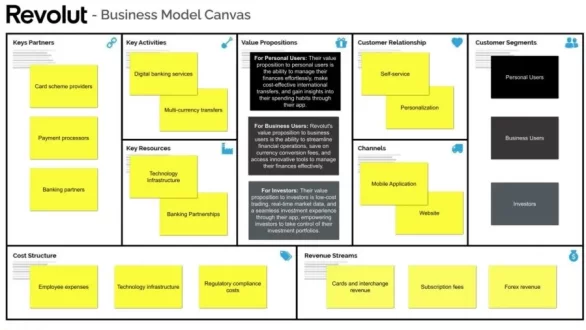
Revolut Business Model Canvas
how does revolut make money
#RevolutBusinessModelCanvas

1. Customer Segments

  • Individual Users: Primarily millennials and tech-savvy individuals looking for a digital-first banking experience.
  • Frequent Travelers: People who travel often and require cost-effective multi-currency solutions.
  • Freelancers and Gig Workers: Those who need easy ways to manage international payments and receive funds in different currencies.
  • Small and Medium Enterprises (SMEs): Businesses that need comprehensive financial management tools, including expense tracking, multi-currency accounts, and corporate cards.

2. Value Propositions

  • Multi-Currency Accounts: Hold and exchange multiple currencies at interbank rates.
  • Fee-Free International Transfers: Cost-effective international money transfers.
  • Comprehensive Financial Services: Includes budgeting tools, cryptocurrency trading, stock trading, and insurance products.
  • Convenient Mobile Banking: All services are accessible through a user-friendly mobile app.
  • Security and Transparency: Advanced security features and clear, upfront fees.

3. Channels

  • Mobile Application: Primary platform for user interaction and transactions.
  • Website: Information portal and account management.
  • Customer Support: In-app chat, email support, and customer service teams.
  • Partnerships: Integration with other fintech services and financial institutions.

4. Customer Relationships

  • Self-Service: User-friendly app for independent account management.
  • Customer Support: In-app and email support for troubleshooting and assistance.
  • Community Engagement: Active community forums and social media presence to engage users and gather feedback.
  • Personalized Services: Tailored financial products and premium accounts with additional features.

5. Revenue Streams

  • Subscription Fees: Premium accounts (Plus, Premium, and Metal) offer enhanced features for a monthly or annual fee.
  • Interchange Fees: Small fees are taken from merchants every time a user makes a card payment.
  • Currency Exchange Fees: Fees for currency exchanges beyond free monthly limits.
  • Cryptocurrency Trading Fees: Fees charged on buying and selling cryptocurrencies.
  • Interest on Deposits: Earning interest on user deposits in partner bank accounts.
  • Insurance Products: Revenue from selling travel, device, and health insurance.

6. Key Resources

  • Technology Platform: The Revolut app and backend infrastructure.
  • Financial Licenses: Necessary licenses to operate as a financial institution in various regions.
  • Partnerships: Collaborations with banks, payment processors, and fintech companies.
  • Human Resources: Skilled workforce including developers, customer support, and compliance teams.
  • Brand: Strong brand presence and customer trust.

7. Key Activities

  • Platform Development: Continuous improvement of the app and addition of new features.
  • Customer Acquisition: Marketing and promotional activities to attract new users.
  • Regulatory Compliance: Ensuring adherence to financial regulations across different regions.
  • Customer Support: Providing timely and effective support to users.
  • Partnership Management: Managing relationships with financial institutions and other partners.

8. Key Partnerships

  • Banks and Financial Institutions: For banking licenses and operational support.
  • Payment Processors: Facilitating transactions and card payments.
  • Regulatory Bodies: Ensuring compliance with financial regulations.
  • Technology Providers: Supporting infrastructure and cybersecurity.

9. Cost Structure

  • Technology Development: Costs associated with app development and maintenance.
  • Customer Support: Operating customer service centers and support systems.
  • Marketing and Sales: Advertising, promotions, and user acquisition costs.
  • Compliance and Legal: Ensuring compliance with global financial regulations.
  • Operational Costs: Daily operations, employee salaries, and office expenses.

Revolut Alternatives

Learn additional details about Alternatives to Revolut in an article by our team on Revolut Alternatives

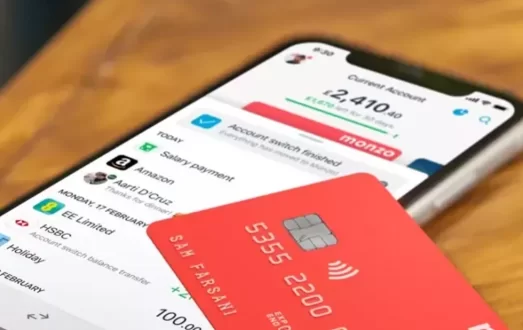
When exploring alternatives to Revolut, several noteworthy options cater to diverse financial needs. Monzo, a popular choice, offers a user-friendly app with features like budgeting tools and instant notifications. Another strong alternative is N26, known for its streamlined interface and robust international banking capabilities. For those seeking a comprehensive digital banking experience, Chime provides a range of features, including no-fee banking and automatic savings. Each of these alternatives brings unique benefits, allowing users to select the platform that best fits their financial requirements and preferences

Explore more about Monzo in an article by our team How does Monzo work?

How Does Revolut Make Money?

how does revolut make money
#howdoesrevolutmakemoney

Revolut primarily earns through premium and metal accounts, merchant commissions on card transactions, and fees for account top-ups and expedited transfers. Additional revenue comes from charges for excessive ATM withdrawals and transactions beyond set limits. The online bank has experienced significant growth, partly fueled by crowdfunding and support from global investors. It operates centers in London, Moscow, and St. Petersburg, with plans to expand into North America, Asia, and the Middle East.

You may also like to read How does Crowdfunding work

Detailed insight into how Revolut makes money

  1. Subscription Fees: Revolut offers premium subscription plans like Revolut Premium and Revolut Metal, which provide users with enhanced features such as higher withdrawal limits, travel insurance, and cryptocurrency cashback. Users pay a monthly or annual subscription fee for these premium accounts.
  2. Transaction Fees: Revolut earns revenue from transaction fees, particularly from card transactions. This includes interchange fees paid by merchants when users make purchases using their Revolut cards. Additionally, Revolut charges fees for currency exchange transactions, especially for exchanges exceeding specified limits or conducted during weekends when markets are closed.
  3. Cryptocurrency Services: Revolut facilitates cryptocurrency trading within its app, charging fees on transactions involving buying, selling, and exchanging cryptocurrencies. These fees contribute to its revenue.
  4. Overdraft Fees: Revolut provides overdraft facilities to eligible users, charging fees based on the overdraft amount and duration of usage.
  5. Interest on Deposits: Revolut earns interest on user deposits held in partner banks. Although primarily a digital bank, Revolut collaborates with traditional banks to hold and manage user funds, earning interest on these deposits.
  6. Commissions from Investments: Revolut allows users to invest in stocks and commodities through its platform, earning commissions on these investment transactions.
  7. Insurance Sales: Revolut provides various insurance products, including travel insurance and device insurance, to its users. Revenue is generated from selling these insurance policies.
  8. Business Services: Revolut provides business accounts with additional features tailored for businesses, charging fees for services such as corporate cards, expense management tools, and international transfers.
  9. Partnerships and Affiliations: Revolut partners with other financial institutions, payment processors, and service providers. These partnerships may involve revenue-sharing agreements or referral fees for new customer acquisitions.
  10. Premium Features and Add-ons: Beyond basic banking services, Revolut also offers premium features such as disposable virtual cards, priority customer support, and concierge services for premium account holders, charging additional fees for these add-ons.

Revolut Bank

Revolut Bank is a digital banking arm of Revolut, offering financial services such as savings accounts, loans, and overdraft facilities through its app. It combines traditional banking features with modern fintech innovations, providing users with a seamless and integrated banking experience.

Funding Rounds: Revolut

Seed Round (2015)

Revolut raised approximately $1.7 million in its seed funding round. This initial investment helped kickstart its operations and product development.

Series A (2016)

In July 2016, Revolut secured $10 million in its Series A funding round led by Balderton Capital, with participation from Seedcamp and other investors. This funding was used to expand its team and accelerate growth.

Series B (2017)

In April 2017, Revolut raised $66 million in its Series B funding round led by Index Ventures and Balderton Capital. This funding round enabled Revolut to launch new features, expand its user base, and strengthen its market position.

Series C (2018)

In April 2018, Revolut raised $250 million in its Series C funding round led by DST Global, with participation from Index Ventures and Ribbit Capital. This funding round valued Revolut at over $1.7 billion and supported its global expansion efforts.

Series D (2019)

Revolut raised $500 million in its Series D funding round in February 2019, led by TCV with participation from DST Global and other investors. This funding round valued Revolut at $5.5 billion and supported its expansion into new markets and the introduction of additional financial services.

Series E (2020)

In July 2020, Revolut raised $580 million in its Series E funding round led by TCV and Tiger Global Management, with participation from other investors. This funding round further bolstered Revolut’s valuation and supported its continued product innovation and geographic expansion.

TL; DR- How Does Revolut Make Money?

Revolut’s diverse revenue streams showcase a robust and innovative business model that leverages subscription plans, transaction fees, cryptocurrency services, and partnerships to generate income. With a focus on user-centric financial solutions and strategic expansions into new markets, Revolut continues to evolve and drive revenue growth. By embracing digital banking innovations and offering tailored financial products, Revolut remains at the forefront of fintech, ensuring sustainable profitability and customer satisfaction in the competitive financial services industry.

Revolut makes money primarily through subscription plans (Standard, Premium, Metal), transaction fees (e.g., currency exchange, ATM withdrawals), interchange fees from card transactions, cryptocurrency trading fees, and partnerships with other financial services providers. Additionally, revenue comes from premium services, business accounts, interest on deposits, advertising, and data analytics sold to third parties.

Want to Launch Your Own Business Similar to Fintech?

If you want to start your own fintech platform – you should go with Fintech Script which has customized features to let you roll with your own fintech platform business.


Revolut Alternatives: A Complete Guide You Need To Know About Apps like Revolut and Its Competitors

Fintech, short for financial technology, refers to the innovative use of technology to provide financial services and solutions. This rapidly evolving sector encompasses a wide range of applications, from mobile banking and digital payments to blockchain and investment apps. Fintech aims to streamline, enhance, and democratize financial services, making them more accessible, efficient, and user-friendly. As the fintech industry continues to grow, it is reshaping the financial landscape, driving increased competition, and fostering greater financial inclusion worldwide.

In this article, we will delve into alternatives to Revolut and explore apps similar to Revolut.

Want to know more about what is Revolut? Read our article.

Revolut is a digital banking and financial technology company that provides a wide array of financial services through its mobile app. Founded in 2015 in the United Kingdom by Nikolay Storonsky and Vlad Yatsenko, Revolut initially offered a prepaid debit card for fee-free currency exchange. Since then, it has expanded its services to include personal and business accounts, cryptocurrency trading, budgeting tools, savings vaults, and international money transfers.

Revolut Business

It is a comprehensive financial platform designed for businesses of all sizes, offering a suite of tools and services to manage finances efficiently. Here’s a detailed overview:

Key Features

Multi-Currency Accounts:

  • Hold, receive, and exchange money in over 30 currencies.
  • Use local accounts for different currencies to avoid international transfer fees.

International Payments:

  • Send and receive international payments at competitive exchange rates.
  • Free international and local payments are included in the same plan.

Corporate Cards:

  • Issue physical and virtual cards to employees.
  • Control spending with custom limits and track expenses in real-time.

Expense Management:

  • Simplify expense reporting with integrated tools.
  • Capture receipts and categorize expenses on the go.

Payment Gateway:

  • Accept payments online through secure gateways.
  • Integration with major e-commerce platforms.

Integrations:

  • Seamless integration with accounting software like Xero and QuickBooks.
  • API access for custom integrations with business tools.

Perks and Discounts:

  • Access to exclusive offers and discounts from Revolut’s partners.
  • Benefits include discounts on software, services, and travel.

Security and Control:

  • Multi-layered security protocols, including two-factor authentication.
  • Instant notifications and the ability to freeze/unfreeze cards.

Plans and Pricing

It offers multiple plans to cater to different business needs, from startups to large enterprises.

PlanMonthly FeeFeatures
Free£0Basic account with limited features and transactions.
Grow£25More transactions, multi-currency accounts, expense management, and priority support.
Scale£100Higher transaction limits, advanced integrations, and additional user accounts.
EnterpriseCustomTailored solutions with dedicated account management and custom integrations.

Benefits

  • Cost Efficiency: Save on international transfers and currency exchange fees.
  • Flexibility: Manage finances from anywhere with a robust mobile app.
  • Transparency: Real-time tracking of transactions and expenses.
  • Global Reach: Operate seamlessly across borders with multi-currency accounts.

How to Set Up Revolut Business Account

  1. Sign Up: Visit the Revolut website and sign up for an account.
  2. Choose a Plan: Select the plan that best suits your business needs.
  3. Verification: Complete the verification process by providing the necessary documents.
  4. Set Up: Configure your account, issue cards, and integrate with your business tools.

Importance of exploring Revolut alternatives

Diverse Financial Needs

Individuals and businesses have unique financial needs that a single platform may not fully address. Exploring alternatives ensures that you find a service that best matches your specific requirements, whether it’s lower fees, more robust business tools, or better customer support.

Cost Efficiency

Different financial platforms offer varying fee structures. By examining alternatives, users can potentially find options with lower transaction fees, better exchange rates, or no monthly charges, thereby saving money in the long run.

Enhanced Features

While Revolut offers a wide array of services, other platforms might provide additional features or more advanced tools that better suit your needs. For instance, some alternatives might have superior budgeting tools, investment options, or customer service.

Security and Reliability

Security is a paramount concern in financial services. Comparing alternatives allows users to evaluate the security measures and reliability of different platforms, ensuring their money and personal information are protected.

User Experience

User interface and experience can vary significantly between platforms. Some alternatives might offer a more intuitive design, faster transactions, or better mobile app performance, enhancing overall user satisfaction.

Backup Options

Relying on a single financial platform can be risky if that service experiences downtime or other issues. Having alternative options ensures that users can still manage their finances seamlessly without disruption.

Regulatory and Compliance Differences

Different platforms operate under various regulatory environments, which can impact the services they provide and their reliability. Exploring alternatives helps users understand these differences and choose a platform that aligns with their compliance and regulatory preferences.

Competitive Landscape

The fintech industry is highly competitive, with new players continually entering the market. Exploring alternatives keeps users informed about the latest innovations and improvements, ensuring they benefit from the most advanced and efficient financial solutions available.

Specific Use Cases

Certain platforms may cater better to specific use cases, such as international business transactions, personal budgeting, or high-frequency trading. Identifying alternatives helps users find the best fit for their particular financial activities.

Personal Preferences

Lastly, personal preferences in terms of interface design, customer support quality, and additional perks (like cashback or rewards) can make a significant difference in user satisfaction. Exploring alternatives allows users to find a platform that feels right for them on a personal level.

Why Consider Revolut Alternatives?

Common Pain Points with Revolut

Customer Service Issues

  • Users have reported delays in getting responses and resolving issues through Revolut’s customer support, especially during high-traffic periods or complex problem scenarios.

Account Freezes and Closures

  • Some users experience sudden account freezes or closures, often for security reviews, which can be disruptive and stressful, particularly if funds are inaccessible during the review process.

Fees and Limits

  • Although Revolut promotes fee-free services, there are certain limits and conditions where fees apply, such as exceeding the monthly free ATM withdrawal limit or making currency exchanges beyond a certain threshold.

Technical Glitches

  • Like any digital platform, Revolut can suffer from technical issues or app bugs, which might affect transaction processing, app performance, or access to services.

Limited Features in Basic Plans

  • Some of the more advanced features and benefits are only available in the paid plans (Plus, Premium, Metal), which might not justify the cost for all users.

Regional Restrictions

  • Certain features and services offered by Revolut are not available in all countries, limiting its usability for some international users.

Benefits of Diversifying Financial Apps

Risk Mitigation

  • Diversifying financial apps reduces dependency on a single platform, minimizing risks associated with account issues, technical failures, or service disruptions.

Access to Unique Features

  • Different apps provide various features. By using multiple platforms, users can leverage the best tools and services each has to offer, such as specialized investment options, better budgeting tools, or unique rewards programs.

Cost Savings

  • Some alternatives might offer lower fees or more favorable terms for specific transactions or services, helping users save money.

Enhanced Security

  • Using multiple platforms can improve security. If one platform experiences a security breach, the impact on the user’s overall financial health is mitigated as not all assets are concentrated in one place.

Optimized User Experience

  • Different apps have varying interfaces and user experiences. By trying out alternatives, users can find the most intuitive and user-friendly platforms that suit their personal preferences.

Better Customer Support

  • Some alternatives might provide superior customer service, with quicker response times and more effective issue resolution.

Specialized Services

  • Certain apps might be better suited for specific needs, such as high-frequency trading, international money transfers, or advanced analytics and reporting.

Backup Options

  • Having multiple financial apps ensures users have backup options if one app is down or facing issues, allowing seamless financial management without interruption.

Broader Acceptance

  • Different financial apps might be more widely accepted in different regions or among different merchants and service providers, offering greater flexibility.

Innovation and Trends

Staying informed about and using various fintech platforms keeps users abreast of the latest trends and innovations in financial technology, ensuring they benefit from the most advanced tools available.

Key Features to Look for in Alternatives to Revolut

Multi-Currency Accounts

Ease of Use

  • Look for platforms that allow seamless holding and exchanging of multiple currencies within a single account.
  • Ensure the platform offers competitive exchange rates and minimal fees for currency conversion.

Global Accessibility

  • Check if the alternative supports a wide range of currencies, especially those you frequently deal with.
  • Consider whether the platform is accessible and fully functional in your country of residence.

Fee Structures

Transparency

  • Opt for platforms that are clear and upfront about their fee structures, including transaction fees, withdrawal fees, and any hidden charges.
  • Compare the overall costs, including monthly maintenance fees and fees for specific services like international transfers.

Cost Efficiency

  • Evaluate whether the platform offers competitive rates compared to Revolut, especially for services you often use, such as ATM withdrawals, currency exchanges, or overseas transactions.

Security Measures

Regulation and Compliance

  • Ensure the platform is regulated by reputable financial authorities and complies with industry standards for security and privacy.
  • Look for features like two-factor authentication, biometric login options, and encryption for transactions.

Fraud Prevention

  • Check if the platform offers robust fraud detection and prevention mechanisms.
  • Consider platforms that provide instant notifications for transactions and suspicious activity alerts.

Additional Features

Budgeting Tools

  • Choose platforms that offer comprehensive budgeting tools to track your spending, set financial goals, and manage your finances effectively.
  • Look for features like spending analytics, expense categorization, and custom budget settings.

Cryptocurrency Support

  • If you are interested in cryptocurrencies, ensure the platform supports buying, selling, and holding cryptocurrencies securely.
  • Evaluate the variety of cryptocurrencies offered and the associated fees for trading and withdrawals.

Read more about Cryptocurrencies in our article How does Cryptocurrency work?

Investment Options

  • Some alternatives might offer advanced investment options such as stock trading, mutual funds, or savings plans.
  • Check if these services are integrated into the platform and assess their usability and cost-effectiveness.

Customer Support

  • Reliable and accessible customer support is crucial. Look for platforms that offer multiple support channels, including live chat, phone support, and email.
  • Check user reviews to gauge the effectiveness and responsiveness of the support team.

You may also like to read What is Chatbot?

Additional Perks

  • Consider any extra benefits that the platform might offer, such as cashback rewards, insurance coverage, or travel-related perks like discounted airport lounge access.

Top Revolut Alternatives

N26

Key Features

  • Multi-Currency Accounts: N26 offers support for multiple currencies, making it easy for users to manage international finances.
  • Real-Time Spending Notifications: Users receive instant notifications for every transaction.
  • Integrated Budgeting Tools: The app includes features to track and categorize spending, set budgets, and monitor financial health.
  • Travel Insurance and Perks: N26 provides various travel-related benefits with their premium accounts.

Pricing and Fees

  • Standard Account: Free, with no monthly fees.
  • Premium Accounts: Options like N26 You and N26 Metal with fees ranging from €9.90 to €16.90 per month, offering additional benefits such as insurance and premium customer support.
  • ATM Withdrawals: Free within the Eurozone, fees apply outside.

User Demographics

  • Target Audience: Frequent travelers, digital nomads, and individuals seeking a modern, app-based banking experience.
  • Geographical Reach: Primarily available in Europe and the US.

Monzo

Key Features

  • Instant Spending Alerts: Users get real-time notifications for transactions.
  • Budgeting Tools: Monzo offers detailed budgeting features to help users manage their finances.
  • Fee-Free Foreign Transactions: No fees for spending abroad.
  • Overdrafts and Loans: Available to eligible users.

Pricing and Fees

  • Standard Account: Free with basic features.
  • Monzo Plus and Monzo Premium: Fees of £5 and £15 per month, respectively, offering benefits like interest on balances, enhanced budgeting tools, and travel insurance.
  • ATM Withdrawals: Free in the UK, fees may apply for international withdrawals.

User Demographics

  • Target Audience: Young professionals, tech-savvy individuals, and people looking for flexible banking solutions.
  • Geographical Reach: Predominantly in the UK, with expanding services in the US.

Discover more about Monzo in our article How Does Monzo Work

TransferWise (Wise)

Key Features

  • Multi-Currency Accounts: Hold and convert over 50 currencies with competitive exchange rates.
  • Borderless Account: Facilitates international business and personal transactions.
  • Low Transfer Fees: Transparent and lower fees for international money transfers.
  • Real-Time Notifications: Instant alerts for transactions.

Pricing and Fees

  • Account Maintenance: Generally free with no hidden charges.
  • Transfer Fees: Vary based on the amount and currency but are typically lower than traditional banks.
  • ATM Withdrawals: Free up to a certain limit, fees apply thereafter.

User Demographics

  • Target Audience: Expats, freelancers, and businesses with international financial needs.
  • Geographical Reach: Global presence, supporting users from various countries.

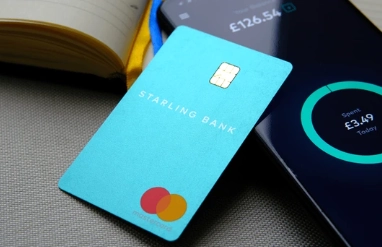
Starling Bank

revolut alternatives
#Starling bank

Key Features

  • No Monthly Fees: Offers a free standard current account with no monthly charges.
  • Overdraft and Loan Options: Competitive rates for overdrafts and personal loans.
  • Multi-Currency Accounts: Available for business accounts.
  • Comprehensive Budgeting Tools: Advanced features for tracking and managing spending.

Pricing and Fees

  • Standard Account: Free with no monthly maintenance fees.
  • Business Accounts: Fees apply for additional services like multi-currency handling.
  • ATM Withdrawals: Free in the UK, fees may apply abroad.

User Demographics

  • Target Audience: UK residents, including personal and business users looking for digital banking solutions.
  • Geographical Reach: Primarily in the UK.

Chime

revolut alternatives
#Chime

Key Features

  • No Monthly Fees: Free basic banking with no maintenance fees.
  • Early Direct Deposit: Get paid up to two days early with direct deposit.
  • Automatic Savings: Automatically save a percentage of every paycheck.
  • Fee-Free Overdraft: SpotMe feature allows for fee-free overdrafts up to a certain limit.

Pricing and Fees

  • Standard Account: Free with no monthly charges.
  • ATM Withdrawals: Free at in-network ATMs, fees apply for out-of-network transactions.
  • Overdraft Fees: No fees for overdrafts within the SpotMe limit.

User Demographics

  • Target Audience: US residents, particularly millennials and those seeking a fee-free banking experience.
  • Geographical Reach: Available only in the United States.

Emerging Competitors of Revolut

Curve

revolut alternatives
#Curve

Unique Features

  • All-in-One Card: Combines multiple bank cards into one Curve card for easier spending management.
  • Go Back in Time: Allows users to switch charges between different payment methods after a purchase.
  • Curve Rewards: Earn cashback rewards at selected retailers.

Market Positioning

  • Target Audience: Tech-savvy individuals seeking streamlined banking solutions.
  • Geographical Reach: Primarily in Europe, expanding to other regions.

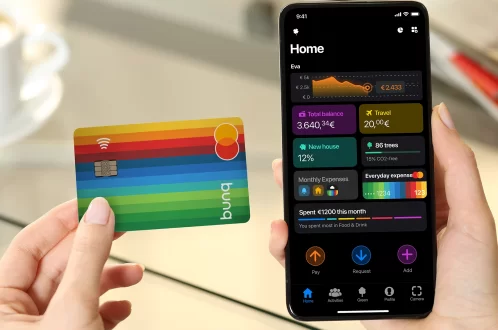
Bunq

revolut alternatives
#Bunq

Unique Features

  • Green Card: Eco-friendly banking option with contributions made to reforestation projects.
  • Travel Card: Zero foreign exchange fees on international spending.
  • Easy Bank Account Switching: Helps users seamlessly switch from their current bank to Bunq.

Market Positioning

  • Target Audience: Environmentally conscious consumers and travelers.
  • Geographical Reach: Available across Europe, focusing on sustainability and innovation.

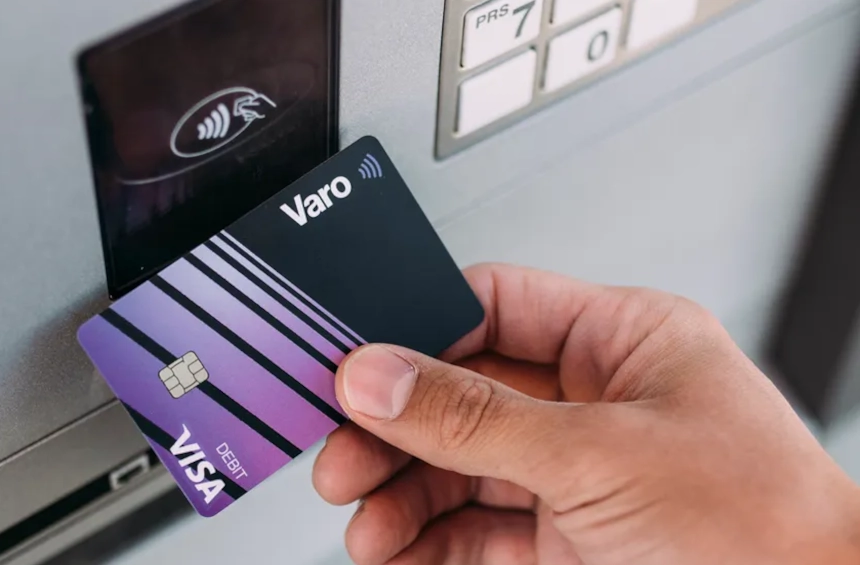
Varo

Unique Features

  • No Fee Banking: No monthly maintenance fees, no minimum balance requirement.
  • Early Direct Deposit: Get paid up to two days early with direct deposit.
  • Save Your Pay: Automatically save a percentage of your paycheck.

Market Positioning

  • Target Audience: US residents looking for fee-free banking and automated savings options.
  • Geographical Reach: Available throughout the United States.

Comparison of Revolut Alternatives

FeatureRevolutN26MonzoTransferWise (Wise)Chime
Type of ServiceDigital BankDigital BankDigital BankInternational Money TransfersNeobank
Founded20152013201520112013
HeadquartersLondon, UKBerlin, GermanyLondon, UKLondon, UKSan Francisco, USA
AvailabilityGlobalEurope, USUKGlobalUS
Currencies Supported30+201 (GBP)50+1 (USD)
Account TypesStandard, Premium, MetalStandard, Premium, MetalStandard, PremiumBorderless AccountStandard, Savings
Key FeaturesMulti-currency accounts, crypto trading, stock trading, budgeting toolsFee-free spending abroad, mobile payments, insuranceFee-free spending abroad, savings pots, budgeting toolsLow-cost international transfers, multi-currency accountsNo monthly fees, early direct deposit, automatic savings
Fee StructureFree basic accounts; subscription for premium featuresFree basic accounts; subscription for premium featuresFree basic accounts; subscription for premium featuresFee per transfer; subscription for additional featuresNo monthly fees; fees for out-of-network ATM withdrawals
Customer SupportIn-app chat, and phone support for premium usersIn-app chat, and phone support for premium usersIn-app chat, phone support for premium usersIn-app chat, email supportIn-app chat, phone support
SecurityHigh (2FA, instant freeze, disposable cards)High (2FA, instant freeze, biometric login)High (2FA, instant freeze, biometric login)High (2FA, instant freeze, biometric login)High (2FA, instant freeze, biometric login)
Comparison of Revolut Alternatives

How to Choose the Right Alternative for You

1. Assessing Your Financial Needs

  • Transaction Habits: Evaluate how often you make international transactions or use ATMs to understand potential fees.
  • Currency Requirements: Consider if you frequently deal with multiple currencies and need competitive exchange rates.
  • Budgeting and Saving Goals: Determine if you require robust budgeting tools or automated savings features.

2. Matching Features to Your Requirements

  • Fee Structure: Compare account fees, ATM withdrawal fees, and foreign transaction fees across different alternatives.
  • Security Features: Review security measures such as two-factor authentication and insurance coverage for peace of mind.
  • Additional Features: Look for specific features like budgeting tools, investment options, or business solutions that align with your needs.

3. Considering Customer Service and Support

  • Availability: Check the availability of customer support channels (e.g., phone, email, live chat) and their responsiveness.
  • User Reviews: Read user reviews and feedback to gauge the quality of customer service and support provided by each alternative.
  • Community and Resources: Evaluate if the alternative offers community forums, educational resources, or helpful guides for users.

4. Final Considerations

  • Trial Period: If available, take advantage of any trial periods or demo accounts to experience the platform firsthand.
  • Long-Term Suitability: Assess how well the alternative aligns with your long-term financial goals and lifestyle.

TL; DR-Revolut Alternatives: All you need to know about Apps like Revolut

Exploring alternatives to Revolut opens up a spectrum of choices tailored to diverse financial needs. Whether prioritizing low fees, robust features, or exceptional customer support, each alternative offers distinct advantages. By assessing your specific requirements be it multi-currency capabilities, budgeting tools, or unique banking features you can confidently select an alternative that aligns with your financial goals. Remember to consider user experiences, security measures, and long-term suitability to ensure a seamless transition and an enriched banking experience tailored to your preferences.

Want to Launch Your Own Business Similar to Fintech?

If you want to start your own fintech platform – you should go with Fintech Script which has customized features to let you roll with your own fintech platform business.
Top Apps Like Instacart: All You Need To Know About Instacart Alternatives And It’s Competitors Now in 2025

0

Hey there! If you’re like most people, you probably love the convenience of grocery delivery apps. Instacart is a big name in this space, but did you know there are many other fantastic options out there? Whether you’re too busy to shop, looking to avoid the hustle and bustle of grocery stores, or simply love the convenience of having your groceries delivered, this article about apps like Instacart is for you.

Grocery delivery apps have become incredibly popular in recent years. They save time, reduce stress, and can even help you stick to a budget. You can avoide those impulse buys that are so tempting in-store. Instacart is one of the leaders in this space. It offers a seamless way to shop from your favorite local stores and have everything delivered straight to your door. But Instacart isn’t the only game in town. There are plenty of other apps like Instacart—and sometimes even better—services. From Shipt to Amazon Fresh, and Walmart Grocery to FreshDirect, there are lots of options to choose from. Each with its own unique features and benefits.

In this article, we’ll dive into the world of grocery delivery apps. We’ll explore some top instacart alternatives, highlighting their key features, areas of operation, and what makes them stand out. Whether you’re looking for the fastest delivery, the best organic produce, or the most affordable prices, we’ve got you covered. So, let’s get started and find the perfect grocery delivery app for you!

If you are interested in knowing more about Instacart, please go through our main article – What is Instacart

Why Grocery Delivery Apps are Gaining Popularity

Grocery delivery apps have surged in popularity over the past few years, and it’s no surprise why. The convenience they offer is unparalleled. Here’s a closer look at the key reasons behind their growing appeal:

Convenience and Time-Saving

One of the primary reasons grocery delivery apps are so popular is the sheer convenience they provide. With just a few taps on your phone, you can have your weekly groceries delivered right to your doorstep. This eliminates the need to drive to the store, navigate crowded aisles, and wait in long checkout lines. For busy professionals, parents, and anyone with a hectic schedule, this time-saving aspect is invaluable.

Impact of the COVID-19 Pandemic

The COVID-19 pandemic has significantly accelerated the adoption of grocery delivery apps. During lockdowns and periods of social distancing, many people turned to these services to avoid crowded places and minimize their risk of exposure to the virus. Even as restrictions have eased, the habit of ordering groceries online has stuck with many consumers, who now appreciate the safety and convenience it offers.

Technological Advancements

Advances in technology have made grocery delivery apps more efficient and user-friendly. Features like real-time order tracking, easy-to-navigate interfaces, personalized shopping recommendations, and secure payment options have enhanced the user experience. Additionally, the integration of AI and machine learning allows these apps to better understand user preferences and improve service delivery.

Variety and Availability

Grocery delivery apps offer a wide variety of products, often more than what is available in a physical store. From fresh produce and dairy to specialty items and household essentials, you can find almost anything you need. Many apps partner with multiple retailers, providing users with a broader selection and the ability to shop from various stores simultaneously.

Health and Wellness

For many, grocery delivery apps also contribute to healthier living. These apps often provide detailed nutritional information and easy access to organic and specialty foods. Some apps even offer meal planning and recipe suggestions based on the groceries you purchase, helping you make healthier choices and plan balanced meals with ease.

Competitive Pricing and Deals

With so many grocery delivery services competing for customers, many offer competitive pricing and exclusive deals. Users can take advantage of discounts, promotions, and loyalty rewards, often finding prices comparable to, or even lower than, in-store prices. This cost-effectiveness, combined with the convenience factor, makes grocery delivery apps an attractive option.

Environmental Benefits

Some grocery delivery services are committed to sustainability and reducing their carbon footprint. By consolidating multiple orders into a single delivery route, these services can reduce the number of individual car trips, thereby lowering overall emissions. Additionally, some companies offer eco-friendly packaging and support local and sustainable food sources.

Accessibility

Grocery delivery apps have also improved accessibility for people with disabilities, the elderly, or those with limited mobility. These services make it easier for individuals who might find traditional grocery shopping challenging to get the food and household items they need without leaving their homes.

Overview of Instacart

#instacart

Instacart has transformed the way millions shop for groceries by bringing the supermarket to your doorstep. Established in 2012, Instacart pioneered the concept of grocery delivery on-demand, offering a convenient solution for busy individuals and families alike.

  1. User-Friendly Platform: Instacart operates through a user-friendly mobile app and website, where customers can browse a wide selection of groceries and household essentials from local stores. The platform partners with various retailers, including major chains and local favorites, giving customers access to a vast array of products.
  2. Ordering Process: Shopping with Instacart is straightforward. Users simply select their items, choose a delivery window that suits their schedule, and then sit back as a personal shopper fulfills their order. This seamless process includes options for substitutions and special instructions, ensuring that customers receive exactly what they need.
  3. Delivery Options: Instacart offers flexibility in options. Customers can opt for same-day delivery, often within just a few hours, or schedule deliveries for a later time that fits their routine. This versatility makes it easy to plan ahead or get groceries in a pinch.
  4. Membership Benefits: While Instacart operates on a pay-per-order basis, it also offers a membership option called Instacart Express. This subscription service provides members with free delivery on orders over a certain amount, reduced service fees, and exclusive discounts.
  5. Customer Service: Instacart prides itself on excellent customer service. Should any issues arise with an order, customers can easily contact support through the app or website to resolve concerns promptly.

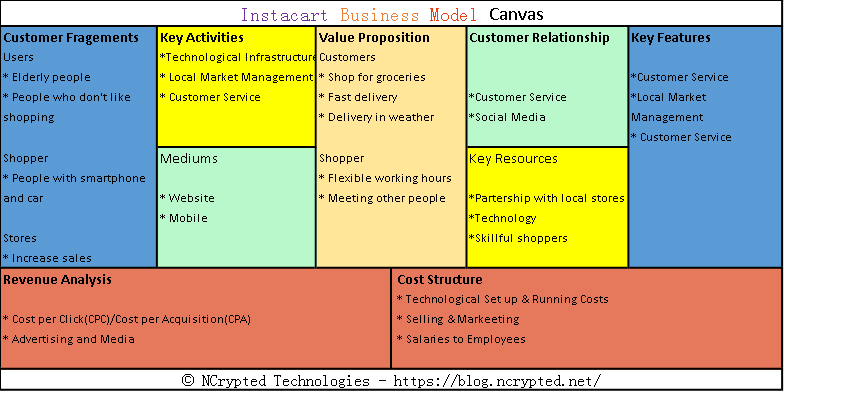
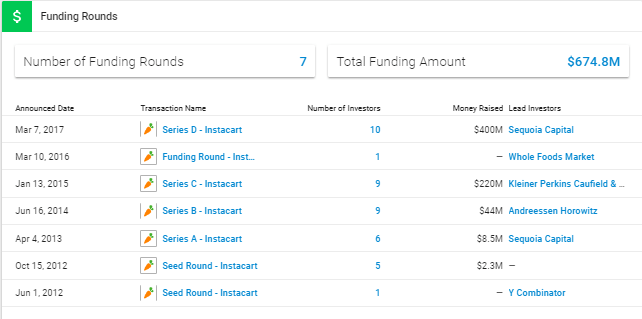
If you want to know more about instacart business models and how it makes money, we have a whole new article for you – How does Instacart make money

Jobs Like Instacart

Are you interested in flexible, on-demand jobs similar to Instacart? There are plenty of opportunities that offer the convenience of setting your own schedule and the ability to work independently. Here are some popular jobs like Instacart, each with its own unique features and benefits:

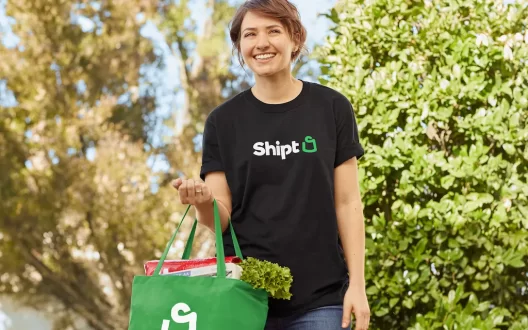
Shipt Shopper

apps like instacart
#shiptshopperinagrocerystore
  • Overview: Shipt shoppers pick and deliver groceries and household items from local stores.
  • Key Features: Flexible scheduling, competitive pay, and the ability to shop at multiple stores.
  • Benefits: Weekly payouts, potential tips, and the satisfaction of helping people get their groceries quickly.

Amazon Flex

apps like instacart
#amazonflexdriveroutfordelivery
  • Overview: Amazon Flex drivers deliver packages for Amazon, including Prime Now, Amazon Fresh, and other services.
  • Key Features: Flexible work hours, ability to choose delivery blocks, and access to the Amazon delivery network.
  • Benefits: Competitive pay, ability to track earnings through the app, and potential to receive tips for certain deliveries.

DoorDash Driver

apps like instacart
#doordashdriver
  • Overview: DoorDash drivers, also known as Dashers, deliver food from restaurants to customers’ homes or workplaces.
  • Key Features: Flexible scheduling, delivery opportunities in many areas, and ability to earn tips.
  • Benefits: Daily payouts with Fast Pay, incentives and bonuses, and a user-friendly app for managing deliveries.

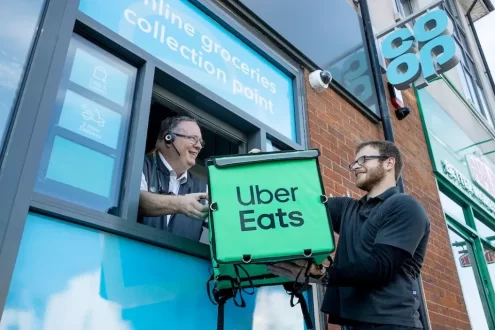
Uber Eats Delivery Partner

#ubereatsgrocerydeliverypartner
  • Overview: Uber Eats delivery partners deliver food from restaurants to customers using their car, bike, or scooter.
  • Key Features: Flexible work hours, earnings based on delivery fees and tips, and the ability to deliver using various modes of transportation.
  • Benefits: Instant payouts with Instant Pay, access to the Uber support network, and incentives for delivering during peak times.

Postmates Courier

#postmatescourier
  • Overview: Postmates couriers deliver a variety of items, including food, groceries, and retail products, to customers.
  • Key Features: Ability to deliver different types of products, flexible work hours, and potential for high earnings with tips.
  • Benefits: Weekly payouts, opportunities for bonuses and incentives, and a wide range of delivery options.

Grubhub Driver

#grubhubdriver
  • Overview: Grubhub drivers deliver food from local restaurants to customers’ doors.
  • Key Features: Flexible scheduling, competitive pay, and the ability to earn tips.
  • Benefits: Regular payouts, delivery bonuses, and access to a large network of restaurant partners.

Instacart delivery job and jobs like instacart offers flexibility, independence, and the opportunity to earn money on your own schedule. Whether you’re interested in , food, or a variety of other items, there are many options available to suit your preferences. Explore these opportunities to find the perfect fit for your lifestyle and start earning today!

Top Apps like Instacart

Shipt

#shipthomedelivery

Overview and History

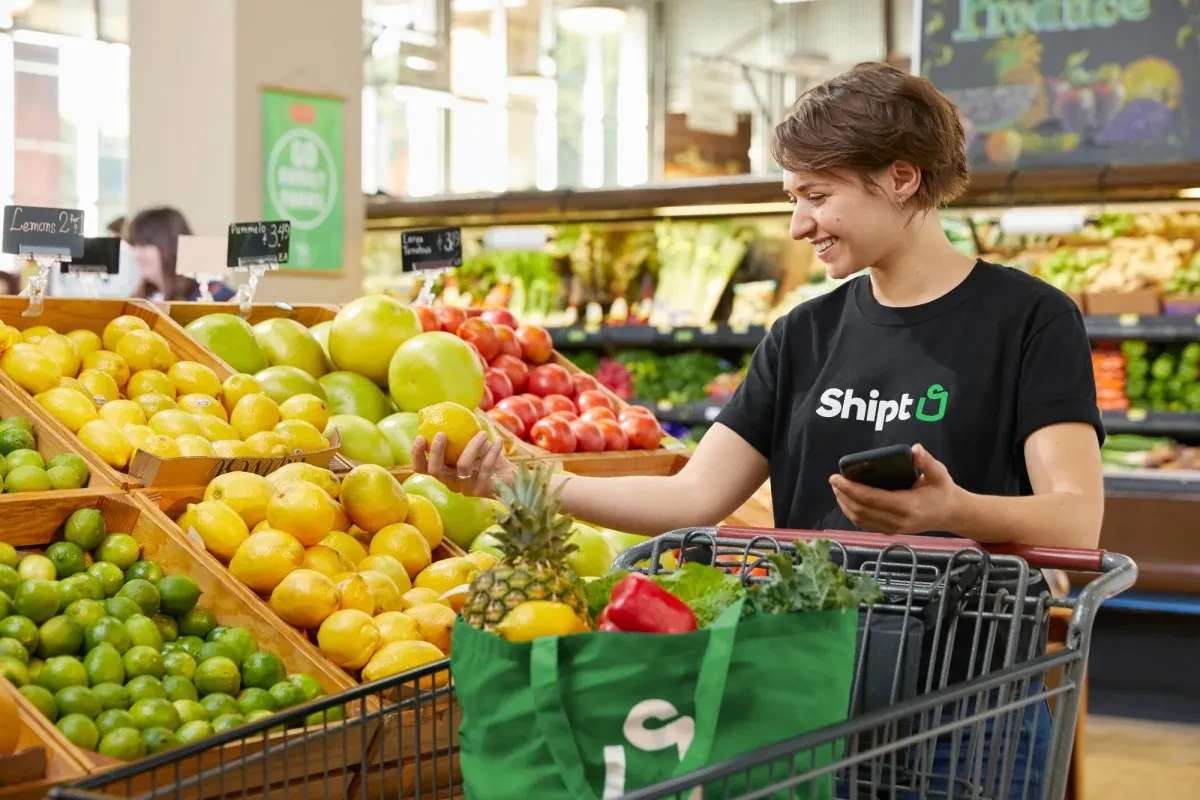
Shipt, established in 2014 and acquired by Target in 2017, has become a prominent player in the grocery delivery service sector. Initially founded to simplify grocery shopping, Shipt has expanded its reach across the United States, catering to the growing demand for convenient home delivery services.

Key Features and Services

  • Wide Product Selection: Users can browse through a broad range of groceries, including fresh produce, dairy products, meats, and household essentials.
  • Personal Shoppers: Shipt employs a network of dedicated shoppers who fulfill orders meticulously. This personalized touch ensures that customers receive exactly what they need and prefer.
  • Flexible Delivery Options: Customers can schedule deliveries based on their convenience, often within a specified one-hour window, making it easy to fit into busy schedules.
  • Member Specials: Shipt members gain access to exclusive deals and discounts on various products, enhancing the overall value of using the service.
  • Integration with Target: Since its acquisition, Shipt has integrated deeply with Target stores, allowing seamless access to Target’s product offerings through the Shipt app.

Areas of Operation

Shipt operates in numerous cities across the United States, covering a wide geographic footprint. It continues to expand its service areas to reach more customers seeking reliable grocery delivery options.

Pricing and Membership Details

  • Membership Fee: Shipt operates on a membership model, with an annual or monthly subscription fee required to access its services.
  • Membership Benefits: Subscribers enjoy unlimited free deliveries on orders above a certain threshold (typically $35 or higher). This model encourages frequent use and ensures cost-effectiveness for regular shoppers.
  • Non-Member Fees: Non-members can still use Shipt by paying a per-delivery fee, though membership is generally more economical for frequent users.

Shipt’s commitment to quality service, combined with its integration with Target and extensive network of shoppers, makes it a popular choice among consumers seeking reliable and efficient grocery delivery solutions.

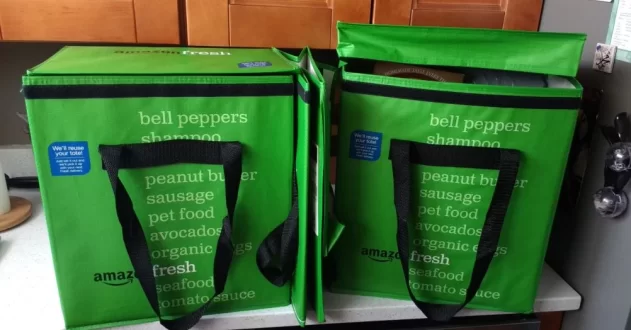
Amazon Fresh

apps like instacart
#amazonfreshdelivery

Overview and History

Amazon Fresh is Amazon’s dedicated grocery delivery and pickup service, designed to provide customers with a seamless shopping experience for a wide range of groceries and household essentials. Launched initially in Seattle in 2007, Amazon Fresh has since expanded to serve numerous cities across the United States and other countries.

Key Features and Services

  1. Extensive Product Selection: Amazon Fresh offers a comprehensive range of groceries, including fresh produce, meats, seafood, dairy products, pantry staples, and household items. Customers can also find specialty items such as organic and gourmet products.
  2. Convenient Delivery Options: Customers can choose between doorstep delivery and attended delivery, where groceries are delivered directly to their home or left in a designated area. Amazon Fresh also offers pickup options from select Amazon Fresh Pickup locations.
  3. Integration with Amazon Prime: Amazon Fresh is integrated with Amazon Prime, allowing Prime members to access the service for an additional fee. This integration provides benefits such as free delivery on eligible orders, exclusive discounts, and access to Prime Now’s ultra-fast delivery service in select cities.
  4. Freshness Guarantee: Amazon Fresh maintains a focus on delivering fresh, high-quality products to customers. They have a freshness guarantee, ensuring that perishable items like produce and meats meet high standards of freshness upon delivery.
  5. Amazon Alexa Integration: Customers can use voice commands with Amazon Alexa-enabled devices to add items to their Amazon Fresh shopping cart, reorder previous purchases, and check delivery status.

Areas of Operation

Amazon Fresh operates in several major metropolitan areas across the United States, including but not limited to Seattle, Los Angeles, San Francisco, Chicago, New York City, Boston, Philadelphia, Houston, Dallas, Atlanta. The service continues to expand to new cities to meet growing demand for online grocery shopping.

Pricing and Membership Details

Amazon Fresh is available to Amazon Prime members for an additional fee. Prime members can sign up for Amazon Fresh with a monthly subscription, which includes unlimited grocery deliveries on orders over a specified minimum threshold (typically around $35 to $50, depending on the area). Prime members also benefit from free delivery on eligible Amazon Fresh orders.

In addition to the subscription fee, Amazon Fresh prices are competitive with traditional grocery stores and may include promotional discounts and deals for Prime members. Customers can easily manage their orders and subscriptions through the Amazon Fresh app or website.

Walmart Grocery

Overview and History

Walmart Grocery is the online grocery shopping and pickup service offered by Walmart, one of the world’s largest retailers. Launched in select markets in 2015 and expanded nationwide thereafter, Walmart Grocery integrates seamlessly with Walmart’s extensive network of stores to provide a convenient shopping experience.

Key Features and Services

  • Online Ordering: Customers can browse a wide range of groceries, including fresh produce, meats, dairy products, pantry staples, and household essentials, on the Walmart Grocery website or app.
  • Pickup Options: Users have the choice to schedule a pickup time at their local Walmart store, where Walmart associates will load their groceries into their car curbside. This service is free with no additional fees.
  • Delivery Options: Walmart Grocery also offers delivery in some locations for an additional fee. Customers can choose between same-day delivery and scheduled delivery windows to suit their convenience.
  • Easy Reordering: The app and website allow for easy reordering of frequently purchased items, making shopping quicker and more efficient.
  • Walmart+ Membership: Walmart+ is Walmart’s membership program that offers benefits including unlimited free delivery from Walmart Grocery (where available) and discounts on fuel at Walmart and Murphy stations.

Areas of Operation

Walmart Grocery operates across the United States, serving both urban and rural areas. The availability of delivery and pickup services may vary depending on the location, with major metropolitan areas typically having the most comprehensive service options.

Pricing and Membership Details

  • No Membership Fees: Unlike some Instacart and Shipt, Walmart Grocery does not require a membership fee to use its online ordering and pickup services.
  • Delivery Fees: Delivery fees vary based on the delivery window selected by the customer and the location. It occasionally offers promotions and discounts on delivery fees for Walmart+ members.
  • Walmart+ Membership: The Walmart+ membership costs a flat annual fee and includes benefits beyond grocery delivery, such as fuel discounts and in-store benefits.

Walmart Grocery stands out for its affordability, extensive product selection, and integration with Walmart’s vast retail network. Whether you prefer the convenience of curbside pickup or doorstep delivery, Walmart Grocery offers flexible options to fit your shopping needs. With its competitive pricing and the added benefits of Walmart+, it remains a popular choice for customers seeking a reliable and cost-effective grocery shopping solution.

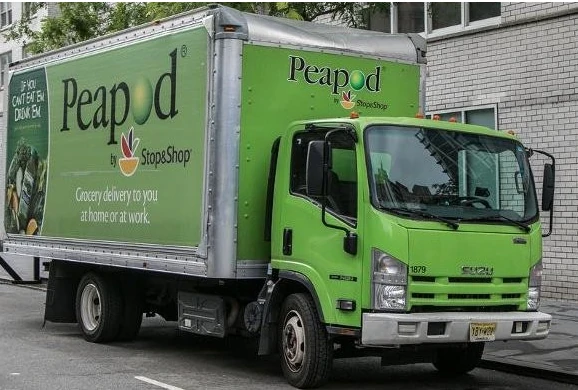
Peapod

apps like instacart
#peapoddeliverytruck

Overview and History

Peapod is one of the pioneers in the online grocery delivery industry, founded in 1989 by brothers Andrew and Thomas Parkinson in Evanston, Illinois. Initially, it began as a software solution to help consumers place orders with their local grocery stores. Over the years, Peapod evolved into a full-fledged online grocery retailer, allowing customers to shop for groceries directly through its platform. In 2001, Peapod was acquired by Ahold Delhaize, a major international grocery retail company, which further expanded its reach and capabilities.

Key Features and Services

  • Wide Product Selection: Peapod offers a comprehensive range of groceries, including fresh produce, meats, seafood, dairy products, pantry staples, and organic items. Customers can browse through thousands of products from their computer or mobile device.
  • Personalized Shopping Experience: Peapod provides personalized recommendations based on customers’ past purchases and shopping habits. This feature makes it easier for users to quickly find items they frequently buy.
  • Meal Kits and Prepared Foods: Peapod offers meal kits and ready-to-eat meals for those looking for convenient meal solutions. These kits come with pre-portioned ingredients and easy-to-follow recipes.
  • Special Dietary Filters: Users can filter products based on dietary preferences and restrictions, such as gluten-free, vegan, or low-sodium options.
  • Flexible Delivery Options: Peapod allows customers to choose delivery windows that suit their schedules. The service offers same-day or next-day delivery in many areas.
  • Easy Reordering: Peapod makes it simple for customers to reorder their favorite products with just a few clicks, enhancing the convenience of the shopping experience.
  • Virtual Store Aisles: The platform mimics the layout of a physical grocery store, making it easy for customers to navigate through virtual aisles and find products.

Areas of Operation

Peapod primarily operates in the northeastern United States and the Midwest. Some of the key areas include New York, New Jersey, Connecticut, Massachusetts, Rhode Island, Washington D.C., Pennsylvania, Illinois, Indiana, Wisconsin. While Peapod has a strong presence in these regions, availability can vary, so it’s best to check their website for specific service areas.

Pricing and Membership Details

  • Product Pricing: Peapod’s product prices are competitive with local grocery stores. Prices are clearly listed on the website and app, allowing customers to compare costs and manage their budgets effectively.
  • Delivery Fees: Peapod’s delivery fees vary based on the order size and delivery window selected. Typically, delivery fees range from $6.95 to $9.95, with higher fees for smaller orders and premium delivery times.
  • Membership and Subscriptions: Peapod offers a subscription service called “PodPass,” which provides unlimited free delivery for a monthly or annual fee. It is available in two options:
  • PodPass Monthly: $12.99 per month for unlimited free delivery on orders over $100.
  • PodPass Annual: $119 per year for unlimited free delivery on orders over $100.
  • Promotions and Discounts: Peapod frequently offers promotions, discounts, and special deals to help customers save money. New customers often receive discount codes for their first few orders.

Peapod remains a convenient and reliable option for those looking to simplify their grocery shopping experience. Its comprehensive product selection, user-friendly platform, and flexible delivery options make it a strong contender in the online grocery delivery market.

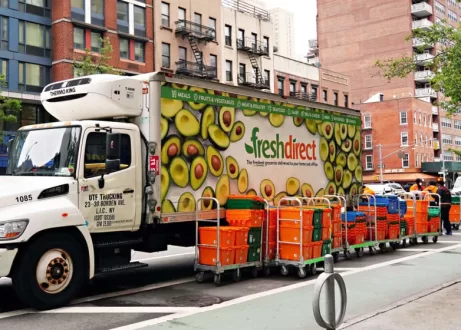
FreshDirect

#freshdirectdelivery

Overview and History

FreshDirect is an online grocery delivery service founded in 1999 by Joe Fedele and Jason Ackerman. Headquartered in Long Island City, New York, FreshDirect focuses on delivering high-quality, fresh food directly to consumers. The company initially started as a food delivery service for office workers but quickly expanded its offerings to include a wide range of groceries, with a strong emphasis on fresh and locally sourced produce, meats, and seafood.

Key Features and Services

  1. Fresh and Locally Sourced Products: FreshDirect is known for its commitment to providing fresh, high-quality groceries. They work directly with local farms, fisheries, and suppliers to ensure that their products are fresh and sustainably sourced.
  2. Extensive Product Range: The service offers a wide variety of products, including fresh fruits and vegetables, dairy, meat and poultry, seafood, bakery items, pantry staples, and prepared meals. They also have a selection of organic and specialty products.
  3. Customized Delivery Options: FreshDirect offers flexible delivery slots, including same-day and next-day delivery options. Customers can choose their preferred delivery window to ensure they are home to receive their orders.
  4. Meal Kits and Prepared Foods: FreshDirect offers meal kits with pre-measured ingredients and recipes, making it easy for customers to prepare meals at home. They also have a range of prepared foods, including ready-to-eat meals, side dishes, and desserts.
  5. Sustainability Initiatives: The company is committed to sustainability, using eco-friendly packaging and focusing on reducing food waste. They also prioritize sourcing from farms and suppliers that practice sustainable farming and fishing.
  6. Customer Experience: FreshDirect provides detailed product descriptions, nutritional information, and customer reviews on their website and app. They also offer personalized recommendations based on previous purchases.

Learn More about how does FreshDirect work

Areas of Operation

FreshDirect primarily operates in the northeastern United States. Key areas of service include New York City and surrounding areas (including parts of New Jersey, Connecticut, and Pennsylvania), Washington, D.C., Philadelphia and its suburbs. FreshDirect continues to expand its delivery areas, so it is advisable to check their website for the most up-to-date service locations.

Pricing and Membership Details

  • Pricing: FreshDirect’s prices are competitive with other grocery delivery services, though they may be slightly higher than traditional grocery stores due to the convenience and quality of their offerings. Prices vary based on the type and quantity of products ordered.
  • Delivery Fees: Delivery fees range based on the order size and delivery time slot chosen. Typically, delivery fees are around $5.99 to $15.99 per order, with the possibility of free delivery promotions or reduced fees for larger orders.
  • DeliveryPass Membership: FreshDirect offers a membership program called DeliveryPass. Members pay a monthly or annual fee in exchange for free or discounted delivery on all orders. The membership also includes other perks, such as priority access to delivery slots and exclusive promotions. The DeliveryPass costs approximately $79 for six months or $129 annually, offering savings for frequent shoppers.
  • Special Promotions and Discounts: FreshDirect frequently runs promotions and discounts for new customers, bulk purchases, and seasonal items. They also have a referral program where customers can earn credits by referring friends and family.

FreshDirect stands out for its commitment to freshness, quality, and sustainability, making it a popular choice for customers looking for a reliable and high-quality grocery delivery service.

Postmates

apps like instacart
#postmatesdelivery

Overview and History

Postmates is a popular on-demand delivery service that was founded in 2011 by Bastian Lehmann, Sean Plaice, and Sam Street. Originally, the service focused on delivering items from local merchants, including restaurants, grocery stores, and other retailers, directly to customers’ doors. Postmates quickly became known for its versatility and speed, offering deliveries of anything from a quick meal to essential household items. In 2020, Postmates was acquired by Uber, which integrated the service into its Uber Eats platform, expanding its reach and capabilities.

Key Features and Services

  • Wide Range of Deliveries: Postmates delivers food from restaurants, groceries from local stores, and other essential items such as alcohol, pharmacy goods, and household products.
  • Fast Delivery: Known for its quick delivery times, Postmates can often get items to customers within an hour.
  • 24/7 Availability: The service operates 24/7, allowing customers to order deliveries at any time of day or night.
  • Postmates Unlimited: A subscription service that offers free delivery on orders over a certain amount and other exclusive benefits for a monthly or annual fee.
  • Live Order Tracking: Customers can track their deliveries in real-time through the app, providing transparency and updates on the status of their orders.
  • No-Contact Delivery: In response to the COVID-19 pandemic, Postmates introduced no-contact delivery options to ensure the safety of customers and couriers.

Areas of Operation

Postmates operates in hundreds of cities across the United States, including major metropolitan areas such as Los Angeles, New York City, Chicago, San Francisco, Miami, Seattl, Austin. Postmates has also expanded its service to smaller cities and suburban areas, making it accessible to a wide range of customers. With its integration into Uber Eats, the reach of Postmates has further extended, leveraging Uber’s extensive delivery network.

Pricing and Membership Details

  • Delivery Fees: The cost of delivery varies depending on the distance, the type of item being delivered, and the local market. Fees typically range from $1.99 to $9.99, with higher fees during peak times or for longer distances.
  • Service Fees: In addition to delivery fees, Postmates charges a variable service fee that covers operational costs. This fee is usually a percentage of the order total.
  • Small Cart Fees: For orders that do not meet a minimum amount (usually around $12), Postmates may charge a small cart fee.
  • Postmates Unlimited: The subscription service costs $9.99 per month or $99.99 per year. Subscribers enjoy benefits such as:
  • Free delivery on all orders over $12.
  • Reduced service fees.
  • Access to exclusive promotions and offers.

Postmates offers a wide range of delivery services with flexible options to suit different customer needs, making it a versatile and convenient choice for on-demand deliveries.

Read more: How does Postmates work

GoPuff

apps like instacart
#gopuffdelivery

Overview and History

GoPuff is a delivery service that specializes in providing a wide range of everyday essentials, including snacks, beverages, household items, and even over-the-counter medications. Founded in 2013 by Rafael Ilishayev and Yakir Gola, two Drexel University students, GoPuff started as a late-night delivery service for college students and has since grown into a major player in the convenience delivery market. The company operates its own network of local micro-fulfillment centers, which allows it to offer rapid delivery times, typically within 30 minutes.

Key Features and Services

  1. Wide Product Range: GoPuff offers a diverse selection of products, including snacks, beverages, alcohol, groceries, household essentials, personal care items, and even baby products. This makes it a one-stop shop for many of your everyday needs.
  2. Fast Delivery: One of GoPuff’s standout features is its promise of fast delivery, often within 30 minutes. This speed is made possible by its extensive network of local fulfillment centers.
  3. Flat Delivery Fee: GoPuff charges a flat delivery fee of $2.95 for most orders, which is relatively low compared to other delivery services.
  4. Late-Night Service: GoPuff operates late into the night, making it a popular choice for those needing late-night snacks or essentials.
  5. GoPuff Fam Membership: For frequent users, GoPuff offers a membership program called GoPuff Fam, which provides benefits like free delivery on all orders for a monthly fee.
  6. No Minimum Order Requirement: Unlike many delivery services, GoPuff does not have a minimum order requirement, making it convenient for small, last-minute purchases.

Areas of Operation

GoPuff operates in many major cities across the United States and has expanded internationally into the United Kingdom and other markets. The service is available in over 500 cities and continues to grow, leveraging its local micro-fulfillment centers to ensure rapid delivery times.

Pricing and Membership Details

  1. Delivery Fee: GoPuff charges a flat delivery fee of $2.95 per order. This fee remains the same regardless of the size of the order, making it cost-effective for both small and large purchases.
  2. GoPuff Fam Membership: For $7.99 per month, users can subscribe to the GoPuff Fam membership. This membership offers free delivery on all orders, which can be a significant saving for frequent users.
  3. Product Pricing: GoPuff’s product prices are competitive and often comparable to those found in local convenience stores. Additionally, the service frequently offers promotions and discounts on various items.
  4. Alcohol Delivery: In areas where alcohol delivery is permitted, GoPuff offers a wide selection of beers, wines, and spirits. There may be additional fees or requirements for alcohol purchases, such as age verification upon delivery.

GoPuff’s combination of fast delivery, a broad range of products, and competitive pricing has made it a popular choice for convenience delivery. Whether you need a late-night snack, household essentials, or quick access to over-the-counter medications, GoPuff’s reliable and speedy service can meet your needs.

Thrive Market

apps like instacart
#thrivemarket

Overview and History

Thrive Market was founded in 2014 by Nick Green, Gunnar Lovelace, Kate Mulling, and Sasha Siddhartha. The vision behind Thrive Market was to make healthy, organic, and non-GMO groceries and household products accessible and affordable for everyone. The company operates as an online membership-based marketplace, offering a wide variety of high-quality, sustainable products at discounted prices. Thrive Market focuses on providing consumers with products that are typically found in health food stores, but at lower costs.

Key Features and Services

  1. Wide Selection of Products: Thrive Market offers a vast array of products, including organic and non-GMO groceries, pantry staples, snacks, supplements, personal care items, household products, and pet supplies. They also carry specialty diet items such as gluten-free, paleo, keto, and vegan products.
  2. Membership Model: Thrive Market operates on a membership basis, which allows them to offer significant discounts to their members. Members have access to exclusive deals and lower prices compared to traditional retail.
  3. Curated Shopping Experience: The platform offers personalized recommendations based on users’ dietary preferences and shopping habits. This helps users find products that meet their specific health and wellness needs.
  4. Sustainable and Ethical Sourcing: Thrive Market is committed to sustainability and ethical sourcing. They ensure that their products are sourced responsibly, and they offer a range of products that are eco-friendly and support fair trade practices.
  5. Thrive Gives Program: For every paid membership, Thrive Market donates a free membership to a low-income family, student, teacher, veteran, or first responder, promoting access to healthy food for all.
  6. Carbon-Neutral Shipping: Thrive Market is dedicated to reducing its environmental footprint. They use carbon-neutral shipping and sustainable packaging materials to minimize their impact on the planet.
  7. Home Delivery: Thrive Market delivers directly to customers’ homes, offering the convenience of online shopping with the benefits of high-quality, health-focused products.

Areas of Operation

Thrive Market operates throughout the contiguous United States, offering nationwide delivery. However, they do not currently deliver to Alaska, Hawaii, or international addresses. Their efficient delivery network ensures that customers receive their orders promptly, typically within a few days.

Pricing and Membership Details

  • Annual Membership: The primary membership option is an annual membership, which costs $59.95 per year. This fee grants access to all the discounts and benefits offered by Thrive Market.
  • Monthly Membership: For those who prefer a shorter commitment, Thrive Market offers a monthly membership at $12 per month.
  • 30-Day Free Trial: New users can take advantage of a 30-day free trial to explore the platform and its offerings before committing to a paid membership.
  • Savings: Thrive Market claims that members save an average of $32 on every order. Additionally, they offer a price-matching guarantee to ensure members get the best possible deals.
  • Order Minimums for Free Shipping: Orders over $49 qualify for free shipping, making it economical for members to place larger orders and save on delivery costs.

Thrive Market’s combination of high-quality, health-focused products, commitment to sustainability, and accessible pricing through a membership model has made it a popular choice for health-conscious consumers looking for a convenient and affordable way to shop for their dietary and lifestyle needs.

Comparative Analysis of Grocery Delivery Apps

Strengths and Weaknesses

Instacart

  • Strengths: Wide range of products; partnerships with various local stores; flexible delivery options.
  • Weaknesses: Delivery fees can be high; prices may be marked up from in-store prices.
  • Best Use Cases: General grocery shopping from multiple local stores, flexible delivery scheduling.

Shipt

  • Strengths: Personal shopper service; free delivery over $35; same-day delivery.
  • Weaknesses: Membership fee; limited to selected cities.
  • Best Use Cases: Same-day grocery delivery with a personal shopper experience.

Amazon Fresh

  • Strengths: Extensive range of products; integrates with Amazon Prime; fast delivery.
  • Weaknesses: Requires Prime membership; limited availability.
  • Best Use Cases: Quick delivery of a wide range of groceries and household items, leveraging Amazon Prime benefits.

Walmart Grocery

  • Strengths: Nationwide availability; competitive prices; same-day delivery.
  • Weaknesses: Delivery fees can vary; limited fresh produce quality compared to specialty services.
  • Best Use Cases: Affordable grocery shopping with convenient pickup or delivery options.

Peapod

  • Strengths: Fresh produce and local items; extensive range of products.
  • Weaknesses: Limited to selected cities; delivery fees.
  • Best Use Cases: Fresh and local grocery shopping in areas where Peapod operates.

FreshDirect

  • Strengths: High-quality fresh produce; focus on local and organic items.
  • Weaknesses: Limited to the Northeast US; delivery fees.
  • Best Use Cases: Premium grocery shopping with an emphasis on fresh and local products.

Postmates

  • Strengths: Same-day delivery; wide range of local store options.
  • Weaknesses: Delivery fees; not focused solely on groceries.
  • Best Use Cases: Quick delivery from local stores, including groceries and restaurant meals.

GoPuff

  • Strengths: Rapid delivery (under 30 minutes); convenience items.
  • Weaknesses: Limited range of fresh produce; operates mainly in major cities.
  • Best Use Cases: Quick delivery of snacks, beverages, and household essentials.

Thrive Market

  • Strengths: Extensive range of organic and specialty products; member discounts.
  • Weaknesses: Membership fee; longer delivery times.
  • Best Use Cases: Organic and specialty grocery shopping, health-conscious consumers.

User Experience and Customer Reviews

Instacart

  • User Reviews: Users appreciate the convenience of shopping from multiple stores in one app and the flexibility of delivery options.
  • Praises: Quick delivery, good customer service, and a wide variety of products are commonly praised.
  • Complaints: High service fees, occasional issues with order accuracy or substitutions, and availability of delivery slots during peak times.
  • Overall Satisfaction: Despite some drawbacks, Instacart generally maintains high customer satisfaction due to its convenience and reliability.

Shipt

  • User Reviews: Users value the personalized shopper experience and same-day delivery options.
  • Praises: Friendly and efficient shoppers, reliable service, and quality of delivered items.
  • Complaints: Membership fee, limited availability in certain areas, and occasional issues with product availability.
  • Overall Satisfaction: Shipt receives positive reviews for its personalized service and fast delivery, though the membership fee can be a deterrent for some users.

Amazon Fresh

  • User Reviews: Prime members appreciate the integration with their existing Prime benefits and the extensive product selection.
  • Praises: Quick delivery, fresh produce quality, and competitive prices are commonly praised.
  • Complaints: Dependence on Amazon Prime membership, occasional delivery issues, and availability of delivery slots.
  • Overall Satisfaction: Amazon Fresh generally enjoys high satisfaction due to its seamless integration with Amazon Prime and efficient delivery service.

Walmart Grocery

  • User Reviews: Users like the affordability of products and the option for pickup as well as delivery.
  • Praises: Low prices, convenient pickup options, and good customer service are frequently mentioned.
  • Complaints: Variable quality of produce, occasional substitutions, and issues with website/app functionality.
  • Overall Satisfaction: Walmart Grocery is well-regarded for its affordability and convenience, though some users report inconsistencies in product quality.

Peapod

  • User Reviews: Users appreciate the variety of products available, including local brands and organic options.
  • Praises: Good customer service, reliable delivery, and quality of fresh produce.
  • Complaints: Delivery fees, occasional out-of-stock items, and interface issues with the app.
  • Overall Satisfaction: Peapod receives positive feedback for its diverse product range and reliable service, with some reservations about fees and availability.

FreshDirect

  • User Reviews: Users commend the quality of fresh produce and local products available.
  • Praises: Freshness of items, reliable delivery, and sustainability initiatives are commonly praised.
  • Complaints: Delivery fees, limited delivery areas, and issues with order accuracy.
  • Overall Satisfaction: FreshDirect is highly regarded for its focus on quality and freshness, though limited availability may impact overall satisfaction in certain regions.

Postmates

  • User Reviews: Users enjoy the convenience of ordering from local stores and restaurants in one app.
  • Praises: Quick delivery times, wide range of options, and convenience are commonly praised.
  • Complaints: Delivery fees, limited availability in some areas, and occasional order accuracy issues.
  • Overall Satisfaction: Postmates receives positive reviews for its versatility and speed, particularly for local deliveries, though service fees can affect overall satisfaction.

GoPuff

  • User Reviews: Users appreciate the ultra-fast delivery times and convenience for snacks and household essentials.
  • Praises: Speedy delivery, convenience, and availability of late-night options are frequently mentioned.
  • Complaints: Limited product range, higher prices for some items, and availability restricted to major cities.
  • Overall Satisfaction: GoPuff is favored for its rapid delivery and convenience, particularly for last-minute needs, though product selection and pricing can be limiting.

Thrive Market

  • User Reviews: Users like the focus on organic and specialty products at discounted prices.
  • Praises: Organic selection, member discounts, and mission-driven ethos are commonly praised.
  • Complaints: Membership fee, longer delivery times, and occasional issues with order fulfillment.
  • Overall Satisfaction: Thrive Market receives positive feedback for its commitment to organic products and member savings, though the membership fee may deter some potential users.

Future Trends in Grocery Delivery

Technological Advancements

apps like instacart
#deliverythroughdrone
  1. Drone Delivery: As technology continues to advance, the use of drones for grocery delivery is expected to increase. Drones can potentially offer faster delivery times and reach remote or congested areas more efficiently. Companies like Amazon and Walmart have already started testing drone delivery services in select locations.
  2. AI and Machine Learning: Artificial intelligence (AI) will play a significant role in enhancing the grocery shopping experience. AI-powered algorithms can analyze shopping behaviors, predict preferences, and offer personalized recommendations. Chatbots and virtual assistants may also become more integrated, providing real-time customer support and simplifying the shopping process.
  3. Augmented Reality (AR): AR technology could revolutionize online grocery shopping by allowing customers to visualize products in their own homes before making a purchase. This immersive shopping experience can enhance decision-making and reduce the likelihood of returns due to inaccurate expectations.

Sustainability Efforts and Eco-Friendly Practices

  1. Green Delivery Initiatives: Many grocery delivery services are adopting eco-friendly practices to reduce carbon footprints. This includes using electric vehicles for delivery, optimizing delivery routes to minimize fuel consumption, and investing in renewable energy sources for logistics operations.
  2. Packaging Innovations: Sustainable packaging solutions, such as biodegradable materials and reusable containers, are becoming more prevalent. Some companies are also incentivizing customers to return packaging for recycling or reuse.
  3. Local Sourcing and Farm-to-Table: There is a growing trend towards sourcing products locally to support regional economies and reduce the environmental impact of transportation. Grocery delivery services may increasingly highlight locally sourced and organic options to meet consumer demand for sustainable products.

The Future of Grocery Delivery in a Post-Pandemic World

  1. Continued Growth of Online Shopping: The COVID-19 pandemic accelerated the shift towards online grocery shopping, and this trend is likely to continue post-pandemic. Consumers have become accustomed to the convenience and safety of grocery delivery services, leading to sustained demand for these services.
  2. Hybrid Models: Hybrid grocery shopping models, such as click-and-collect (curbside pickup) and subscription services, will likely become more popular. These models offer flexibility and cater to different consumer preferences, combining the convenience of delivery with the immediacy of in-store pickup.
  3. Focus on Health and Safety: Enhanced health and safety measures, including contactless delivery options and rigorous hygiene protocols, will remain a priority. Consumers are expected to prioritize services that prioritize their well-being, influencing how grocery delivery companies operate and market their services.
  4. Expansion of Service Offerings: Grocery delivery services may expand beyond traditional grocery items to include prepared meals, meal kits, and specialty products. This diversification allows companies to cater to broader consumer needs and preferences, further integrating into daily lifestyles.
  5. Regulatory and Market Adaptation: Regulatory frameworks governing e-commerce and food delivery apps and services may evolve to address new challenges and opportunities. Companies will need to navigate these changes while continuing to innovate and meet consumer expectations.

In summary, the future of grocery delivery is poised for continued technological innovation, sustainability initiatives, and adaptation to post-pandemic consumer behaviors. As demand grows and competition intensifies, grocery delivery services will likely focus on enhancing customer experience, operational efficiency, and environmental responsibility to remain competitive in the evolving market landscape.

TL;DR – Instacart Alternatives

In this exploration of grocery delivery apps, we’ve covered a range of topics from current offerings to future trends shaping the industry. Here’s a recap of the main points discussed:

  • Current Landscape: We examined popular grocery delivery apps like Instacart, Shipt, Amazon Fresh, and others, highlighting their key features, pricing structures, and areas of operation. Each app caters to different needs, whether it’s convenience, affordability, or product variety.
  • User Experience: Reviews and ratings provided insights into customer satisfaction and common praises and complaints for each app. From quick delivery times to occasional issues with order accuracy, understanding user feedback can help navigate the options available.
  • Future Trends: Looking ahead, technological advancements such as drone delivery and AI-driven shopping experiences are set to transform how we shop for groceries. Sustainability efforts, including eco-friendly practices and local sourcing, are becoming increasingly important in shaping consumer choices.

Personal Recommendation

Based on our analysis, choosing the right grocery delivery app depends on your specific needs and priorities. If you value quick delivery and a wide range of products, Amazon Fresh or Walmart Grocery might be suitable options. For personalized service and same-day delivery, Shipt stands out. If you’re focused on organic and specialty products, Thrive Market could be ideal.

Try Different Apps

Each app has its strengths and weaknesses, and trying different services can help you find the one that best fits your lifestyle and preferences. As the grocery delivery landscape continues to evolve, these apps are adapting to meet the changing needs of consumers. Whether you’re embracing technology-driven innovations or seeking more sustainable shopping options, grocery delivery apps offer convenience and flexibility in today’s fast-paced world. Give them a try and experience the convenience of having groceries delivered to your doorstep. Happy shopping!

How to make your own grocery delivery app similar to Instacart?

After going through these interesting facts about Instacart and its alternatives if you also want to make a similar grocery delivery platform then check out our Instacart clone development service and connect with our team.

Uber Alternatives: All you need to know about apps like Uber

0

Cab Booking apps have revolutionized how we travel, providing convenient and quick transportation at our fingertips. Among these, Uber stands out as a pioneer. There are many apps like Uber or Uber alternatives that offer similar and sometimes better services. These apps have made it easier to get around, reduced the need for personal cars, and provided flexible job opportunities for many. This article will compare the top apps like Uber, and examine their unique features and benefits. Whether you’re a frequent traveler or a casual user, grasping these options can aid in selecting the optimal service for your needs.

uber alternatives
#how online cab booking services work

How Online Cab Booking Services Work

Cab booking services operate by seamlessly connecting passengers with available drivers through mobile apps or websites. Passengers start by registering an account, providing personal details, and a payment method. To book a ride, they open the app, set their pickup location (usually detected via GPS), enter their destination, and select the type of vehicle they require, from standard to premium options.

The app then searches for nearby drivers, and once a driver accepts the ride request, the passenger receives the driver’s details, including name, vehicle model, and license plate number. Passengers can track the driver’s real-time approach on a map within the app. During the ride, they can monitor the route and the estimated arrival time. Upon reaching the destination, the fare is automatically charged to the registered payment method, and a detailed receipt is provided. Both passengers and drivers can rate each other, influencing future ride availability and quality. The system leverages GPS for accurate tracking, sophisticated algorithms for efficient driver-passenger matching and dynamic pricing, and adheres to local regulations for driver and vehicle compliance to ensure safety and reliability.

Uber: A Case Study

Uber
#Uber – a case study

Uber, the revolutionary cab booking app, has fundamentally transformed how we navigate cities and travel from point A to point B. Born in 2009 as UberCab in the bustling streets of San Francisco. It quickly evolved into the global behemoth we know today as Uber.

Journey from Innovation to Household Name

Founded by Garrett Camp and Travis Kalanick, Uber emerged at a time when traditional taxi services were the norm. Its disruptive model, allowing anyone with a car to become a driver, captured the imagination of urban dwellers worldwide. Within a year of its inception, Uber rebranded and expanded its operations beyond San Francisco, igniting a transportation revolution.

Redefining Convenience with Key Features

Uber’s success lies in its ability to cater to diverse needs. Whether it’s a solo ride to work, a shared journey with friends, or even a gourmet meal delivered to your doorstep, Uber has it covered. From UberX offering affordable rides to Uber Eats satisfying hunger pangs, the app has become synonymous with convenience and reliability.

Global Impact and Challenges

Operating in over 70 countries and 10,000 cities, Uber has left an indelible mark on the transportation landscape. However, its journey hasn’t been without hurdles. Legal battles, regulatory scrutiny, and concerns over driver classification have tested Uber’s resilience. Yet, it continues to innovate, adapt, and shape the future of urban mobility.

Driving Innovation for Tomorrow

Uber’s commitment to innovation is unwavering. From investing in autonomous vehicle technology to exploring futuristic concepts like flying taxis through Uber Elevate, the company is at the forefront of revolutionizing transportation. Moreover, initiatives like Uber Green underscore its dedication to sustainability and reducing environmental impact.

Learn more – What is Uber; how does it work

Top Alternatives to Uber

Top Alternatives to Uber
#topalternativestouber

While Uber remains a dominant force in the cab booking industry, several alternatives offer comparable services and unique features. Let’s explore each of these best Uber alternatives in detail:

Lyft

Lyft is a popular cab booking app known for its friendly service and availability in many US cities. Founded in 2012, Lyft has quickly become one of Uber’s primary competitors in the United States. The app offers various ride options, including standard rides, shared rides (Lyft Line), and luxury options like Lyft Lux and Lyft Lux Black. Lyft’s user-friendly interface, affordable pricing, and focus on community engagement have helped it gain a loyal user base.

Bolt (formerly Taxify)

Bolt, formerly known as Taxify, is a well-established player in the cab booking industry, particularly in Europe and Africa. Founded in 2013 in Estonia, Bolt has expanded its operations to over 40 countries, offering affordable and reliable transportation services. Similar to Uber, Bolt provides a range of ride options, including standard rides, XL rides for larger groups, and Bolt Business for corporate clients. With competitive pricing and a straightforward app interface, Bolt is a popular choice for commuters and travelers in its operating regions.

DiDi Chuxing

DiDi Chuxing, often referred to as DiDi, is the largest cab booking platform in China and one of the world’s leading transportation companies. Founded in 2012, DiDi serves millions of users across China, offering a wide range of services, including standard rides, carpooling (DiDi Hitch), premium rides (DiDi Premier), and taxi hailing. DiDi’s advanced technology, efficient service, and extensive coverage make it the go-to choice for transportation in China’s urban centers.

Grab

Grab is Southeast Asia’s leading cab booking and on-demand services platform, operating in countries like Singapore, Malaysia, Indonesia, Thailand, Vietnam, and the Philippines. Founded in 2012 in Malaysia, Grab offers various services, including GrabCar (private car rides), GrabTaxi (taxi hailing), GrabBike (motorbike rides), GrabFood (food delivery, similar to Uber Eats), and GrabExpress (parcel delivery). With its wide range of services, competitive pricing, and commitment to safety, Grab has become an integral part of daily life for millions of Southeast Asians.

Ola

Ola is one of India’s largest cab booking platforms, offering a diverse range of transportation services across the country. Founded in 2010, Ola operates in over 250 cities, providing options such as auto-rickshaws, bikes, rental cars (Ola Rentals), and outstation rides (Ola Outstation), in addition to standard rides. Ola’s focus on affordability, accessibility, and innovation has made it a preferred choice for Indian commuters seeking convenient transportation solutions.

Curb

Curb is a unique alternative to Uber that connects users with licensed taxi services in various cities across the United States. Established in 2007 as Taxi Magic and later rebranded as Curb, the app allows users to book rides from traditional taxis and pay through the app. With Curb, users can enjoy the convenience of ride-sharing while supporting licensed taxi drivers and businesses, making it an appealing option for those who prefer the reliability and familiarity of traditional taxi services.

Gett

Gett is a cab booking app that specializes in corporate transportation solutions, offering efficient and reliable rides for businesses and professionals. Founded in 2010, Gett operates in over 100 cities worldwide, providing services like pre-booked rides, on-demand rides, and centralized billing for corporate clients. With features tailored to meet the needs of business travelers, including advanced scheduling options and dedicated account management, Gett simplifies corporate travel management and enhances productivity for its users.

BlaBlaCar

BlaBlaCar is a long-distance carpooling platform that connects drivers with empty seats to passengers traveling in the same direction. Founded in 2006 in France, BlaBlaCar has expanded its operations to over 22 countries, offering a cost-effective and eco-friendly alternative to Uber and Lyft, like traditional transportation methods. With its extensive network of drivers and passengers, BlaBlaCar provides a convenient way for travelers to share rides, reduce costs, and make new connections while journeying between cities and countries.

Read more: BlaBlaCar Business Model

Via

Via is a shared ride service that aims to revolutionize urban transportation by optimizing routes and matching passengers traveling in the same direction. Founded in 2012 in New York City, Via operates in several cities across the United States and internationally, offering flat-rate fares for shared rides in high-capacity vehicles. With its advanced algorithms and commitment to efficiency and sustainability, Via provides affordable and environmentally friendly transportation options for commuters and city dwellers alike.

Comparative Analysis of Uber App Alternatives

Cab booking has become an integral part of modern transportation, offering convenience and flexibility to millions of users worldwide. While Uber remains a dominant force in the industry, there are several apps like Uber that provide similar services with unique features and benefits. In this detailed comparative analysis, we will explore the key aspects of Uber and its top competitors, including Lyft, Bolt, DiDi Chuxing, Grab, Ola, Curb, Gett, BlaBlaCar, and Via.

Price Comparison

Uber’s pricing structure is known for its dynamic pricing model, which adjusts fares based on demand. This can lead to higher costs during peak hours but offers flexibility for both riders and drivers. In comparison, Lyft generally maintains consistent pricing with occasional surge pricing, making it a popular choice for users seeking affordability. Bolt also offers competitive rates and frequent discounts, attracting price-conscious riders. DiDi Chuxing, Grab, and Ola provide competitive pricing in their respective regions, with promotional offers to incentivize usage. Curb follows standard taxi fares, while Gett offers competitive fixed pricing without surge pricing. BlaBlaCar uses a cost-sharing model, making it an economical option for long-distance travel. Via’s flat fare structure ensures affordability for shared rides.

Availability and Coverage Areas

Uber boasts the most extensive global coverage, operating in over 900 metropolitan areas worldwide. However, competitors like DiDi Chuxing and Grab dominate specific regions, such as China and Southeast Asia, respectively. Lyft primarily serves the United States and Canada, while Bolt operates in Europe and Africa. Ola focuses on markets in India, Australia, New Zealand, and the UK. Curb is popular in major U.S. cities, especially New York. Gett operates in Israel, Russia, and select U.S. cities. BlaBlaCar serves Europe, Mexico, Brazil, and India, while Via operates in major cities across the U.S., Europe, and Australia.

Unique Features

Each ride-sharing app offers unique features tailored to different user preferences and market demands. Lyft stands out for its community-focused approach and safety measures, while Bolt emphasizes affordability and extensive coverage. DiDi Chuxing integrates multiple transportation modes, including bike-sharing and luxury car services, providing users with diverse options. Grab offers a comprehensive range of services like GrabCar, GrabBike, and GrabFood, catering to various needs in Southeast Asia.

Ola provides services such as Ola Mini, Ola Prime, and Ola Auto, catering to the Indian market. Curb offers traditional taxi services with the convenience of app-based booking, popular among users in major U.S. cities. Gett specializes in corporate ride services and competitive fixed pricing. BlaBlaCar focuses on long-distance carpooling, connecting travelers across different regions. Via offers shared rides with efficient routing, ensuring affordability and convenience for users.

User Experience and Ratings

High user satisfaction ratings across all platforms indicate strong service quality and reliability among ride-sharing apps. Uber’s intuitive interface and widespread adoption have contributed to its high user ratings worldwide. Lyft’s community-focused approach and safety measures have earned praise from users, resulting in positive feedback and repeat usage. Bolt’s affordability and fast service have resonated well with riders, reflected in its high user satisfaction ratings. DiDi Chuxing’s seamless experience and advanced technology have garnered praise from passengers and drivers alike.

Grab’s comprehensive service offerings and reliability have led to high user satisfaction in Southeast Asia. Ola’s diverse options and availability have contributed to its positive user feedback in India and other markets. Curb’s convenience for traditional taxi users and reliable service have been appreciated by riders in major U.S. cities. Gett’s reliability and corporate service offerings have received positive reviews from users. BlaBlaCar’s cost savings and social interactions during rides have led to high user satisfaction among travelers. Via’s affordability and efficiency in shared rides have earned praise from users in major cities across different regions.

Promotional Offers and Discounts

Promotional offers and discounts are common among ride-sharing apps, providing incentives for users to choose one platform over another. Uber frequently provides discounts and referral bonuses to attract new users and retain existing ones. Lyft offers ride credits and priority pickups for loyal users through its Lyft Rewards program.

Bolt runs referral programs and seasonal discounts to incentivize usage. DiDi Chuxing offers various local promotions and discounts to attract users in different regions. The GrabRewards loyalty program provides discount vouchers and other perks to Grab users. Ola Money and Ola Select membership offer premium benefits and discounts to Ola users. BlaBlaCar offers membership discounts and referral bonuses to users. Via offers ride credits and discounted group rides to users.

Safety and Security Features in Cab Booking Apps

Safety and Security Features in Cab Booking Apps
#safety and security features of cab booking apps

Ensuring the safety and security of both passengers and drivers is paramount for ride-sharing apps. Here’s how these platforms implement various features to enhance safety:

Background Checks

Ride-sharing companies conduct thorough background checks on drivers before they are approved to operate on the platform. These checks typically include criminal background checks, driving record checks, and verification of identity and vehicle registration. By screening drivers, ride-sharing apps aim to ensure that only qualified and trustworthy individuals are allowed to provide rides to passengers.

SOS Features

Many ride-sharing apps are equipped with SOS (emergency) features that allow users to quickly call for help in case of an emergency. These features typically enable users to contact emergency services directly from within the app with the touch of a button. In some cases, users can also share their location with trusted contacts or with the ride-sharing company’s support team to alert them of any safety concerns.

In-App Emergency Assistance

In addition to SOS features, ride-sharing apps offer in-app emergency assistance to passengers and drivers. This may include dedicated customer support lines staffed by trained professionals who can assist users in emergencies. Users can report safety concerns or incidents directly through the app, and the ride-sharing company will take appropriate action to address the issue and ensure the safety of everyone involved.

Safety Education and Resources

Ride-sharing apps often provide safety education and resources to both passengers and drivers to promote safe and responsible behavior. This may include tips for staying safe while using the app, information on how to recognize and report suspicious activity, and resources for accessing support services in case of emergencies. By empowering users with knowledge and resources, ride-sharing apps aim to create a safer environment for everyone.

Real-Time Monitoring and Tracking

Some ride-sharing apps use real-time monitoring and tracking technology to ensure the safety of passengers and drivers during rides. This may include GPS tracking of vehicles and real-time monitoring of driver behavior to detect any deviations from the expected route or unsafe driving practices. By monitoring rides in real-time, ride-sharing companies can quickly identify and respond to any safety concerns that arise.

Collaboration with Law Enforcement

Ride-sharing apps collaborate with law enforcement agencies to enhance safety and security measures. This may include sharing information about safety incidents or suspicious activity with local authorities and cooperating with investigations into safety-related incidents. By working closely with law enforcement, ride-sharing companies can help ensure that appropriate measures are taken to address safety concerns and protect users.

Economic Impact of Taxi Booking Apps

Economic impact of taxi booking apps
Economic Impact of Taxi Booking Apps

The emergence of cab booking apps has sparked significant changes in the transportation industry, influencing traditional taxi services, job creation dynamics, and the financial landscape for drivers.

Impact on Traditional Taxi Services:

Online cab booking service apps have disrupted the traditional taxi industry by offering a more convenient, cost-effective, and technology-driven alternative. Traditional taxi services, which once dominated urban transportation, have experienced a decline in market share and revenue as consumers increasingly opt for cab booking options. This shift has forced taxi companies to adapt their business models, improve service quality, and implement technological innovations to remain competitive in the changing landscape.

Job Creation and Gig Economy Implications

Online cab booking apps like Lyft and Uber have played a pivotal role in the rise of the gig economy, providing flexible earning opportunities for individuals seeking supplementary income or alternative employment options. By allowing drivers to work on their own schedules and use their personal vehicles as assets, cab booking platforms have democratized access to employment and empowered millions of drivers worldwide. However, the gig economy nature of cab booking work also raises concerns about job security, benefits, and labor rights, as drivers typically operate as independent contractors without the traditional protections afforded to employees.

Financial Aspects for Drivers

For drivers, ride-sharing presents both opportunities and challenges in terms of earnings, incentives, and financial stability. While cab booking companies offer drivers the potential to earn a decent income, earnings can vary significantly based on factors such as location, time of day, driver expenses, and demand fluctuations. Ride-sharing platforms often incentivize drivers to stay active on the platform through bonuses, surge pricing during peak hours, and referral programs. However, drivers also face challenges such as vehicle maintenance costs, fuel expenses, insurance premiums, and wear and tear on their vehicles, which can impact their overall profitability and financial well-being.

TL;DR – Apps like Uber and its alternatives

Ride-sharing apps like Uber have revolutionized how we navigate cities, offering convenience and flexibility. However, apps like Uber such as Lyft, Bolt, DiDi Chuxing, Grab, and Ola provide similar services with unique features tailored to specific regions and preferences. While Uber boasts global dominance, competitors excel in diverse markets, pricing strategies, and service offerings like shared rides, food delivery, and corporate services. Safety, user experience, and affordability are key priorities for all apps, driving continuous innovation in the transportation industry. As ride-sharing evolves, it remains a cornerstone of the gig economy, offering flexible earning opportunities for drivers worldwide.

How to make your own Ride-Sharing app similar to Uber?

After going through these interesting facts about Uber and its alternatives, if you also want to make a similar ride-sharing platform,m then check out BooknRide at an affordable price.

eCommerce App Development: The Ultimate Guide You Need to Know

Developing an eCommerce app involves a comprehensive process that integrates various features and technologies to provide a seamless shopping experience for users. In this article, we will explore the key aspects of eCommerce app development, including essential features, development stages, development costs, design aspects & user experience guide, launch strategies, tech stack, and future trends.

The Growing Market for eCommerce Apps

The eCommerce app market has experienced significant expansion in recent years, revolutionizing the shopping experience. Thanks to the proliferation of smartphones and enhanced internet access, customers can conveniently buy goods and services from anywhere, be it their homes or while traveling. Consequently, enterprises across various scales are increasingly channeling resources into eCommerce apps to broaden their customer outreach and maintain their competitive edge.

Let’s delve into the fascinating world of eCommerce apps. 🛒

Ecommerce App Revenue

In 2022, eCommerce app revenue reached an impressive $3.59 trillion, marking an 8.1% increase from the previous year. source

Approximately 10% of global eCommerce transactions occurred in the United States, trailing behind China in total spend.

In the US, 7.4% of total retail sales came from mobile eCommerce in 2022. Meanwhile, the UK boasted a figure of 15.8%. source

eCommerce Market Size and Players

Over the past two years, India’s e-commerce sector has been thriving due to several factors, including increased smartphone adoption, rising affluence, and affordable data prices, all fueling the growth of e-retail.

India is the world’s second-largest internet market, with internet penetration exceeding 880 million users as of March 2023. The number of telecom subscribers has also surpassed 1,172 million.

By 2029, e-commerce users in India alone are expected to reach 501.6 million, with a projected user penetration of 22.1% in 2024, increasing to 34.0% by 2029. source

Leading players in the global eCommerce market include Amazon.com, Inc., Flipkart Private Limited, eBay Inc., Alibaba Group Holdings Limited, and FSN E-Commerce Ventures Limited (which owns Nykaa in India). Amazon has announced plans to invest an additional $15 billion in India by 2031, aiming to digitize small businesses, facilitate exports, and generate employment opportunities. source

Key Drivers of Growth for eCommerce Apps

1. Convenience:
eCommerce apps offer unparalleled convenience. Users can browse, compare, and buy products with just a few taps. Features, like saved payment methods, personalized recommendations, and one-click ordering, simplify the shopping experience, making it faster and more enjoyable.

2. Increased Mobile Usage:
As mobile devices become more powerful and affordable, more people are using them as their primary means of accessing the internet. This trend has driven businesses to develop mobile-friendly shopping experiences, leading to a boom in eCommerce app development.

3. Personalized Shopping Experiences:
eCommerce apps can gather data on user preferences and shopping habits. This data allows businesses to offer personalized recommendations and targeted promotions, enhancing the shopping experience and increasing customer loyalty.

eCommerce App Trends

Notable trends shaping the eCommerce market in 2024 include:

1. Integration with Social Media:
Social media platforms like Instagram and Facebook are integrating shopping features, allowing users to buy products directly through these apps. This integration creates a seamless shopping experience and opens new opportunities for businesses to reach potential customers.

2. Voice Commerce:
Voice-activated assistants like Amazon’s Alexa and Google Assistant are changing how people shop online. eCommerce mobile apps are increasingly supporting voice commands, making it easier for users to search for products, place orders, and track deliveries.

3. Augmented Reality (AR) & Virtual Reality (VR):
AR technology is enhancing the e-commerce experience by allowing users to visualize products in their real environment before making a purchase. For instance, furniture retailers offer retail apps where customers can see how a piece will look in their home using AR.

4. Short-Form Video: Platforms like TikTok are becoming legitimate vehicles for promoting businesses through short-form videos.

5. Direct Messages (DMs) for Customer Service: Consumers increasingly reach out via DMs on platforms like Instagram, necessitating a diverse customer service strategy.

6. Social Commerce: Buying products directly on platforms like Instagram and TikTok is gaining traction.

7. Sustainable Packaging: Consumers are more conscious of eco-friendly packaging choices.

8. Same-Day or Next-Day Delivery: Speedy delivery options are becoming essential.

9. Livestream Shopping: Real-time shopping experiences via livestreams.

10. Automation and Chatbots for Online Ordering: Streamlining customer interactions.

11. Mobile-First Design: Prioritizing mobile user experience.

12. Image Search, Voice Search, and Product Videos: Enhancing product discovery and engagement.

Remember, whether you’re a shopper or a business owner, the eCommerce app landscape is ever-evolving, and staying informed about these trends can make all the difference! 🌟

Challenges in the eCommerce App Market

Despite the growth, the e-commerce app market faces several challenges:

1. Security Concerns:
With the increase in online transactions, ensuring the security of user data is paramount. Businesses must invest in robust security measures to protect sensitive information and maintain customer trust.

2. Competition:
The market is highly competitive, with numerous apps vying for consumer attention. Standing out requires continuous innovation and a deep understanding of customer needs.

3. Technical Issues:
Ensuring a seamless and bug-free experience is crucial for retaining customers. Technical glitches, slow loading times, and crashes can lead to user frustration and lost sales.

The market of mobile eCommerce apps is thriving, driven by the convenience and personalized experiences these apps offer. As technology advances, we can expect further innovations that will continue to shape the future of online shopping. Businesses that stay ahead of these trends and address the associated challenges will be well-positioned to succeed in this dynamic market.

This trend is not limited to apps, as ecommerce websites offer equally lucrative options for business owners to reach out to their audience in a digital form. You may want to consider developing your e-commerce website first before the apps in case you are running low on your overall budget (including product development, GTM, marketing, operations, etc.).

Essential Features of an eCommerce App

eCommerce mobile app development is essential for modern businesses aiming to expand their digital presence and provide enhanced shopping experiences. By incorporating advanced features and staying ahead of technological trends, companies can ensure their apps meet user expectations and drive business growth.

  • User Registration and Login: Options for email, phone number, and social media login.
  • Product Catalog: Comprehensive display with high-quality images, descriptions, and reviews.
  • Search and Filters: Advanced search functionality and filtering options.
  • Shopping Cart: Easy addition and removal of items.
  • Payment Gateway Integration: Multiple payment methods, including credit/debit cards, digital wallets, and bank transfers.
  • Order Tracking: Real-time updates on order status and delivery.
  • Notifications: Push notifications for offers, order status updates, and reminders.
  • Reviews and Ratings: Customer feedback and ratings for products.
  • Customer Support: In-app chat, helpdesk, and FAQ section.

Salient Features of an eCommerce App

Developing a successful eCommerce app requires integrating essential features that enhance user experience, streamline the shopping process, and ensure secure transactions. These features are crucial for attracting and retaining customers, facilitating smooth operations, and achieving business goals.

Salient features of eCommerce apps include user dashboards, product catalogs, retail apps, shopping carts, reviews, order tracking, API integrations for payments and delivery/shipping (dropshipping), and more. This section highlights the key features every eCommerce mobile app should have.

1. User Registration and Profiles

User-Friendly Registration:

  • Social Media Login: Allow users to register using social media accounts like Facebook or Google for quick and easy access.
  • Email and Phone Verification: Ensure secure registration with email or phone number verification.

User Profiles:

  • Personal Information: Enable users to manage their personal information, such as name, address, and contact details.
  • Order History: Provide access to past orders and transaction history for easy reordering and reference.

2. Product Catalog

Comprehensive Listings:

  • Product Details: Include detailed product descriptions, specifications, and high-quality images.
  • Categories and Filters: Organize products into categories and provide filters to help users find what they’re looking for.

Search Functionality:

  • Advanced Search: Implement an advanced search feature with auto-suggestions and relevant results.
  • Voice Search: Offer voice search capability for hands-free convenience.

3. Shopping Cart and Checkout

Shopping Cart:

  • Add/Remove Items: Allow users to easily add or remove items from their cart.
  • Save for Later: Provide an option to save items for future purchases.

Smooth Checkout Process:

  • Guest Checkout: Enable guest checkout for users who don’t want to create an account.
  • Multiple Payment Options: Support various payment methods including credit/debit cards, digital wallets, and net banking.
  • Order Summary: Display a clear order summary before finalizing the purchase.

4. Payment Integration

Secure Payment Gateways:

  • Popular Options: Integrate with trusted payment gateways like PayPal, Stripe, and Razorpay.
  • SSL Encryption: Ensure all transactions are encrypted with SSL for secure data transmission.

One-Click Payments:

  • Saved Payment Methods: Allow users to save their payment information for faster checkouts.
  • Payment Confirmation: Send instant payment confirmation via email or SMS.

5. Order Tracking

Real-Time Tracking:

  • Order Status Updates: Provide real-time updates on order status, from processing to delivery.
  • Delivery Notifications: Send notifications for key milestones such as orders being dispatched and out for delivery.

Tracking Information:

  • Tracking Number: Offer a tracking number and link to track the shipment on the courier’s website.
  • Delivery Estimates: Provide estimated delivery dates and times.

6. Reviews and Ratings

User Reviews:

  • Product Ratings: Allow users to rate products and leave reviews based on their experiences.
  • Review Moderation: Implement a system to moderate reviews to ensure they are genuine and appropriate.

Feedback System:

  • Q&A Section: Provide a question-and-answer section where users can ask questions about products and get answers from other users or the seller.

7. Wishlist and Favorites

Save Products:

  • Wishlist: Allow users to save products they are interested in into a wishlist for future reference.
  • Favorites: Enable users to mark products as favorites for easy access.

Notifications:

  • Price Alerts: Notify users when the price of a wishlist item drops or when it’s back in stock.

8. Customer Support

Help and Support:

  • Live Chat: Offer live chat support for real-time assistance.
  • Help Center: Provide a comprehensive help center with FAQs, guides, and tutorials.

Contact Options:

  • Multiple Channels: Offer various contact options such as email, phone support, and in-app messaging.

9. Push Notifications

Engagement Alerts:

  • Order Updates: Send notifications for order status updates and delivery information.
  • Promotional Offers: Notify users about sales, discounts, and special offers.

Personalization:

  • Personalized Recommendations: Send personalized product recommendations based on user behavior and preferences.

10. Analytics and Reporting

User Insights:

  • User Behavior: Track user behavior to understand how they interact with the app.
  • Sales Data: Monitor sales data and revenue metrics to gauge performance.

Reporting Tools:

  • Custom Reports: Generate custom reports to analyze key metrics and identify trends.
  • Real-Time Data: Access real-time analytics for up-to-date information on app performance.

Incorporating these essential features into your eCommerce mobile app ensures a seamless, user-friendly experience that meets the needs of modern shoppers. From user registration and product catalog to payment integration and customer support, each feature plays a crucial role in enhancing user satisfaction and driving business success. By focusing on these key aspects, you can develop an eCommerce mobile app that stands out in the competitive market and delivers a superior shopping experience.

eCommerce App Design and User Experience

In the competitive world of eCommerce, the design and user experience (UX) of your eCommerce app play a crucial role in attracting and retaining customers. A well-designed e-commerce app not only provides an aesthetically pleasing interface but also ensures a seamless and intuitive shopping experience. This article explores the key aspects of eCommerce app design and how to create an exceptional user experience.

1. Importance of UI/UX in eCommerce Apps

User Engagement:

  • First Impressions: A visually appealing design creates a positive first impression, encouraging users to explore the app further.
  • Ease of Use: An intuitive interface ensures that users can easily navigate the app, find products, and complete purchases without friction.

Conversion Rates:

  • Smooth Checkout Process: A streamlined and user-friendly checkout process reduces cart abandonment rates and boosts conversions.
  • Personalization: Personalized recommendations and offers enhance user satisfaction and increase the likelihood of repeat purchases.

Brand Loyalty:

  • Consistent Experience: Providing a consistent and enjoyable experience across all touchpoints helps build trust and brand loyalty.
  • Responsive Design: Ensuring the mobile eCommerce app performs well on various devices and screen sizes improves accessibility and user retention.

2. Key Elements of eCommerce App Design

eCommerce app development design
#eCommerce App Development Design

Clean and Intuitive Layout:

  • Minimalistic Design: A clean and uncluttered layout helps users focus on products without distractions.
  • Easy Navigation: Clear and intuitive navigation menus allow users to browse categories, search for products, and access account settings effortlessly.

High-Quality Visuals:

  • Product Images: High-resolution images with zoom capabilities provide a detailed view of products, helping users make informed decisions.
  • Videos and 360-Degree Views: Product videos and 360-degree views offer a comprehensive understanding of the product features and quality.

User-Friendly Search and Filters:

  • Advanced Search: Implementing an advanced search functionality with auto-suggestions and spelling corrections enhances the user experience.
  • Filters and Sorting Options: Providing filters and sorting options enables users to narrow down their search results based on various criteria such as price, ratings, and categories.

Seamless Checkout Process:

  • Guest Checkout: Allowing users to checkout as guests without requiring account creation reduces friction.
  • Multiple Payment Options: Offering a variety of payment methods, including credit/debit cards, digital wallets, and bank transfers, caters to diverse user preferences.
  • Secure Payment Gateway: Ensuring secure transactions through reliable payment gateways builds trust and confidence.

Personalization and Recommendations:

  • Personalized Content: Displaying personalized product recommendations based on user behavior and preferences enhances engagement.
  • Targeted Offers: Providing targeted offers and discounts based on user purchase history and browsing patterns increases conversion rates.

Customer Support Integration:

  • Live Chat: Offering live chat support within the app provides users with immediate assistance and resolves queries quickly.
  • Help Center: A comprehensive help center with FAQs, tutorials, and support articles helps users find answers to common questions.

3. Enhancing User Experience

Responsive and Adaptive Design:

  • Cross-Platform Compatibility: Ensuring the app works seamlessly across different devices and operating systems improves accessibility.
  • Adaptive Layouts: Using adaptive layouts that adjust to various screen sizes and orientations provides a consistent experience.

Fast Loading Times:

  • Optimized Performance: Optimizing the app’s performance to ensure fast loading times and smooth interactions is crucial for retaining users.
  • Caching and Compression: Implementing caching and compression techniques reduces load times and enhances user experience.

Accessibility Features:

  • Inclusive Design: Designing with accessibility in mind, including features such as voice commands, text-to-speech, and adjustable font sizes, ensures the app is usable by everyone.
  • Compliance Standards: Adhering to accessibility standards such as WCAG (Web Content Accessibility Guidelines) ensures inclusivity.

Feedback and Continuous Improvement:

  • User Feedback: Collecting and analyzing user feedback helps identify pain points and areas for improvement.
  • Regular Updates: Regularly updating the app with new features, enhancements, and bug fixes keeps the app relevant and functional.

Design and user experience are critical components of a successful e-commerce app. By focusing on clean design, intuitive navigation, high-quality visuals, and personalized experiences, businesses can create apps that attract and retain users. Additionally, ensuring fast performance, accessibility, and responsive design further enhances the user experience, leading to higher engagement and conversion rates. Investing in thoughtful design and user experience is essential for building a competitive and successful eCommerce app.

The eCommerce App Development Process

Planning: Market research, defining objectives, and requirement analysis.
Design: Wireframing, UI/UX design.
Development: Front-end and backend development, integration of APIs.
Testing: Functional, performance, security, and usability testing.
Deployment: App store submission, server setup.
Maintenance: Updates, bug fixes, user feedback integration.
eCommerce app development process
#eCommerce App Development

Creating an eCommerce app involves a systematic and detailed process to ensure the final product meets user expectations and business goals. This article outlines the essential stages of the eCommerce app development process, from initial planning to post-launch support, providing insights into each step’s significance and requirements.

Similar read: how does eCommerce work

1. Planning and Research

Market Analysis:

  • Target Audience: Identifying the target audience’s demographics, preferences, and behavior patterns.
  • Competitor Analysis: Studying competitors to understand their strengths, weaknesses, and market position.
  • Market Trends: Keeping abreast of the latest trends and technologies in e-commerce.

Requirement Gathering:

  • Business Goals: Defining clear business objectives and KPIs for the app.
  • Feature List: Listing the essential features, such as user accounts, product catalogs, search functionality, payment gateways, and customer support.
  • Technical Specifications: Determining the technical requirements, including platform (iOS, Android, or both), third-party integrations, and backend infrastructure.

2. Design

Wireframing:

  • Layout Design: Creating wireframes to visualize the app’s structure and layout.
  • User Flow: Mapping out the user journey to ensure intuitive navigation and usability.

UI/UX Design:

  • Visual Design: Designing and creating an appealing and consistent visual style, including color schemes, typography, and branding elements.
  • User Experience: Focusing on user-centric design principles to create an intuitive and engaging interface.

3. Development

Front-End Development:

  • UI Implementation: Coding the user interface based on the design mockups.
  • Responsive Design: Ensuring the app is responsive and works seamlessly on various devices and screen sizes.

Back-End Development:

  • Server-Side Logic: Developing the server-side logic, including databases, APIs, and server configurations.
  • Integration: Integrating third-party services such as payment gateways, shipping services, and social media platforms.
    Find top backend development agencies

API Development:

  • Data Exchange: Creating APIs to facilitate data exchange between the front-end and back-end.
  • Security: Implementing secure APIs to protect user data and ensure seamless interactions.
    Find top API development companies

4. Testing and Quality Assurance

Functional Testing:

  • Feature Testing: Ensuring all features work as intended without bugs or issues.
  • User Scenarios: Testing various user scenarios to identify potential issues.

Performance Testing:

  • Load Testing: Assessing how the app performs under heavy user load.
  • Speed Testing: Ensuring the app loads quickly and performs efficiently.

Security Testing:

  • Data Protection: Conducting security audits to protect user data and prevent breaches.
  • Compliance: Ensuring the app complies with relevant data protection regulations.

Usability Testing:

  • User Feedback: Gathering feedback from real users to identify usability issues.
  • User Experience: Making adjustments based on feedback to enhance the overall user experience.

Find top testing companies

5. Deployment

App Store Submission:

  • Guidelines: Preparing the app for submission by adhering to the guidelines of app stores like Google Play and the Apple App Store.
  • Approval Process: Navigating the approval process and addressing any issues that arise.

Server Setup:

  • Hosting: Setting up the necessary server infrastructure to host the app.
  • Scalability: Ensuring the server setup can handle expected user traffic and future growth.

Monitoring and Analytics:

  • Performance Monitoring: Implementing tools to monitor app performance and detect issues.
  • User Analytics: Setting up analytics to track user behavior and gather insights for future improvements.

6. Post-Launch Support and Maintenance

Bug Fixes and Updates:

  • Regular Updates: Continuously update the app to fix bugs and add new features.
  • User Feedback: Listening to user feedback and making necessary improvements.

Customer Support:

  • Support Channels: Providing multiple support channels, such as in-app chat, email, and phone support.
  • Help Center: Maintaining a help center with FAQs, tutorials, and support articles.

Marketing and Promotion:

  • User Acquisition: Implementing marketing strategies to attract new users.
  • Engagement: Using push notifications, email marketing, and social media to keep users engaged.

The eCommerce app development process is a comprehensive journey that involves meticulous planning, design, development, testing, and post-launch support. By following a structured approach and focusing on user-centric design and robust functionality, businesses can create successful eCommerce apps that drive engagement, enhance user satisfaction, and achieve their business goals. Investing in each stage of the development process is crucial for building a high-quality app that stands out in the competitive e-commerce landscape.

Technology Stack for eCommerce App Development

Programming Languages: Swift, Kotlin, Java, JavaScript.
Frameworks: React Native, Flutter, Xamarin.
Back-End: Node.js, Django, Ruby on Rails.
Databases: MySQL, MongoDB, Firebase.
Cloud Services: AWS, Google Cloud, Microsoft Azure.

Selecting the appropriate technology stack is crucial for the success of an e-commerce app. The technology stack impacts the app’s performance, scalability, security, and overall user experience. This article delves into the essential components of a technology stack for eCommerce app development, highlighting the best tools and technologies for each layer.

1. Front-End Development

Technologies:

  • HTML5: Used for structuring the content on the web.
  • CSS3: Used for styling the app with responsive and visually appealing designs.
  • JavaScript: Adds interactivity and dynamic content to the app.

Frameworks and Libraries:

  • React Native: A popular framework for building cross-platform mobile apps with a single codebase.
  • Flutter: Google’s UI toolkit for crafting natively compiled applications for mobile, web, and desktop from a single codebase.
  • Angular: A robust framework by Google for building dynamic web apps.
  • Vue.js: A progressive JavaScript framework for building user interfaces.

2. Back-End Development

Programming Languages:

  • Node.js: A JavaScript runtime built on Chrome’s V8 engine, suitable for building scalable network applications.
  • Python: Known for its simplicity and readability, often used with frameworks like Django and Flask.
  • Java: A versatile and widely-used language, often used with the Spring framework.
  • Ruby: Often used with Ruby on Rails for rapid development and ease of use.

Frameworks:

  • Express.js: A minimal and flexible Node.js web application framework.
  • Django: A high-level Python web framework that encourages rapid development.
  • Spring Boot: A Java-based framework that simplifies the development of production-ready applications.
  • Ruby on Rails: A server-side web application framework written in Ruby.

3. Database

Relational Databases:

  • MySQL: An open-source relational database management system known for reliability and ease of use.
  • PostgreSQL: An advanced, open-source relational database with a strong reputation for performance and scalability.

NoSQL Databases:

  • MongoDB: A document-oriented NoSQL database known for its flexibility and scalability.
  • Cassandra: A highly scalable NoSQL database designed to handle large amounts of data across many commodity servers.

4. API and Web Services

RESTful API:

  • JSON: A lightweight data-interchange format used for RESTful APIs.
  • XML: Another data interchange format that can be used with RESTful APIs.

GraphQL:

  • A query language for APIs that allows clients to request specific data, reducing over-fetching and under-fetching of data.

WebSocket:

  • Provides full-duplex communication channels over a single TCP connection, suitable for real-time applications.

5. Payment Gateways

Popular Choices:

  • Stripe: Known for its developer-friendly API and extensive documentation.
  • PayPal: Widely used and trusted by millions of users worldwide.
  • Braintree: A full-stack payment platform that makes it easy to accept payments in your app.
  • Razorpay: Popular in India, known for its ease of integration and comprehensive suite of payment options.

6. Cloud Services

Providers:

  • Amazon Web Services (AWS): Offers a wide range of cloud computing services including storage, computing power, and databases.
  • Google Cloud Platform (GCP): Provides various cloud services including machine learning, computing, and data storage.
  • Microsoft Azure: Offers a comprehensive set of cloud services including analytics, storage, and networking.

7. DevOps and CI/CD

Tools:

  • Docker: Enables the creation, deployment, and running of applications using containers.
  • Kubernetes: An open-source container orchestration system for automating deployment, scaling, and management of containerized applications.
  • Jenkins: An open-source automation server that enables continuous integration and continuous delivery (CI/CD).
  • Travis CI: A CI service used to build and test software projects hosted on GitHub.

8. Analytics and Monitoring

Tools:

  • Google Analytics: Provides detailed insights into user behavior and app performance.
  • Firebase Analytics: A comprehensive app measurement solution that provides insights on app usage and user engagement.
  • New Relic: Offers real-time insights and monitoring for your apps.
  • Sentry: A tool for real-time error tracking and monitoring.

9. Security

Best Practices:

  • SSL/TLS: Ensures secure data transmission between the client and server.
  • JWT (JSON Web Tokens): Used for securely transmitting information between parties.
  • OAuth: A protocol for authorization that allows third-party services to exchange user information without exposing credentials.

Choosing the right technology stack is fundamental to developing a high-performing, scalable, and secure e-commerce app. Each component of the technology stack plays a vital role in ensuring the app meets user expectations and business objectives. By leveraging the best tools and technologies for front-end and back-end development, databases, APIs, payment gateways, cloud services, DevOps, analytics, and security, businesses can build robust e-commerce apps that stand out in the competitive market.

Launch Strategies for Your eCommerce App

#image_title

Launching an e-commerce app is a pivotal step that requires careful planning and execution. An effective launch strategy ensures that your app reaches the right audience, generates buzz, and starts with strong user engagement. This article outlines key strategies to successfully launch your eCommerce app.

1. Pre-Launch Preparation

Market Research:

  • Target Audience: Understand your target audience’s needs, preferences, and behaviors.
  • Competitive Analysis: Analyze your competitors to identify their strengths and weaknesses.

App Testing:

  • Beta Testing: Conduct beta testing with a select group of users to gather feedback and identify bugs.
  • Usability Testing: Ensure the app is user-friendly and functions seamlessly.

Marketing Plan:

  • Content Strategy: Develop a content plan for blogs, social media, and press releases.
  • Visual Assets: Prepare high-quality visuals such as screenshots, videos, AI-generated presentations, and promotional graphics.

App Store Optimization (ASO):

  • Keywords: Research and incorporate relevant keywords into your app’s title and description.
  • Metadata: Optimize your app’s metadata, including the title, description, and tags.

2. Building Buzz

Teaser Campaigns:

  • Social Media Teasers: Share sneak peeks and teasers on social media to build anticipation.
  • Email Marketing: Send teaser emails to your mailing list with exclusive previews and launch details.

Influencer Marketing:

  • Collaborations: Partner with influencers in your niche to promote your app.
  • Reviews: Encourage influencers to review and share their experiences with your app.

Press Releases:

  • Media Outreach: Send press releases to industry publications and blogs.
  • Exclusive Previews: Offer exclusive previews to journalists and bloggers to gain media coverage.

3. Launch Day Strategy

Official Launch Announcement:

  • Social Media: Announce the launch on all your social media channels.
  • Email Blast: Send an email announcement to your subscribers.

Promotional Offers:

  • Discounts and Deals: Offer special launch day discounts or deals to attract initial users.
  • Referral Programs: Implement a referral program to encourage users to invite friends and family.

Live Events:

  • Launch Event: Host a live launch event or webinar to demonstrate your app’s features.
  • Q&A Sessions: Conduct live Q&A sessions to engage with potential users and answer their questions.

4. Post-Launch Activities

User Feedback:

  • Surveys and Reviews: Collect user feedback through surveys and app reviews.
  • Support Channels: Provide multiple support channels such as in-app chat, email, and phone support.

Performance Monitoring:

  • Analytics Tools: Use analytics tools to monitor app performance and user behavior.
  • Crash Reports: Track and resolve any app crashes or bugs promptly.

Continuous Improvement:

  • Regular Updates: Release regular updates with new features, improvements, and bug fixes.
  • User Engagement: Keep users engaged with push notifications, newsletters, and social media updates.

5. Marketing and Growth

SEO and Content Marketing:

  • Blog Posts: Publish blog posts about your app, industry trends, and user stories.
  • SEO Optimization: Optimize your website and content for search engines to drive organic traffic.
    Find top SEO agencies for your project

Paid Advertising:

  • Social Media Ads: Run targeted ads on social media platforms like Facebook, Instagram, and LinkedIn.
  • Search Ads: Invest in search ads on Google to reach users searching for related keywords.

Partnerships and Collaborations:

  • Brand Partnerships: Partner with brands and businesses that complement your app to reach a broader audience.
  • Affiliate Marketing: Implement an affiliate marketing program to incentivize others to promote your app.

6. Measuring Success

Key Metrics:

  • Downloads and Installs: Track the number of app downloads and installs.
  • User Retention: Measure user retention rates to understand how well your app retains users over time.
  • Engagement: Monitor user engagement metrics such as session length, frequency, and in-app interactions.

Feedback Analysis:

  • User Reviews: Analyze user reviews to identify common themes and areas for improvement.
  • Feature Requests: Consider user requests for new features and enhancements to prioritize your development roadmap.

A successful eCommerce app launch requires meticulous planning, strategic marketing, and continuous improvement. By building buzz before the launch, executing a comprehensive launch day strategy, and engaging in post-launch activities, you can maximize your app’s visibility, attract a loyal user base, and drive long-term growth. Investing time and resources into a well-thought-out launch strategy ensures that your e-commerce app makes a strong debut and achieves lasting success in the competitive app marketplace.

Examples of Successful eCommerce Apps

The e-commerce industry has witnessed tremendous growth, driven by innovative apps that offer seamless shopping experiences. Successful eCommerce apps combine user-friendly interfaces, robust features, and strategic marketing to attract and retain customers. This article explores some of the most successful eCommerce apps, highlighting their unique features and strategies that contribute to their success.

Read more: E-commerce Business Model

1. Amazon

Overview:
Amazon, the global e-commerce giant, offers an unparalleled shopping experience with a vast selection of products ranging from electronics to groceries.

Key Features:

  • User-Friendly Interface: Easy navigation and intuitive design.
  • Personalized Recommendations: Advanced algorithms suggest products based on user behavior.
  • Prime Membership: Benefits like free shipping, exclusive deals, and access to Prime Video.
  • Voice Shopping: Integration with Alexa for voice-activated shopping.

2. eBay

Overview:
eBay is a renowned online marketplace where users can buy and sell a wide variety of items through auctions and direct sales.

Key Features:

  • Auction and Buy It Now: Flexible purchasing options for users.
  • User Ratings and Reviews: Trust-building through feedback and ratings.
  • Global Reach: Facilitates international buying and selling.
  • Mobile Alerts: Notifications for bids, price changes, and special offers.

Read more:

3. Alibaba

Overview:
Alibaba, a leading Chinese e-commerce platform, connects buyers and sellers worldwide, primarily focusing on B2B transactions.

Key Features:

  • Wholesale Pricing: Attractive for bulk buyers and sellers.
  • Trade Assurance: Protects buyers with secure payment methods and quality assurance.
  • Supplier Verification: Ensures credibility and reliability of suppliers.
  • User-Friendly App: Easy navigation and multilingual support.

4. Walmart

Overview:
Walmart’s e-commerce app complements its brick-and-mortar stores, offering a wide range of products and convenient shopping options.

Key Features:

  • In-Store Pickup: Order online and pick up at a nearby store.
  • Scan & Go: Scan items in-store and pay through the app.
  • Price Match: Competitive pricing with price match guarantee.
  • Grocery Delivery: Convenient delivery of groceries to your doorstep.

5. Etsy

Overview:
Etsy is a popular platform for handmade, vintage, and unique goods, connecting creative sellers with buyers looking for special items.

Key Features:

  • Unique Product Listings: Focus on handmade and vintage items.
  • Seller Customization: Personalized shops for sellers.
  • Community Features: Forums and teams for seller support and interaction.
  • Easy Transactions: Secure payment methods and transparent policies.

6. Shopify

Overview:
Shopify empowers small and medium-sized businesses to create their own online stores, offering a comprehensive suite of e-commerce tools.

Key Features:

  • Customizable Stores: Extensive themes and customization options.
  • Payment Integration: Multiple payment gateways including Shopify Payments.
  • Marketing Tools: SEO, social media integration, and email marketing.
  • Mobile Optimization: Responsive design for mobile shopping.

7. Zalando

Overview:
Zalando is a leading European fashion e-commerce platform, offering a wide range of clothing, shoes, and accessories.

Key Features:

  • Personalized Shopping: Customized recommendations and style suggestions.
  • Free Returns: Easy and free returns policy.
  • Multiple Brands: Extensive selection of international and local brands.
  • Sustainability Focus: Eco-friendly product options and initiatives.

8. ASOS

Overview:
ASOS is a British online fashion retailer known for its trendy clothing and accessories targeted at young adults.

Key Features:

  • Trend Alerts: Updates on the latest fashion trends and new arrivals.
  • Outfit Inspiration: Style guides and outfit suggestions.
  • Visual Search: Search for products using images.
  • Premier Delivery: Unlimited next-day delivery for a fixed annual fee.

9. Flipkart

Overview:
Flipkart is one of India’s leading e-commerce platforms, offering a wide range of products, including electronics, fashion, and home goods.

Key Features:

  • Big Billion Days: Annual sale event with massive discounts.
  • Easy Returns: Hassle-free return policy.
  • Multiple Payment Options: Cash on delivery, EMI options, and digital wallets.
  • Regional Language Support: The app is available in multiple Indian languages.

10. JD.com

Overview:
JD.com is a major Chinese e-commerce company, known for its extensive logistics network and high-quality products.

Key Features:

  • Same-Day Delivery: Efficient delivery service for a fast shopping experience.
  • Authenticity Guarantee: Focus on genuine and high-quality products.
  • Smart Supply Chain: Advanced logistics and supply chain management.
  • AR Shopping: Augmented reality features for an enhanced shopping experience.

Successful eCommerce apps like Amazon, eBay, Alibaba, and others have set high standards in the industry through innovative features, exceptional user experiences, and strategic marketing efforts. By understanding and implementing the features and strategies that drive their success, new and existing e-commerce businesses can enhance their apps to meet user expectations, improve engagement, and achieve sustained growth in the competitive market.

The Rise of M-Commerce

Mobile Commerce
#Rise of Mobile Commerce

Mobile commerce, or m-commerce, has revolutionized the way consumers shop and interact with businesses, leveraging the convenience and ubiquity of mobile devices. This article explores the concept of m-commerce, its significance, key trends, and its impact on businesses and consumers.

Mobile Commerce Explained

Definition:
M-commerce refers to the buying and selling of goods and services through mobile devices such as smartphones and tablets. It includes transactions conducted via mobile-optimized websites, mobile apps, and mobile payment solutions.

Significance of M-Commerce:

  • Convenience: Allows consumers to shop anytime, anywhere.
  • Accessibility: Widens market reach, especially in regions with high mobile penetration.
  • Personalization: Enables personalized shopping experiences through mobile data and preferences.

Key Trends in M-Commerce

Mobile Shopping Apps:

  • User Engagement: Apps enhance user engagement with push notifications, personalized recommendations, and seamless checkout experiences.
  • Examples: Amazon, Flipkart, and AliExpress have robust mobile apps that offer rich shopping experiences.

Mobile Payments:

  • Digital Wallets: Popular payment methods like Apple Pay, Google Pay, and Samsung Pay facilitate secure and convenient transactions.
  • QR Code Payments: Utilized in markets like China (Alipay, WeChat Pay) for quick payments.
  • Integration: E-commerce platforms integrate with multiple payment gateways for flexibility.

Social Commerce:

  • Integration with Social Media Platforms: Instagram Shopping, Facebook Marketplace, and TikTok Shopping integrate e-commerce directly into social media apps.
  • Influencer Marketing: Influencers drive sales through product recommendations and affiliate links.

Augmented Reality (AR) and Virtual Reality (VR):

  • Enhanced Shopping Experience: AR/VR technologies allow consumers to visualize products before purchase.
  • Examples: IKEA uses AR to visualize furniture in the home; clothing retailers use VR for virtual try-ons.

Voice Commerce:

  • Voice-Activated Shopping: Devices like Amazon Echo and Google Home enable voice commands for shopping.
  • Convenience: Users can order products, check prices, and track orders using voice commands.

Impact on Businesses and Consumers

Businesses:

  • Increased Reach: Tap into a global market of mobile users.
  • Enhanced Customer Engagement: Personalized marketing and targeted offers.
  • Improved Conversion Rates: Streamlined checkout processes and optimized user experiences.
  • Data-Driven Insights: Analyze consumer behavior and preferences for targeted marketing.

Consumers:

  • Convenience: Shop on-the-go with 24/7 access to products and services.
  • Personalization: Tailored shopping experiences based on preferences and past purchases.
  • Security: Secure mobile payment options with encryption and fraud protection.
  • Instant Gratification: Immediate access to products and services with fast delivery options.

Challenges and Future Outlook

Challenges:

  • Security Concerns: Data privacy and secure payment gateways.
  • User Experience: Ensuring seamless navigation and performance across various devices.
  • Technological Advancements: Keeping pace with evolving mobile technologies and consumer expectations.

Future Outlook:

  • Integration of AI: AI-driven chatbots and personalized shopping assistants.
  • 5G Technology: Faster speeds and improved connectivity for enhanced m-commerce experiences.
  • IoT Integration: Connected devices offer new opportunities for mobile commerce.
  • Sustainability: Focus on eco-friendly practices and sustainable product options.

M-commerce has transformed the retail landscape, offering consumers unprecedented convenience and accessibility to products and services. Businesses that embrace m-commerce can expand their reach, improve customer engagement, and drive sales through innovative mobile strategies. As technology continues to evolve, the future of m-commerce looks promising, with advancements in AI, AR/VR, and IoT paving the way for even more immersive and personalized shopping experiences on mobile devices.

Future Trends in eCommerce App Development

AI and Machine Learning: Personalized recommendations, chatbots.
AR/VR: Virtual try-ons, immersive shopping experiences.
Blockchain: Enhanced security, transparent transactions.
Voice Commerce: Voice search, voice-activated purchases.
Mobile Wallets: Seamless and secure payment integration.

Artificial Intelligence (AI) and Machine Learning (ML):

  • Personalization: Using AI to provide personalized product recommendations and offers based on user behavior.
  • Chatbots: Implementing AI-powered chatbots for customer support and engagement.

Augmented Reality (AR) and Virtual Reality (VR):

  • Virtual Try-Ons: Allowing users to virtually try on products like clothing and accessories before purchasing.
  • Immersive Shopping Experiences: Creating immersive shopping experiences through VR showrooms and AR product displays.

Voice Commerce:

  • Voice Search: Enabling voice search functionality to make it easier for users to find products.
  • Voice-Activated Shopping: Allowing users to make purchases through voice commands using smart assistants.

Blockchain Technology:

  • Secure Transactions: Enhancing security and transparency of transactions through blockchain.
  • Supply Chain Transparency: Using blockchain to provide transparency in the supply chain, ensuring product authenticity and reducing fraud.

Mobile Wallet Integration:

  • Seamless Payments: Integrating popular mobile wallets to offer users seamless and secure payment options.
  • Loyalty Programs: Implementing mobile wallet-based loyalty programs to enhance user engagement and retention.

Cost of eCommerce App Development

Developing an e-commerce app is a significant investment, but one that can yield substantial returns by enhancing customer engagement and increasing sales. The cost of developing an e-commerce app varies widely based on several factors, including complexity, features, design, and development team location. This article provides a detailed breakdown of the costs associated with eCommerce app development.

1. Planning and Research

Initial Costs:

  • Market Research: Conducting thorough market research to understand the target audience, competitors, and market needs is crucial. This phase typically costs between $5,000 and $15,000.
  • Requirement Analysis: Defining the app’s features, functionalities, and technical specifications can range from $2,000 to $5,000.

2. Design

Design Expenses:

  • Wireframing and Prototyping: Creating wireframes and interactive prototypes to visualize the app’s layout and user flow costs between $3,000 and $10,000.
  • UI/UX Design: Developing a user-friendly and visually appealing interface costs between $10,000 and $30,000, depending on the complexity and number of screens.

3. Development

Core Development Costs:

  • Front-End Development: Building the client side of the app, including the user interface and user experience elements, typically costs between $20,000 and $50,000.
  • Back-End Development: Developing the server side, including databases, server logic, and API integrations, can range from $25,000 to $60,000.
  • Integration: Integrating third-party services such as payment gateways, shipping services, and social media can vary from $10,000 to $30,000.

4. Testing and Quality Assurance (QA)

Testing Expenses:

  • Functional Testing: Ensuring that all features work as intended costs between $5,000 and $15,000.
  • Performance Testing: Assessing the app’s performance under various conditions typically ranges from $5,000 to $10,000.
  • Security Testing: Conducting security audits to protect user data and ensure compliance with industry standards costs between $10,000 and $20,000.
  • Usability Testing: Evaluating the app’s usability with real users usually costs between $5,000 and $15,000.

5. Deployment

Deployment Expenses:

  • App Store Submission: Preparing the app for submission to app stores (Google Play, Apple App Store) can cost between $1,000 and $3,000.
  • Server Setup: Setting up and configuring servers to host the app ranges from $5,000 to $15,000.
  • Monitoring and Analytics: Implementing tools to monitor app performance and gather user analytics typically costs between $2,000 and $5,000.

6. Post-Launch Support and Maintenance

Ongoing Costs:

  • Bug Fixes and Updates: Regularly updating the app to fix bugs and add new features costs between $10,000 and $30,000 per year.
  • Customer Support: Providing ongoing support to users ranges from $5,000 to $15,000 per year.
  • Marketing and Promotion: Promoting the app to reach a wider audience costs between $10,000 and $50,000 depending on the marketing strategy.

7. Total Cost Estimate

Overall Cost:
The total cost of developing an e-commerce app can vary widely based on the scope and complexity of the project. On average, the total cost can range from $30,000 to $300,000 for a basic app with standard features. For more complex apps with advanced features and integrations, the cost can exceed $500,000.

The eCommerce app development cost involves several stages, each with its own set of expenses. By understanding these elements, businesses can better plan their budget and ensure the successful development and deployment of their e-commerce app. Investing in a high-quality, feature-rich app can lead to significant benefits, including increased customer engagement, improved sales, and a competitive edge in the market.

TL;DR – eCommerce App Development

E-commerce and M-commerce have revolutionized the retail industry, offering consumers unparalleled convenience and businesses vast growth opportunities. E-commerce, characterized by its online transactions through websites and mobile apps, has transformed how consumers shop, providing a seamless shopping experience from browsing to checkout. Key features such as user-friendly interfaces, comprehensive product catalogs, secure payment gateways, and personalized customer experiences have become essential for eCommerce success. Examples of successful eCommerce apps like Amazon, eBay, and Alibaba showcase how these features can be leveraged to attract and retain customers, ensuring continued growth and competitiveness in the digital marketplace.

Meanwhile, the rise of m-commerce has further accelerated the shift towards mobile shopping. With the proliferation of smartphones and tablets, consumers can now shop anytime, anywhere, making transactions through mobile-optimized websites and apps. Mobile payment solutions like digital wallets and QR code payments have made transactions more secure and convenient, while social commerce and augmented reality (AR) have enhanced the shopping experience by integrating shopping directly into social media platforms and offering virtual try-ons. Looking ahead, advancements in AI, 5G technology, and IoT are expected to further transform the m-commerce landscape, offering even more personalized and immersive shopping experiences for consumers while presenting new opportunities and challenges for businesses.

This dynamic evolution underscores the importance for businesses to adapt and innovate continuously, leveraging emerging technologies to meet evolving consumer expectations and maintain competitiveness in the global marketplace.

eCommerce app development is a dynamic and evolving field that requires a strategic approach to meet the demands of modern consumers. By focusing on user experience, incorporating advanced technologies, and staying ahead of future trends, businesses can create successful mobile eCommerce apps that drive engagement, boost sales, and provide a superior shopping experience. Consider working with an app development company with a proven track record in creating professional custom eCommerce apps.

Are you planning to develop your eCommerce app? Get advice from our experienced team building award-winning eCommerce app development services and scaling successful startups and businesses for over 20 years. Contact us today for a free quote on your eCommerce mobile app development project.

Healthcare App Development: The Complete Guide You Need to Know about HealthTech Apps

The healthcare app development is revolutionizing the medical industry. These apps offer a range of services that improve patient care, streamline medical processes, and provide convenient access to health information. This article introduces the essentials of healthcare app development, covering the types of apps, key features, technologies, and benefits.

Healthcare App Development Process

Developing a professional healthcare app requires a thorough and structured approach to ensure it meets the needs of patients, healthcare providers, and administrative staff. The process involves multiple stages, from initial planning to deployment and maintenance. This article outlines the key steps involved in the healthcare app development process.

Idea Conceptualization and Market Research

  • Idea Generation: Define the purpose of the app and identify the target audience, whether it’s patients, doctors, or healthcare administrators.
  • Market Research: Analyze market trends, user needs, and existing solutions. Identify gaps that your app can fill and understand the competitive landscape.

Defining Requirements and Planning

  • Requirement Analysis: Gather detailed requirements from stakeholders, including the features and functionalities needed.
  • Technical Feasibility: Assess the technical feasibility of the project, considering the technology stack and integration requirements.
  • Project Planning: Develop a project plan with timelines, milestones, and resource allocation.

Designing the User Experience (UX) and User Interface (UI)

  • Wireframing: Create wireframes to map out the app’s layout and user flow.
  • Prototyping: Develop interactive prototypes to visualize the user experience and gather feedback.
  • UI Design: Design the app’s interface, focusing on aesthetics, usability, and accessibility. Ensure the design is intuitive and user-friendly.

Development

  • Front-End Development: Develop the client side of the app, focusing on user interface and user experience.
  • Back-End Development: Build the server side, including databases, server logic, and API integrations. Ensure secure data storage and processing.
  • Integration: Integrate the app with necessary third-party services, such as EHR systems, payment gateways, and wearable devices.

Finding medical app developers is often tricky as such developers need to have domain and subject-matter knowledge about the healthcare sector and your niche in particular, which is not easy to come by. Hence, prefer working with a development agency that houses a team of app developers and subject-matter experts, as often both are separate profiles.

Testing and Quality Assurance (QA)

  • Functional Testing: Verify that all features work as intended and meet the requirements.
  • Performance Testing: Assess the app’s performance under different conditions, including load testing and stress testing.
  • Security Testing: Conduct security audits to ensure compliance with regulations like HIPAA and GDPR. Test for vulnerabilities and ensure data protection.
  • Usability Testing: Evaluate the app’s usability with real users to gather feedback and make necessary improvements.

Deployment

  • App Store Submission: Prepare the app for submission to app stores (Google Play, Apple App Store). Follow the guidelines and ensure all requirements are met.
  • Server Setup: Deploy the back-end infrastructure on reliable and scalable servers.
  • Monitoring and Analytics: Set up monitoring tools and analytics to track app performance and user behavior post-launch.

Post-Launch Support and Maintenance

  • User Support: Provide support to users through help desks, FAQs, and customer service channels.
  • Regular Updates: Release regular updates to fix bugs, improve performance, and add new features.
  • Feedback Integration: Continuously gather user feedback and integrate it into future updates to enhance the app’s functionality and user experience.

Compliance and Regulatory Considerations

  • Data Privacy: Ensure compliance with data privacy regulations such as HIPAA in the U.S. and GDPR in Europe.
  • Certifications: Obtain necessary certifications and approvals for medical software, as required by local laws and regulations.
  • Security Standards: Implement industry-standard security measures to protect sensitive health information.

The healthcare app development process involves a series of well-defined steps to ensure the app meets the high standards required in the medical field. From initial idea conceptualization to post-launch support, each stage is crucial in developing a successful healthcare app. By following a structured development process, healthcare app developers can create effective, secure, and user-friendly apps that significantly improve patient care and streamline healthcare services.

Types of Healthcare Apps

Healthcare mobile apps can be broadly categorized into three main types:

1. Patient Apps

  • Telemedicine Apps: Enable virtual consultations with healthcare providers, allowing patients to receive medical advice and treatment remotely.
  • Fitness and Wellness Apps: Track physical activity, diet, and overall health, helping users maintain a healthy lifestyle.
  • Mental Health Apps: Provide resources and tools for managing mental health conditions, offering therapies and mindfulness exercises.

2. Doctor Apps

  • Clinical Communication Apps: Facilitate secure communication between healthcare professionals for sharing patient information and collaboration.
  • Diagnostic and Treatment Apps: Assist doctors in diagnosing conditions and recommending treatments based on medical data and algorithms.

3. Administrative Apps

  • Electronic Health Record (EHR) Apps: Digitize patient records, making it easier to access and manage medical history.
  • Appointment Scheduling Apps: Streamline the process of booking, rescheduling, and canceling appointments for both patients and healthcare providers.

Key Features of a Healthcare App

Healthcare apps are transforming the medical industry by providing easy access to health services and improving patient care. Effective healthcare mobile apps incorporate several essential features to enhance user experience and functionality. A well-designed healthcare app must include specific features to meet the needs of patients, healthcare providers, and administrative staff. Here are some of the salient features of a standard healthcare app MVP.

healthcare app development
A typical Doctor On Demand App Features

User Registration and Authentication

  • User Registration: Allows users to create accounts using email, phone number, or social media.
  • Authentication: Secure login methods, such as two-factor authentication or biometrics, protect sensitive health information and ensure privacy.

Appointment Scheduling and Reminders

  • Appointment Booking: Users can book, reschedule, and cancel appointments directly through the app.
  • Reminders: Automated notifications and reminders reduce no-shows and ensure patients do not miss their appointments.

Telehealth and Virtual Consultations

  • Video Consultations: Real-time video calls with healthcare providers offer remote medical advice and treatment.
  • Text and Voice Chat: Secure messaging options for follow-ups, prescription queries, and general advice enhance accessibility.

Electronic Health Records (EHR)/EMR Integration

  • EHR Access: Integrates with existing EHR systems to provide seamless access to patient medical histories, test results, and treatment plans.
  • Data Synchronization: Real-time synchronization ensures that all healthcare providers have up-to-date information.

Prescription Management

  • e-Prescriptions: Doctors can prescribe medications electronically, reducing errors and enhancing efficiency.
  • Prescription Reminders: Notifications remind patients to take their medications on time.

Health Monitoring and Tracking

  • Wearable Integration: Connects with wearable devices to track vital signs like heart rate, blood pressure, and activity levels.
  • Health Data Analytics: Analyzes collected data to provide insights and personalized health recommendations.

Secure Messaging and Communication

  • Real-Time Chat: Ensures secure communication between patients and healthcare providers.
  • Multimedia Sharing: Allows the sharing of images, reports, and other multimedia files for better diagnosis and treatment.

Patient Education and Resources

  • Health Articles and Videos: Provides educational content about various health conditions, treatments, and wellness tips.
  • FAQs and Help Sections: Offers answers to common queries and guides on using the app.

Payment Integration

  • Multiple Payment Options: Supports various payment methods, including credit/debit cards, digital wallets, and insurance billing.
  • Billing History: Allows users to view their payment history and download invoices.

Notifications and Alerts

  • Appointment Reminders: Keeps users informed about upcoming appointments.
  • Health Alerts: Sends notifications about important health updates, medication reminders, and test results.

Multi-Language Support

  • Language Options: Offers support for multiple languages, ensuring accessibility for a diverse user base.

User Feedback and Reviews

  • Feedback Forms: Allows users to provide feedback on services and app performance.
  • Ratings and Reviews: Helps other users make informed decisions and helps developers improve the app.

A successful healthcare app integrates essential features that cater to the diverse needs of patients, healthcare providers, and administrators. From secure user authentication to telehealth capabilities and EHR integration, each feature enhances the app’s functionality and user experience. By incorporating these salient features, healthcare apps can significantly improve patient care, streamline medical processes, and ensure better health outcomes.

Technologies Used in Healthcare App Development

Developing a robust healthcare app involves leveraging advanced technologies:

1. Artificial Intelligence (AI) and Machine Learning (ML)

  • Enhance diagnostic accuracy, personalize treatment plans, and predict health outcomes based on data analysis.

2. Internet of Things (IoT)

  • Connect wearable devices and sensors to collect real-time health data, enabling continuous monitoring and proactive care.

3. Blockchain

  • Ensure secure and transparent health data management, enhancing data integrity and privacy.

4. Cloud Computing

  • Provide scalable storage solutions and enable remote access to healthcare information, supporting telehealth services.

5. Augmented Reality (AR) and Virtual Reality (VR)

  • Assist in medical training, remote surgeries, and patient education by creating immersive experiences.

Benefits of Healthcare Apps

Healthcare apps offer numerous benefits for patients, healthcare providers, and the healthcare system as a whole:

1. Improved Access to Care

  • Make healthcare services more accessible, especially for patients in remote or underserved areas.

2. Enhanced Patient Engagement

  • Empower patients to take an active role in managing their health through personalized insights and self-care tools.

3. Increased Efficiency

  • Streamline administrative tasks and reduce the workload for healthcare providers, allowing them to focus more on patient care.

4. Better Health Outcomes

  • Facilitate early detection and management of health conditions, leading to improved patient outcomes and reduced healthcare costs.

5. Data-Driven Decisions

  • Enable healthcare providers to make informed decisions based on comprehensive and up-to-date patient data.

Design and User Experience in Healthcare Apps

Design and user experience (UX) play a critical role in the success of professional healthcare apps. These apps must be intuitive, accessible, and efficient to meet the diverse needs of patients, healthcare providers, and administrative staff. Let’s explore the essential elements of design and UX in healthcare mobile apps, highlighting best practices and key considerations.

Importance of UX in Healthcare Mobile Apps

  • User-Centered Design: Focus on creating a user-centered design that prioritizes the needs and preferences of the users, making it easier for them to navigate and use the app.
  • Accessibility: Ensure the app is accessible to all users, including those with disabilities, by adhering to accessibility standards like WCAG (Web Content Accessibility Guidelines).

Key Elements of Healthcare App Design

  • Simple Navigation: Design a simple navigation system that allows users to find what they need quickly. Use clear labels, consistent icons, and logical flow.
  • Minimalistic Design: Avoid clutter and keep the interface clean and minimalistic. Focus on essential features and information to prevent overwhelming the user.
  • Consistency: Maintain a consistent design language throughout the app, including colors, fonts, and buttons. This helps users become familiar with the app and improves usability.
  • Brand Identity: Reflect the brand’s identity in the design elements to create a cohesive and professional look.

User-Friendly Features

  • User Profiles: Allow users to create profiles that store their personal health information, preferences, and history. This helps in providing personalized experiences and recommendations.
  • Customized Alerts: Enable users to set preferences for notifications and alerts, such as appointment reminders and medication schedules.
  • Interactive Dashboards: Provide interactive dashboards that display health data in an easy-to-understand format. Use graphs, charts, and visual indicators to make data interpretation simple.
  • Engagement Tools: Incorporate tools like goal setting, progress tracking, and feedback options to keep users engaged and motivated.

Best Practices for UX in Professional Healthcare Apps

  • Usability Testing: Conduct usability testing with real users to identify pain points and areas for improvement. Use feedback to refine the design and enhance user satisfaction.
  • Onboarding Process: Design an effective onboarding process that guides new users through the app’s features and functions. Use tutorials, tips, and interactive guides to help users get started.
  • Data Encryption: Ensure all health data is encrypted to protect user privacy. Use secure protocols for data transmission and storage.
  • Compliance: Adhere to regulatory requirements such as HIPAA and GDPR to ensure the app meets legal standards for data protection and privacy.

Accessibility Considerations

  • Screen Reader Compatibility: Make sure the app is compatible with screen readers and other assistive technologies for visually impaired users.
  • High Contrast Mode: Offer a high contrast mode to aid users with visual impairments. Ensure text is readable and interfaces are distinguishable.
  • Voice Commands: Integrate voice command functionality to assist users who may have difficulty using touch controls.

Continuous Improvement

  • User Feedback: Continuously gather feedback from users to identify areas for improvement. Implement changes based on user input to enhance the app’s usability and functionality.
  • Regular Updates: Release regular updates to fix bugs, improve performance, and introduce new features. Keep users informed about updates and how they benefit them.

Design and user experience are crucial components of successful healthcare apps. By focusing on usability, accessibility, and continuous improvement, developers can create apps that effectively meet the needs of users while ensuring a positive and engaging experience. As these apps continue to evolve, prioritizing design and UX will remain essential in delivering high-quality digital health solutions.

Security and Compliance in Healthcare Apps

In the healthcare industry, security and compliance are paramount. Healthcare apps handle sensitive patient data, which requires stringent security measures and adherence to regulatory standards. So, let’s explore the critical aspects of security and compliance in such apps, highlighting best practices and key considerations.

Importance of Security in Healthcare Apps

  • Sensitive Information: Healthcare apps store and process sensitive data such as medical records, personal information, and financial details. Protecting this data from breaches and unauthorized access is crucial.
  • Trust and Reliability: Ensuring robust security measures helps in building trust with users, which is essential for the app’s success and adoption.

Key Security Measures

  • Encryption Standards: Implement advanced encryption standards (AES) to protect data at rest and in transit. This ensures that even if data is intercepted, it remains unreadable without the proper decryption key.
  • End-to-End Encryption: Use end-to-end encryption for communications between patients and healthcare providers to ensure confidentiality.
  • Multi-Factor Authentication (MFA): Require MFA to add an extra layer of security, making it harder for unauthorized users to access the app.
  • Biometric Authentication: Utilize biometric methods such as fingerprint and facial recognition for secure and convenient user authentication.
  • Role-Based Access Control (RBAC): Implement RBAC to ensure that only authorized users have access to certain data and functionalities based on their roles.
  • Audit Logs: Maintain detailed audit logs to track all access and actions taken within the app, which helps in detecting and responding to suspicious activities.

Compliance with Regulatory Standards

  • Protected Health Information (PHI): Ensure the app complies with the Health Insurance Portability and Accountability Act (HIPAA) by safeguarding PHI and following strict data handling protocols.
  • Administrative Safeguards: Implement policies and procedures to manage the selection, development, and use of security measures to protect electronic PHI.
  • Data Protection: Adhere to the General Data Protection Regulation (GDPR) to protect the personal data of users within the European Union.
  • User Consent: Obtain explicit consent from users before collecting, processing, or sharing their data. Provide options for users to withdraw consent and delete their data.
  • Local Laws: Ensure compliance with other regional regulations such as CCPA (California Consumer Privacy Act) in the US, PIPEDA (Personal Information Protection and Electronic Documents Act) in Canada, and similar laws in other jurisdictions.
  • Cross-Border Data Transfers: Implement measures to comply with data transfer regulations when handling data across different countries.

Secure Development Practices

  • Threat Modeling: Conduct threat modeling during the development phase to identify and mitigate potential security risks.
  • Secure Coding: Follow secure coding practices to prevent common vulnerabilities such as SQL injection, cross-site scripting (XSS), and buffer overflows.
  • Penetration Testing: Perform regular penetration testing to identify and address security weaknesses in the app.
  • Vulnerability Scanning: Use automated tools to scan for vulnerabilities in the app’s code and infrastructure.

Data Privacy and User Control

  • Clear Communication: Provide clear and concise privacy policies that inform users about what data is collected, how it is used, and their rights regarding their data.
  • User Control: Offer users control over their data, including options to access, modify, and delete their information.
  • Essential Data: Collect and store only the data that is essential for the app’s functionality. This reduces the risk of data breaches and enhances user privacy.

Continuous Monitoring and Incident Response

  • Security Monitoring: Implement real-time monitoring tools to detect and respond to security threats promptly.
  • Anomaly Detection: Use machine learning and AI to identify unusual patterns that may indicate a security breach.
  • Preparedness: Develop and maintain an incident response plan to address security incidents swiftly and effectively.
  • Notification Procedures: Establish procedures for notifying affected users and regulatory bodies in the event of a data breach.

Security and compliance are critical components of medical app development. By implementing robust security measures and adhering to regulatory standards, healthcare app developers can protect sensitive patient data and build trust with users. Prioritizing security and compliance not only ensures the safety of healthcare information but also contributes to the app’s overall success and acceptance in the market.

Case Studies of Successful Healthcare Apps

Healthcare apps are transforming how patients interact with healthcare providers and manage their health. Several apps have set benchmarks for success by addressing specific needs and leveraging innovative technology. Let’s explore case studies of successful healthcare mobile apps that have made significant impacts on the healthcare industry.

MyFitnessPal

MyFitnessPal is a comprehensive health and fitness app that helps users track their diet and exercise to achieve their fitness goals.

Key Features

  • Calorie Counter: A large database of foods with calorie and nutritional information.
  • Exercise Tracker: Integration with various fitness devices and apps to log physical activities.
  • Progress Tracking: Tools to monitor weight, calories, and nutrition over time.
  • User Engagement: MyFitnessPal’s interactive and user-friendly interface keeps users engaged and motivated.
  • Community Support: A strong community feature allows users to connect, share progress, and offer support.
  • Data Integration: Seamless integration with other health and fitness apps and devices enhances the user experience.
  • Health Outcomes: Many users report significant weight loss and improved health metrics.
  • Market Presence: Over 200 million users worldwide, making it one of the most popular fitness apps.

Headspace

Headspace is a meditation and mindfulness app designed to improve mental well-being through guided sessions and exercises.

Key Features

  • Guided Meditations: Sessions for stress, sleep, focus, and overall mental health.
  • Sleep Stories: Narratives designed to help users fall asleep.
  • Mindfulness Programs: Courses on mindfulness for different aspects of life, such as work and relationships.

Success Factors

  • User-Friendly Design: A clean, intuitive interface that makes it easy to find and follow meditation sessions.
  • High-Quality Content: Professionally created content that appeals to both beginners and experienced meditators.
  • Scientific Validation: Collaborations with researchers and clinical trials to validate the app’s effectiveness.

Impact

  • Mental Health: Users report reduced stress, better sleep, and improved focus.
  • Recognition: Millions of downloads and high ratings on app stores, along with endorsements from mental health professionals.

Medisafe

Medisafe is a medication management app that helps patients keep track of their medications and adhere to their prescribed treatment plans.

Key Features

  • Medication Reminders: Timely reminders to take medications.
  • Drug Interaction Warnings: Alerts about potential interactions between different medications.
  • Health Reports: Detailed reports on medication adherence and health outcomes.

Success Factors

  • Personalization: Customizable reminders and notifications tailored to individual medication schedules.
  • Family and Caregiver Support: Options for caregivers to receive alerts and track a loved one’s medication adherence.
  • Data Security: High standards for data privacy and security, ensuring user trust.

Impact

  • Adherence Rates: Significant improvement in medication adherence among users.
  • Global Reach: Used by millions of people in over 150 countries.

Babylon Health

Babylon Health is a telemedicine app that provides virtual consultations with doctors and AI-driven health assessments.

Key Features

  • Virtual Consultations: Video calls with certified doctors.
  • Symptom Checker: AI-powered tool to assess symptoms and provide health advice.
  • Health Monitoring: Tools to track health metrics and manage chronic conditions.

Success Factors

  • Accessibility: 24/7 access to healthcare professionals, reducing the need for in-person visits.
  • AI Integration: Advanced AI algorithms to assist in preliminary diagnosis and health assessments.
  • Comprehensive Care: Integration of telemedicine with in-app health tracking and management tools.

Impact

  • Patient Convenience: Reduced waiting times and increased access to healthcare, especially in remote areas.
  • Health Outcomes: Early detection and management of conditions through continuous monitoring and AI assessments.

Practo

Practo is an app that connects patients with healthcare providers, offering services like doctor appointments, telemedicine, and health records management.

Key Features

  • Doctor Search: Find and book appointments with doctors across various specialties.
  • Telemedicine: Virtual consultations with healthcare providers.
  • Health Records: Digital storage and management of health records.

Success Factors

  • Comprehensive Directory: Extensive database of healthcare providers, ensuring patients find the right doctor for their needs.
  • Integrated Services: Combines appointment booking, telemedicine, and health records in one platform.
  • User Trust: Strong reputation and user trust built over years of reliable service.

Impact

  • Accessibility: Easier access to healthcare services and specialists.
  • Digital Health: Promotes the digital management of health records, improving continuity of care.

These case studies highlight the diverse ways healthcare apps can succeed by addressing specific needs, leveraging innovative technology, and focusing on user experience. From fitness tracking and mental health to medication management and telemedicine, these apps have set benchmarks in the industry, showing how digital solutions can significantly improve health outcomes and patient care.

Cost of Developing a Healthcare App

Developing a professional healthcare app involves a multifaceted process that requires careful planning, execution, and financial investment. The cost of creating such an app can vary widely depending on several factors, including the app’s complexity, features, design, and regulatory compliance requirements. Let us break down the main elements that influence the cost of healthcare app development and provide an overview of the potential expenses. The cost of healthcare app MVP development can be 20 to 50% of the total cost estimated here. Contact our team for a specific evaluation of your project.

Did you know? On ITProfiles.com, you can find the best healthcare app development companies to get quotes for your specific project.

Concept and Planning

  • Market Research: Conduct thorough market research to understand the target audience, competitors, and market needs. This phase typically costs between $5,000 and $15,000.
  • Requirement Analysis: Defining the app’s features, functionalities, and technical specifications. This can range from $2,000 to $5,000.

Design and User Experience (UX)

  • Wireframing and Prototyping: Creating wireframes and interactive prototypes to visualize the app’s layout and user flow. This can cost between $5,000 and $10,000.
  • UI/UX Design: Developing a user-friendly and visually appealing interface. The design phase can cost between $10,000 and $30,000, depending on the complexity and number of screens.

Development

  • Front-End Development: Building the client side of the app, including the user interface and user experience elements. This typically costs between $20,000 and $50,000.
  • Back-End Development: Developing the server side, including databases, server logic, and API integrations. This can range from $25,000 to $60,000.
  • Integration: Integrating third-party services such as Electronic Health Records (EHR), payment gateways, and wearable devices. Integration costs can vary from $10,000 to $30,000.

Testing and Quality Assurance (QA)

  • Functional Testing: Ensuring that all features work as intended. This can cost between $5,000 and $15,000.
  • Performance Testing: Assessing the app’s performance under various conditions. This typically ranges from $5,000 to $10,000.
  • Security Testing: Conducting security audits to ensure data protection and regulatory compliance. This can cost between $10,000 and $20,000.
  • Usability Testing: Evaluating the app’s usability with real users. This usually costs between $5,000 and $15,000.

Regulatory Compliance

  • HIPAA Compliance: Ensuring the app meets HIPAA regulations for handling Protected Health Information (PHI). Compliance measures can add $10,000 to $30,000 to the overall cost.
  • GDPR Compliance: Adhering to GDPR for data protection, especially if the app targets users in the European Union. GDPR compliance typically costs between $5,000 and $15,000.
  • Other Regional Regulations: Ensuring compliance with other local laws and regulations, which can add $5,000 to $10,000.

Deployment

  • App Store Submission: Preparing the app for submission to app stores (Google Play, Apple App Store), which can cost between $1,000 and $3,000.
  • Server Setup: Setting up and configuring servers to host the app, which can range from $5,000 to $15,000.
  • Monitoring and Analytics: Implementing tools to monitor app performance and gather user analytics, typically costing between $2,000 and $5,000.

Post-Launch Support and Maintenance

  • Bug Fixes and Updates: Regularly update the app to fix bugs and add new features. This can cost between $10,000 and $30,000 per year.
  • Customer Support: Providing ongoing support to users, which can range from $5,000 to $15,000 per year.
  • Marketing and Promotion: Promoting the app to reach a wider audience, which can cost between $10,000 and $50,000, depending on the marketing strategy.

Total Cost Estimate

The total cost of developing a healthcare app can vary widely based on the scope and complexity of the project. On average, the total cost can range from $100,000 to $300,000 for a basic app with standard features. For more complex apps with advanced features and integrations, the cost can exceed $500,000.

The cost of developing a healthcare app is influenced by numerous factors, including design, development, testing, compliance, and ongoing maintenance. By understanding these elements, stakeholders can better plan their budget and ensure the successful development and deployment of the app. Investing in a high-quality, secure, and compliant healthcare app can lead to significant benefits, including improved patient care, streamlined medical processes, and enhanced user satisfaction.

Future Trends in Healthcare App Development

Healthcare app development is evolving rapidly, driven by technological advancements and changing patient needs. As we look ahead, several trends are shaping the future of healthcare apps, promising to enhance patient care, improve efficiency, and make healthcare more accessible. Here, we have covered some of the key future trends in medical app development.

Artificial Intelligence and Machine Learning

  • AI Algorithms: Advanced AI algorithms are being developed to assist in diagnosing diseases more accurately and quickly. These algorithms can analyze medical images, patient histories, and genetic data to provide insights that aid in early detection and treatment planning.
  • Predictive Analytics: Machine learning models can predict disease outbreaks and patient deterioration, allowing for proactive care and resource allocation.
  • Tailored Treatment Plans: AI can analyze a patient’s unique genetic makeup, lifestyle, and health data to create personalized treatment plans, improving outcomes and reducing side effects.
  • Virtual Health Assistants: AI-powered virtual assistants can provide personalized health advice, medication reminders, and appointment scheduling, enhancing patient engagement and adherence to treatment.

Telemedicine and Remote Monitoring

  • Telehealth Services: The growth of telehealth services is making healthcare more accessible, especially for those in remote or underserved areas. Patients can consult with healthcare providers via video calls, reducing the need for in-person visits.
  • Remote Monitoring: Wearable devices and IoT (Internet of Things) technology are enabling continuous monitoring of patients’ vital signs, allowing healthcare providers to track health metrics in real-time and intervene when necessary.
  • Continuous Data Collection: Apps can collect data from wearable devices to monitor chronic conditions like diabetes, hypertension, and heart disease. This continuous data collection helps in better disease management and timely interventions.
  • Remote Patient Management: Remote monitoring tools allow healthcare providers to manage patients with chronic diseases more effectively, reducing hospital readmissions and improving quality of life.

Blockchain Technology

  • Immutable Records: Blockchain technology offers a secure and transparent way to store health records. The immutability of blockchain ensures that patient data cannot be altered or tampered with, enhancing trust and security.
  • Decentralized Data: By decentralizing data storage, blockchain reduces the risk of data breaches and unauthorized access, providing a more secure environment for sensitive health information.
    Find top blockchain development companies for your project.
  • Data Sharing: Blockchain can facilitate seamless data sharing between different healthcare providers while ensuring patient consent and data privacy. This interoperability can improve care coordination and patient outcomes.
  • Smart Contracts: Blockchain-based smart contracts can automate and streamline administrative processes such as insurance claims, reducing paperwork and processing times.

Virtual Reality (VR) and Augmented Reality (AR)

  • Immersive Learning: VR and AR technologies are being used to create immersive training environments for medical students and professionals. These tools provide realistic simulations of surgical procedures and clinical scenarios, enhancing learning and skill development.
  • Patient Education: AR can be used to create interactive patient education tools, helping patients understand their conditions and treatment options better.
  • Pain Management: VR is being used as a tool for pain management, providing immersive experiences that distract patients from pain and anxiety during medical procedures.
  • Rehabilitation: AR applications are helping in physical rehabilitation by providing real-time feedback and interactive exercises tailored to individual patient needs.

Voice Technology

  • Voice Assistants: Voice-enabled healthcare apps are making it easier for patients to interact with their health information and manage their care. Voice assistants can help with tasks like medication reminders, appointment scheduling, and answering health-related questions.
  • Hands-Free Operation: For healthcare providers, voice technology offers a hands-free way to access and update patient records, enhancing efficiency and reducing the risk of errors.
  • Health Monitoring: Voice-activated devices integrated with smart home systems can monitor health metrics and provide alerts for abnormal readings, ensuring timely interventions and continuous care.

Genomic and Personalized Health Apps

  • Genomic Data Analysis: Healthcare apps are beginning to incorporate genomic data to provide personalized health insights and risk assessments. These apps can offer recommendations based on a patient’s genetic predispositions.
  • Precision Medicine: By integrating genetic information, apps can help in creating more precise and effective treatment plans tailored to the individual’s genetic profile.
  • Lifestyle and Environmental Factors: Future apps will consider a combination of genetic, lifestyle, and environmental factors to provide comprehensive health management solutions.
  • Preventive Care: Personalized health apps can promote preventive care by identifying potential health risks and suggesting lifestyle changes to mitigate them.

The future of healthcare app development is promising, with advancements in AI, telemedicine, blockchain, VR/AR, voice technology, and genomics driving significant improvements in patient care and health management. These trends are making healthcare more personalized, accessible, and secure, ultimately leading to better health outcomes and enhanced patient experiences. As technology continues to evolve, healthcare apps will play an increasingly vital role in the delivery of healthcare services.

HealthTech is transforming the medical landscape by providing innovative solutions that enhance patient care and streamline healthcare processes. By incorporating advanced technologies and essential features, professional healthcare apps offer numerous benefits, making healthcare more accessible, efficient, and effective. As the industry continues to evolve, healthcare app development will play a crucial role in shaping the future of healthcare.

From the initial stages of concept and planning to the intricate process of design, development, testing, and deployment, developing a healthcare app involves numerous critical steps. Each phase demands careful consideration of user experience, regulatory compliance, and security to ensure the app meets the highest standards of functionality and safety.

Successful healthcare apps, as highlighted in our case studies, demonstrate the power of innovative solutions in enhancing patient engagement, improving health outcomes, and streamlining healthcare processes. Apps like MyFitnessPal, Headspace, Medisafe, Babylon Health, and Practo have set benchmarks by addressing specific needs and leveraging technology to provide exceptional services.

Looking to the future, trends such as artificial intelligence, telemedicine, blockchain technology, VR/AR, voice technology, and genomic integration are poised to drive the next wave of innovation in healthcare apps. These advancements will not only improve diagnostic accuracy and personalized treatment plans but also enhance accessibility, data security, and patient education.

Ultimately, the cost of developing a healthcare app is a worthwhile investment given the potential benefits. Whether through enhanced chronic disease management, seamless data sharing, immersive medical training, or voice-activated convenience, healthcare apps are reshaping the industry. By staying abreast of emerging trends and focusing on user-centric design and robust security measures, developers can create powerful tools that contribute to a healthier, more connected world.

Are you planning to develop your healthcare app? Get advice from our experienced team building award-winning healthcare solutions and scaling successful startups and businesses for over 20 years. Contact us today for a free quote on your healthcare app development project.

Food Delivery App Development: Everything You Need to Know in 2025

In the age of convenience, food delivery apps have revolutionized the way we order and enjoy meals. Developing a food delivery app requires a keen understanding of market trends, user preferences, and the technological landscape. This guide will walk you through the essential aspects of food delivery app development, ensuring you have a roadmap to creating a successful and user-friendly application.

How to Build a Food Delivery App

Market trends in food delivery apps
Competitive analysis for food delivery apps
Food delivery market analysis
Understanding the food delivery market
Define the primary and secondary target audiences for your food delivery app

Market Research and Analysis

Before diving into development, it’s crucial to conduct thorough market research. Understand the current trends in the food delivery industry, analyze the competition, and identify gaps that your app can fill. This helps in crafting a product that stands out and meets user demands. Such research will help you define your target audience and tailor your app to meet their needs. Now, let’s delve into the key components of market research and analysis necessary for food delivery app development.

Understanding Market Trends

To create a food delivery app that resonates with users, start by analyzing the latest trends in the food delivery industry. Key trends to consider include:

  1. Increasing Demand for Convenience: Consumers prefer the convenience of ordering food from their favorite restaurants without leaving their homes.
    For perspective, the on-demand food Delivery market worldwide is projected to grow by 9.49% (2024-2029), resulting in a market volume of US$1.92tn in 2029. Source
  2. Growth of Cloud Kitchens: Cloud kitchens or ghost kitchens, which operate solely for delivery, are becoming increasingly popular.
  3. Health and Sustainability: There is a rising demand for healthy and sustainable food options. Apps offering organic, vegan, and eco-friendly choices attract health-conscious consumers.
  4. Technological Advancements: Innovations such as AI for personalized recommendations, real-time delivery tracking, and voice-assisted ordering are gaining traction.

Identifying Target Audience

Knowing your target audience is fundamental to the app’s success. Conduct surveys, focus groups, and analyze existing data to identify:

  1. Demographics: Age, gender, income level, and occupation of potential users.
  2. Psychographics: Interests, lifestyle choices, and food preferences.
  3. Behavioral Patterns: Ordering frequency, peak ordering times, preferred payment methods, and feedback on existing apps.

Competitive Analysis

Analyzing competitors helps in identifying gaps and opportunities in the market. Key steps include:

  1. Identifying Key Competitors: List major players like Uber Eats, DoorDash, Grubhub, Instacart, and local competitors – who else are you competing with?
  2. Analyzing Competitor Features: Evaluate the features, user experience, and services offered by competitors. Identify what they do well and where they fall short.
  3. Studying User Reviews: Read user reviews and ratings of competitor apps to understand common pain points and areas of satisfaction.
  4. Benchmarking: Compare your potential app against competitors in terms of features, pricing, and user engagement.

SWOT Analysis

Conducting a SWOT analysis (Strengths, Weaknesses, Opportunities, Threats) provides a strategic overview of your app’s potential:

  1. Strengths: Identify your app’s unique selling points, such as innovative features, superior UX/UI, or exclusive partnerships with popular restaurants.
  2. Weaknesses: Acknowledge areas that need improvement, such as limited delivery areas or high service charges.
  3. Opportunities: Explore growth opportunities like expanding to underserved regions, offering unique cuisines, or integrating new technologies.
  4. Threats: Recognize potential threats from market saturation, new entrants, or changing consumer preferences.

User Personas

Creating user personas helps in tailoring the app to meet specific user needs. Develop detailed profiles of hypothetical users, including:

  1. Demographic Details: Age, occupation, location.
  2. Goals: What they aim to achieve using the app, such as quick delivery or diverse food options.
  3. Pain Points: Challenges they face with existing food delivery services.
  4. Behavioral Patterns: Ordering habits, preferred features, and feedback tendencies.

Survey and Feedback Collection

Gathering direct feedback from potential users provides invaluable insights. Methods include:

  1. Online Surveys: Use platforms like SurveyMonkey or Google Forms to collect data on user preferences and expectations.
  2. Focus Groups: Conduct focus group discussions to delve deeper into user needs and gather qualitative data.
  3. Beta Testing: Release a beta version of the app to a select group of users and collect feedback on their experience.

Market Size and Growth Projections

Estimating the market size and growth potential helps in understanding the scalability of your app. Key factors to consider:

  1. Market Value: Research the current market value of the food delivery industry in your target region.
  2. Growth Rate: Analyze historical data to project future growth rates.
  3. Consumer Spending: Assess average consumer spending on food delivery services.

Market research and analysis are the foundation of successful food delivery app development. By understanding market trends, identifying target audiences, analyzing competitors, and collecting user feedback, you can create an app that meets user needs and stands out in a competitive market. This strategic approach ensures that your food delivery app not only attracts users but also retains them through superior service and innovative features.

Related post: How do food delivery apps work

Essential Features of a Food Delivery App

Essential features of a food delivery app
Must-have features for food delivery apps
Best features for food delivery applications
Food delivery app functionality

To ensure your food delivery app stands out, incorporate the following key features:

  1. User Registration and Profiles: This allows users to sign up easily and create personalized profiles.
  2. Restaurant Listings: Provide a comprehensive list of restaurants with menus, ratings, and reviews.
  3. Search and Filters: Enable users to search for specific cuisines, dishes, or restaurants and apply filters based on price, ratings, or delivery time.
  4. Order Placement and Tracking: Streamline the order placement process and offer real-time tracking of deliveries.
  5. Payment Integration: Support multiple payment methods, including credit/debit cards, digital wallets, and in-app payments.
  6. Notifications: Send push notifications for order confirmations, delivery updates, and promotions.
  7. User Reviews and Ratings: Allow users to rate their experience and leave reviews for restaurants and delivery personnel.
  8. Customer Support: Provide in-app customer support through chat or call options.

Salient Features of a Successful Food Delivery App

In the highly competitive food delivery industry, the success of an app hinges on its ability to meet user needs through a seamless and efficient experience. Incorporating essential features that enhance usability, convenience, and engagement is key. Let us now talk about the salient features that every successful food delivery app should include.

User Registration and Profiles

1. Easy Onboarding

  • Social Media Integration: Allow users to sign up using their social media accounts for a quick and hassle-free registration process.
  • Email and Phone Verification: Ensure security and authenticity by verifying user details.

Restaurant Listings and Menus

2. Comprehensive Listings

  • Detailed Menus: Provide detailed restaurant menus with descriptions, prices, and images.
  • Filter and Search Options: Enable users to search for restaurants and dishes based on cuisine, price, ratings, and delivery time.

3. Restaurant Information

  • Ratings and Reviews: Display user ratings and reviews to help customers make informed decisions.
  • Restaurant Profiles: Include information about the restaurant, such as operating hours, contact details, and special offers.

Order Placement and Customization

4. Easy Ordering Process

  • Order Customization: Allow users to customize their orders with special instructions or modifications.
  • Real-Time Availability: Show real-time availability of menu items to avoid order cancellations.

Payment Integration

5. Multiple Payment Options

  • Credit/Debit Cards: Accept major credit and debit cards.
  • Digital Wallets: Integrate popular digital wallets like Paytm, Google Pay, and Apple Pay.
  • Cash on Delivery (COD): Offer the option for cash payments upon delivery.

Real-Time Tracking and Notifications

6. GPS Tracking

  • Order Tracking: Provide real-time tracking of the order from preparation to delivery using GPS technology.
  • Delivery Partner Details: Share the delivery partner’s contact information and estimated time of arrival (ETA).

7. Push Notifications

  • Order Updates: Send notifications for order confirmation, preparation, dispatch, and delivery.
  • Promotions and Offers: Notify users about special promotions, discounts, and offers.

User Reviews and Ratings

8. Feedback System

  • Rate Orders: Allow users to rate their overall experience with the order, including food quality and delivery service.
  • Leave Reviews: Enable users to leave detailed reviews about their experience.

Customer Support

9. In-App Support

  • Live Chat: Provide live chat support for quick resolution of user queries and issues.
  • Help Center: Offer a comprehensive help center with FAQs and common troubleshooting tips.

Loyalty Programs and Rewards

10. Rewards and Referrals

  • Loyalty Points: Implement a loyalty program where users earn points for each order, which can be redeemed for discounts or free items.
  • Referral Bonuses: Offer bonuses for users who refer friends to the app, encouraging word-of-mouth marketing.

Order History and Reordering

11. Order History

  • Past Orders: Allow users to view their past orders and reorder their favorites with a single click.
  • Repeat Orders: Simplify the process of reordering previous meals.

Advanced Features

12. AI-Powered Recommendations

  • Personalized Suggestions: Use AI to analyze user preferences and provide personalized restaurant and dish recommendations.
  • Predictive Ordering: Predict user needs based on their ordering history and suggest items proactively.

13. Contactless Delivery

  • Safety Options: Offer contactless delivery options, where orders can be left at the doorstep to ensure safety and convenience.

A successful food delivery app combines convenience, efficiency, and a user-centric approach. By incorporating these salient features, you can create an app that not only meets but exceeds user expectations, ensuring high levels of satisfaction and retention. As the food delivery market continues to grow, focusing on these features will help you stay ahead of the competition and build a loyal customer base.

User Experience (UX) Design for Food Delivery Apps

Essential features of a food delivery app
Must-have features for food delivery apps
Best features for food delivery applications
Food delivery app functionality

A user-friendly interface is vital for the success of your app. Focus on creating an intuitive design that simplifies navigation and enhances user engagement. Use clear visuals, easy-to-read fonts, and a consistent color scheme to make the app visually appealing and functional.

In the competitive realm of food delivery apps, user experience (UX) design plays a pivotal role in determining the app’s success. A seamless and intuitive UX not only attracts users but also keeps them engaged and loyal. Let’s now explore the key principles and best practices for designing an exceptional UX for food delivery apps.

Understanding User Needs

1. User Research

  • Surveys and Interviews: Conduct surveys and interviews with potential users to understand their preferences, pain points, and expectations.
  • User Personas: Create detailed user personas to represent the diverse user base, helping to tailor the app’s design to meet their specific needs.

Intuitive Navigation

2. Simple and Clear Navigation

  • Minimalist Design: Use a minimalist design approach to reduce clutter and focus on essential elements. Ensure that navigation is straightforward, with easily accessible menus and clear call-to-action buttons.
  • Consistent Layout: Maintain a consistent layout throughout the app to help users familiarize themselves with the interface quickly.

Seamless Onboarding

3. User-Friendly Onboarding Process

  • Quick Sign-Up: Allow users to sign up using social media accounts or email, minimizing the steps required to create an account.
  • Interactive Tutorials: Provide interactive tutorials or tooltips to guide new users through the app’s features and functionalities.

Efficient Search and Filtering

4. Advanced Search and Filter Options

  • Smart Search Bar: Implement a smart search bar that predicts and suggests results as users type, making it easier to find restaurants and dishes.
  • Customizable Filters: Offer filters based on cuisine, price, ratings, delivery time, and dietary preferences to help users find exactly what they want quickly.

Engaging Restaurant Listings

5. Detailed Restaurant Profiles

  • High-Quality Images: Use high-quality images of dishes and restaurant interiors to make listings visually appealing.
  • Comprehensive Information: Provide detailed information about each restaurant, including menus, operating hours, contact details, and user reviews.

Streamlined Ordering Process

6. Simplified Order Placement

  • Easy Customization: Allow users to customize their orders with specific instructions and modifications effortlessly.
  • Order Summary: Display a clear order summary before checkout, including item details, prices, and delivery fees.

Real-Time Tracking and Notifications

7. Real-Time Order Tracking

  • GPS Integration: Integrate GPS technology to provide real-time tracking of orders, from preparation to delivery.
  • Status Updates: Keep users informed with status updates and estimated delivery times through push notifications.

Secure and Convenient Payments

8. Multiple Payment Options

  • Diverse Payment Methods: Support various payment methods, including credit/debit cards, digital wallets, and cash on delivery.
  • Secure Transactions: Ensure that all transactions are secure by implementing SSL/TLS encryption and complying with PCI DSS standards.

Personalized Experience

9. Personalization Features

  • Custom Recommendations: Use AI to offer personalized restaurant and dish recommendations based on user preferences and order history.
  • Save Favorites: Allow users to save their favorite restaurants and orders for quick access in the future.

Accessibility and Inclusivity

10. Inclusive Design

  • Accessible Navigation: Design the app to be accessible to users with disabilities, following WCAG guidelines to ensure usability for everyone.
  • Multiple Languages: Offer language options to cater to a diverse user base.

Continuous Improvement

11. User Feedback and Updates

  • Feedback Mechanism: Provide an easy way for users to give feedback on their experience, helping identify areas for improvement.
  • Regular Updates: Continuously update the app based on user feedback and technological advancements to enhance the user experience.

Creating an exceptional user experience for a food delivery app involves understanding user needs, designing intuitive navigation, ensuring seamless onboarding, and providing efficient search and ordering processes. By focusing on personalization, real-time tracking, secure payments, and inclusivity, you can develop an app that not only meets user expectations but exceeds them. Prioritize UX design to build a food delivery app that users love and rely on, ensuring long-term success in a competitive market.

Technology Stack: Food Delivery App Development

Choosing the right tech stack for food delivery apps
Backend Technologies
Frontend Frameworks
Database Management
Real-time Features
Geolocation Services
Payments & Security
Cloud Services, DevOps, CI/CD

Building a successful food delivery app requires not only a deep understanding of user needs and market trends but also the right technology stack to support seamless functionality and scalability. The technology stack you choose will significantly impact your app’s performance, security, and user experience. Here is an overview of the essential components of a technology stack for food delivery app development.

Choosing the right technology stack is critical for the development of your food delivery app. Here are some recommended technologies:

  • Front-End Development: HTML, CSS, JavaScript, React, Flutter, Angular, or Vue.js
  • Back-End Development: Node.js, PHP or Python (Django), Ruby on Rails
  • Database: MySQL, MongoDB, PostgreSQL
  • Real-Time Tracking: Google Maps API, Mapbox
  • Payment Integration: Stripe, PayPal, Braintree
  • Version Control: Git, GitHub

Front-End Development

1. User Interface (UI) Frameworks

  • React Native: Known for its efficiency and ability to build natively rendered mobile apps for iOS and Android from a single codebase, React Native is ideal for creating a responsive and dynamic user interface.
  • Flutter: Developed by Google, Flutter allows for the development of highly aesthetic and performant native apps for iOS and Android using a single codebase.
  • Angular: A robust front-end framework by Google, Angular is used for building dynamic web applications with a clean and maintainable structure.
    -> List of the top frontend development agencies

Back-End Development

2. Server-Side Technologies

  • Node.js: This JavaScript runtime is known for its scalability and efficiency in handling multiple requests simultaneously, making it a popular choice for back-end development.
  • Ruby on Rails: An efficient and convention-over-configuration framework that speeds up the development process and is well-suited for building robust web applications.
  • Django: A high-level Python framework that encourages rapid development and clean, pragmatic design, Django is great for projects that need to scale quickly.
    -> List of the top backend development agencies

Database Management

3. Databases

  • PostgreSQL: An open-source relational database known for its robustness, scalability, and support for advanced data types and performance optimization.
  • MongoDB: A NoSQL database that offers high performance, high availability, and easy scalability, MongoDB is ideal for handling large volumes of unstructured data.
  • MySQL: A widely used relational database management system that is reliable, fast, and easy to use for structured data storage.

Real-Time Features

4. Real-Time Communication

  • Socket.io: Enables real-time, bidirectional communication between web clients and servers, which is essential for features like live order tracking.
  • Firebase: Google’s platform that provides real-time database services, making it easy to sync data in real-time and implement push notifications.

Geolocation Services

5. Geolocation APIs

  • Google Maps API: Offers accurate geolocation services, mapping, and navigation capabilities that are crucial for delivery tracking and route optimization.
  • Mapbox: Provides customizable maps and advanced geolocation services that enhance user experience with real-time tracking.

Payment Integration

6. Payment Gateways

  • Stripe: A versatile and developer-friendly payment gateway that supports various payment methods and currencies.
  • PayPal: Widely recognized and trusted, PayPal allows users to make payments easily and securely.
  • Braintree: A PayPal service that provides comprehensive payment solutions, including credit/debit cards, digital wallets, and local payment methods.

Security

7. Security Measures

  • SSL/TLS: Implement SSL/TLS protocols to encrypt data transmitted between the app and server, ensuring secure communication.
  • OAuth: Use OAuth for secure user authentication and authorization, allowing users to log in using their social media accounts or email.
  • Two-Factor Authentication (2FA): Adds an extra layer of security by requiring users to verify their identity through an additional method, such as a text message code.

Cloud Services

8. Cloud Platforms

  • Amazon Web Services (AWS): Offers scalable computing power, storage solutions, and database services, making it a popular choice for hosting and managing app infrastructure.
  • Google Cloud Platform (GCP): Provides reliable and scalable cloud services, including computing, storage, and databases, along with powerful machine learning tools.
  • Microsoft Azure: Offers a comprehensive suite of cloud services, including computing, analytics, storage, and networking, suitable for building, testing, deploying, and managing applications.

DevOps and CI/CD

9. Continuous Integration/Continuous Deployment (CI/CD)

  • Jenkins: An open-source automation server that supports building, deploying, and automating projects.
  • GitHub Actions: Enables automated workflows directly in GitHub repositories, facilitating continuous integration and deployment.
  • CircleCI: Provides CI/CD tools to automate the build, test, and deployment process, enhancing development efficiency and reliability.

Choosing the right technology stack for your food delivery app is crucial for ensuring its performance, scalability, and security. By leveraging modern frameworks, robust back-end technologies, efficient databases, and comprehensive cloud services, you can build an app that meets user expectations and stands out in the competitive food delivery market. Invest time in selecting the best tools and technologies that align with your project requirements, and you’ll be well on your way to developing a successful food delivery app.

Integration with Restaurants and Delivery Service Partners

Plan how to integrate your app with local partners
Restaurants & Kitchens partnership for food delivery app
Integrating restaurants with food delivery applications
API integration for food delivery apps
Restaurant onboarding for food delivery platforms

Collaborate with local restaurants and delivery services to ensure a seamless operation. Implement an API to integrate restaurant menus, order management systems, and delivery tracking. This integration will enable smooth communication between your app, restaurants, and delivery personnel.

A successful food delivery app hinges on seamless integration with restaurants, kitchens, and delivery partners. Effective integration ensures smooth operations, enhances user experience, and maintains high service standards. Let’s outline the key strategies and best practices for integrating these critical components into your food delivery app.

Restaurant Integration

1. Onboarding Restaurants

  • Efficient Onboarding Process: Simplify the onboarding process for restaurants by offering easy registration and verification. Provide clear guidelines and support to help them get started quickly.
  • Comprehensive Profiles: Ensure that each restaurant has a detailed profile including menu items, prices, operating hours, and contact information. High-quality images and descriptions enhance user engagement.

2. Menu Management

  • Dynamic Menu Updates: Allow restaurants to update their menus in real-time, ensuring that users have access to the latest offerings and prices. This includes seasonal dishes and special promotions.
  • Menu Customization: Enable customization options for dishes, such as add-ons and modifications, to cater to diverse user preferences.

3. Order Management

  • Real-Time Order Notifications: Implement a system that sends real-time order notifications to restaurants, ensuring prompt preparation and minimizing delays.
  • Order Dashboard: Provide restaurants with an intuitive dashboard to manage incoming orders, track preparation times, and update order statuses.

Cloud Kitchens Integration

4. Collaboration with Cloud Kitchens

  • Partnerships with Cloud Kitchens: Collaborate with cloud kitchens (or ghost kitchens) that operate solely for delivery. These kitchens can help expand your service area and offer diverse cuisines without the need for physical restaurant locations.
  • Streamlined Operations: Integrate cloud kitchens into your app’s backend system to streamline order processing, inventory management, and kitchen operations.

5. Scalability and Flexibility

  • Scalable Infrastructure: Ensure your app’s infrastructure can handle the increased volume of orders from multiple cloud kitchens, providing scalability during peak times.
  • Flexible Menu Options: Work with cloud kitchens to offer flexible and diverse menu options, catering to varying user tastes and dietary preferences.

Delivery Partner Integration

6. Efficient Delivery Management

  • Automated Delivery Assignment: Use an automated system to assign delivery partners based on their location, availability, and proximity to the restaurant or cloud kitchen. This reduces delivery times and improves efficiency.
  • Real-Time Tracking: Provide delivery partners with real-time tracking and navigation tools to ensure timely deliveries. GPS integration helps optimize routes and reduce delays.

7. Communication and Support

  • In-App Communication: Enable in-app communication between delivery partners, restaurants, and users to resolve any issues quickly and efficiently.
  • 24/7 Support: Offer round-the-clock support for delivery partners to address any operational challenges they might face.

Technology and API Integration

8. API Integrations

  • Restaurant APIs: Develop APIs to integrate with restaurant POS systems, allowing seamless order management and inventory updates. This ensures accurate order processing and minimizes errors.
  • Payment Gateway APIs: Integrate with reliable payment gateways to facilitate secure and efficient transactions. Support multiple payment methods to cater to user preferences.

9. Data Analytics and Reporting

  • Performance Analytics: Implement analytics tools to track the performance of restaurants, cloud kitchens, and delivery partners. Use this data to identify areas for improvement and optimize operations.
  • Order and Revenue Reports: Provide detailed order and revenue reports to restaurants and cloud kitchens, helping them understand their sales performance and make informed business decisions.

Quality Control and Compliance

10. Quality Assurance

  • Standard Operating Procedures (SOPs): Establish SOPs for restaurants and delivery partners to maintain consistent quality and service standards. Regular audits and feedback loops help ensure compliance.
  • Customer Feedback: Collect and analyze customer feedback on food quality, delivery time, and overall experience to identify areas for improvement.

Marketing and Promotions

11. Collaborative Marketing

  • Joint Promotions: Partner with restaurants and cloud kitchens for joint marketing campaigns and promotions. Offer discounts, combo deals, and loyalty programs to attract and retain users.
  • Visibility Boost: Enhance the visibility of partner restaurants and cloud kitchens on your app through featured listings, sponsored ads, and user recommendations.

Integrating restaurants, cloud kitchens, and delivery partners is essential for the success of a food delivery app. By focusing on efficient onboarding, real-time order management, seamless communication, and robust technology integration, you can create a smooth and efficient operation that benefits all stakeholders. Prioritize quality control, customer feedback, and collaborative marketing to ensure a high-quality user experience and drive the growth of your food delivery app.

Security and Data Protection

Ensure your app has robust security measures to protect user data and transactions. Implement encryption for data storage and transmission, use secure payment gateways, and comply with data protection regulations such as GDPR.

Testing and Quality Assurance

Conduct thorough testing to identify and fix any bugs or issues. Perform usability testing, functional testing, performance testing, and security testing to ensure your app is reliable and provides a smooth user experience.

Launch and Go-to-Market Strategies for Food Delivery Apps

Launching a food delivery app
Marketing strategies for food delivery applications
Promoting a new food delivery app
User acquisition for food delivery apps

Develop a comprehensive launch strategy to promote your app. Utilize social media marketing, influencer collaborations, email campaigns, and in-app promotions to attract users. Consider offering introductory discounts or referral bonuses to encourage initial downloads and user engagement. Sounds too much for you? Let us help you break it down.

Launching a food delivery app requires meticulous planning and effective go-to-market strategies to ensure a successful entry into a competitive market. From pre-launch preparations to post-launch activities, every step is crucial in attracting and retaining users. Now, let’s outline the key strategies for launching and marketing your food delivery app.

Pre-Launch Preparations

1. Market Research and Analysis

  • Identify Target Audience: Conduct thorough market research to identify your target audience, including their demographics, preferences, and pain points. Understanding your users helps in tailoring your app to meet their needs.
  • Competitive Analysis: Analyze competitors to understand their strengths and weaknesses. Identify gaps in the market that your app can fill and develop unique selling propositions (USPs) to differentiate your app.

2. App Development and Testing

  • MVP Development: Start with a Minimum Viable Product (MVP) that includes essential features. This allows you to launch quickly and gather user feedback for future improvements.
  • Beta Testing: Conduct beta testing with a small group of users to identify bugs, gather feedback, and make necessary adjustments before the official launch.

3. Build Partnerships

  • Restaurant and Cloud Kitchen Partnerships: Establish partnerships with popular local restaurants and cloud kitchens to ensure a diverse and attractive menu for your users.
  • Delivery Partner Network: Recruit and train reliable delivery partners to ensure efficient and timely deliveries.

Launch Strategies

4. Pre-Launch Marketing

  • Teaser Campaigns: Create excitement around your app with teaser campaigns on social media, your website, and other digital platforms. Use countdowns, sneak peeks, and behind-the-scenes content to build anticipation.
  • Early Bird Offers: Offer exclusive discounts or incentives for users who pre-register or download the app during the pre-launch phase.

5. Press and Influencer Outreach

  • Press Releases: Distribute press releases to local and national media outlets to announce your app’s launch. Highlight your USPs and any innovative features.
  • Influencer Marketing: Partner with food bloggers, influencers (on YouTube, TikTok, Instagram), and local celebrities to promote your app. Influencers can create buzz and drive downloads through their endorsements and reviews.

6. Launch Event

  • Virtual or Physical Launch Event: Host a launch event to introduce your app to the market. A virtual event can reach a broader audience, while a physical event can create a more personal connection with attendees.
  • Demo and Q&A Sessions: Demonstrate how the app works and answer any questions from potential users and media representatives.

Go-to-Market Strategies

7. Digital Marketing

  • Social Media Campaigns: Leverage social media platforms like Facebook, Instagram, and Twitter to run targeted ads, engage with users, and share user-generated content. Use eye-catching visuals and compelling messages to attract attention.
  • SEO and Content Marketing: Optimize your website and app store listings for search engines to improve visibility. Create valuable content such as blog posts, videos, and infographics to attract and engage your target audience.

8. In-App Promotions

  • Referral Programs: Implement referral programs to encourage users to invite their friends and family. Offer rewards such as discounts or free delivery for successful referrals.
  • Loyalty Programs: Develop loyalty programs to reward repeat customers with points, discounts, or exclusive offers.

9. Local Partnerships and Collaborations

  • Community Events: Sponsor or participate in local events and festivals to promote your app. Offer special discounts or free samples to attendees.
  • Collaborations with Local Businesses: Partner with local businesses for co-promotions. For example, collaborate with gyms to offer healthy meal plans or with offices to provide corporate lunch deals.

Post-Launch Activities

10. Continuous Improvement

  • User Feedback: Regularly collect and analyze user feedback to identify areas for improvement. Use this feedback to make updates and add new features that enhance the user experience.
  • Performance Monitoring: Monitor app performance using analytics tools to track key metrics such as downloads, active users, order frequency, and customer retention.

11. Customer Support

  • Responsive Support Team: Ensure that you have a dedicated customer support team to address user queries and issues promptly. Good customer service is crucial for user satisfaction and retention.
  • In-App Support Features: Include in-app support features such as live chat, FAQs, and feedback forms to provide users with easy access to assistance.

Launching a food delivery app requires a strategic approach that combines thorough market research, effective pre-launch preparations, and robust go-to-market strategies. By building strong partnerships, leveraging digital marketing, and continuously improving based on user feedback, you can ensure a successful launch and sustained growth in the competitive food delivery market. Focus on creating a seamless and engaging user experience to attract and retain loyal customers, driving long-term success for your app.

Examples of Successful Food Delivery Apps

Food delivery apps have revolutionized the way people order and enjoy their meals, providing convenience and a wide variety of options. Several food delivery apps have risen to prominence by offering exceptional service, innovative features, and user-friendly interfaces. Here is a list of some of the most successful food delivery apps worldwide and what makes them stand out.

1. Uber Eats

Overview:

  • Launch Year: 2014
  • Parent Company: Uber Technologies Inc.

Key Features:

  • Wide Restaurant Selection: Uber Eats partners with a vast array of restaurants, offering users a diverse range of cuisines.
  • Real-Time Tracking: Users can track their orders in real-time from the restaurant to their doorstep.
  • User-Friendly Interface: The app’s intuitive design ensures easy navigation and a seamless ordering process.

Success Factors:

  • Strong Brand Association: Leveraging Uber’s established brand and extensive driver network.
  • Global Reach: Operates in over 6,000 cities across 45 countries.
  • Marketing and Promotions: Regular promotions, discounts, and loyalty programs to attract and retain customers.

2. DoorDash

Overview:

  • Launch Year: 2013
  • Founders: Tony Xu, Stanley Tang, Andy Fang, and Evan Moore

Key Features:

  • DashPass Subscription: A subscription service offering free delivery and reduced service fees for a monthly fee.
  • Group Orders: Users can create group orders, making it easy to split the bill with friends or colleagues.
  • Food and Grocery Delivery: In addition to restaurant deliveries, DoorDash offers grocery delivery services.

Success Factors:

  • Focus on Suburban Areas: Initially, targeted suburban areas with fewer delivery options, capturing a significant market share.
  • Partnerships: Collaborates with national chains and local favorites, ensuring a broad selection for users.
  • Technology and Data Analytics: Utilizes advanced algorithms and data analytics to optimize delivery routes and improve efficiency.

Learn more: How does DoorDash work

3. Grubhub

Overview:

  • Launch Year: 2004
  • Founders: Matt Maloney and Mike Evans

Key Features:

  • Order Scheduling: Allows users to schedule orders for a later time, providing flexibility and convenience.
  • Restaurant Reviews and Ratings: Detailed reviews and ratings help users make informed choices.
  • Loyalty Programs: Offers rewards and incentives for frequent users through various loyalty programs.

Success Factors:

  • Early Market Entry: As one of the first food delivery apps, Grubhub established a strong market presence early on.
  • Acquisitions: Acquired several competitors, expanding its market share and restaurant network.
  • Customer Service: Focuses on providing excellent customer service and support, enhancing user satisfaction.

Learn more: How does Grubhub work

4. Zomato

Overview:

  • Launch Year: 2008
  • Founders: Deepinder Goyal and Pankaj Chaddah

Key Features:

  • Comprehensive Restaurant Listings: Extensive listings with menus, reviews, photos, and ratings.
  • Zomato Pro: A subscription service offering exclusive discounts and priority delivery.
  • Social Features: Users can follow friends, share reviews, and see what others are ordering.

Success Factors:

  • Global Expansion: Operates in over 24 countries, making it one of the most widespread food delivery apps.
  • Innovative Features: Continually introduces new features and services to enhance user experience.
  • Strong Brand Identity: Known for its engaging marketing campaigns and active social media presence.

5. Deliveroo

Overview:

  • Launch Year: 2013
  • Founders: Will Shu and Greg Orlowski

Key Features:

  • Deliveroo Editions: Exclusive delivery-only kitchens that house multiple restaurant brands under one roof.
  • Personalized Recommendations: Uses machine learning to provide personalized restaurant and dish recommendations.
  • Advanced Tracking: Real-time tracking and estimated delivery times keep users informed.

Success Factors:

  • Focus on Quality: Prioritizes partnering with high-quality restaurants and ensuring food arrives in optimal condition.
  • Innovation: Pioneered the concept of delivery-only kitchens, optimizing efficiency and expanding restaurant offerings.
  • Strong Local Presence: Tailors its approach to meet the needs of local markets, providing a more personalized experience.

Learn more: Deliveroo Business Model

The success of these food delivery apps can be attributed to their user-centric features, innovative approaches, and strong market strategies. By focusing on quality service, extensive restaurant partnerships, and leveraging technology, these apps have set the standard in the food delivery industry.

For aspiring food delivery app startups, these examples provide valuable insights into what it takes to create a successful app in this competitive market.

Food Delivery App Development Cost

Cost of developing a food delivery app
Food delivery app development cost breakdown
How much does it cost to build a food delivery app?
Budgeting for food delivery app development

Creating a food delivery app involves various components and factors that influence the overall development cost. Understanding these costs helps businesses plan their budget effectively and make informed decisions. Let us break down the key factors and typical expenses involved in developing a food delivery app.

Key Factors Influencing Development Costs

1. App Complexity and Features

  • Basic Features: User registration, restaurant listings, menu display, order placement, payment integration, and basic admin panel.
  • Advanced Features: Real-time order tracking, in-app chat, loyalty programs, push notifications, AI-based recommendations, and advanced analytics.

2. Platform Selection

  • Single Platform (iOS or Android): Developing for a single platform is more cost-effective than developing for both iOS and Android.
  • Cross-Platform Development: Using frameworks like React Native or Flutter can save costs by allowing you to build apps for both platforms with a single codebase.

3. Design and User Experience

  • UI/UX Design: Investing in a high-quality, user-friendly design enhances user engagement but can increase costs. This includes wireframing, prototyping, and creating a visually appealing interface.

4. Development Team

  • In-House vs. Outsourcing: Hiring an in-house team can be costlier due to salaries, benefits, and overhead costs. Outsourcing to a development agency can be more economical.
  • Team Size and Expertise: Costs vary based on the size of the development team and their expertise. A typical team includes project managers, developers, designers, and QA testers.

5. Location of Development Team

  • Geographical Location: Development costs differ based on the region. For example, developers in North America or Western Europe charge higher rates compared to those in Eastern Europe, India, Asia, or Latin America.

6. Third-Party Integrations

  • APIs and Services: Integrating third-party services for payment processing, geolocation, real-time chat, and analytics adds to the cost. Popular APIs include Stripe, Google Maps, and Firebase.

Breakdown of Development Costs for Food Delivery App

1. Planning and Research

  • Market Research and Analysis: $2,000 – $5,000
  • Requirement Gathering and Documentation: $1,000 – $3,000

2. Design

  • UI/UX Design: $5,000 – $15,000
  • Wireframing and Prototyping: $2,000 – $5,000

3. Development

  • Front-End Development: $10,000 – $30,000
  • Back-End Development: $15,000 – $40,000
  • API Integrations: $5,000 – $15,000
  • Cross-Platform Development: $20,000 – $50,000 (if using frameworks like React Native or Flutter)

4. Testing and QA

  • Manual and Automated Testing: $5,000 – $15,000
  • Bug Fixing and Optimization: $2,000 – $5,000

5. Deployment and Launch

  • App Store Registration and Publishing: $500 – $1,500
  • Initial Marketing and Promotion: $5,000 – $10,000

6. Post-Launch Maintenance

  • Ongoing Maintenance and Updates: $10,000 – $20,000 annually
  • Customer Support and Bug Fixes: $3,000 – $7,000 annually

Total Estimated Cost

Based on the factors and breakdown above, the total estimated cost of developing a food delivery app ranges from $50,000 to $150,000. This estimate can vary significantly depending on the specific requirements, complexity, and scope of the project.

Launching your app? Connect with our team to evaluate the scope of your project today and get a quote.

Cost-Saving Tips

1. Start with an MVP

  • Launching a Minimum Viable Product (MVP) allows you to enter the market quickly with core features, gather user feedback, and iterate on the app based on real-world use, which can help manage costs.

2. Prioritize Features

  • Focus on essential features for the initial launch. Advanced features can be added in subsequent updates based on user demand and feedback.

3. Use Pre-Built Solutions

  • Utilize pre-built templates, modules, and APIs to save time and development costs. Many functionalities, like payment gateways and user authentication, can be integrated using existing solutions.
    This is exactly why NCrypted's solutions can be cost-effective. Connect to find out how.

4. Outsource Wisely

  • Consider outsourcing to regions with lower development costs without compromising on quality. Vet potential development partners carefully to ensure they have the required expertise and a good track record.

TL;DR – Food Delivery App Development

Developing a food delivery app involves a blend of market research, user-centric design, technological expertise, and strategic planning. By focusing on essential features, a robust technology stack, seamless integrations, and continuous improvements, you can create a successful food delivery app that meets the needs of modern consumers.

Food delivery app development needs a significant investment, influenced by multiple factors such as app complexity, design, development team, and geographical location. By understanding these costs and planning strategically, you can optimize your budget and build a successful app that meets user needs and stands out in the competitive market.

Focus on creating a high-quality, user-friendly app that delivers a seamless experience to ensure long-term success.

So, what are you waiting for? Embark on this journey with a clear roadmap, and you’ll be well on your way to revolutionizing the food delivery experience.

Building Your Food Delivery App?

Get advice from our experienced team building award-winning Fintech products and scaling successful startups for over 20 years. Connect with our team today if you are looking for an end-to-end tech partner to build your food delivery app.

How does Instacart make money? Powerful guide you need to know about Instacart business model

In today’s busy world, convenience is more important than ever. Instacart steps in as the top platform transforming the way people buy groceries and everyday necessities from the comfort of their own homes. With millions of users worldwide, Instacart has become the go-to solution. It is for those who want the convenience of having groceries delivered right to their doorstep. Understanding Instacart goes beyond just user engagement; it’s about simplifying the shopping experience, saving time, and enhancing daily life. Find out in this article how Instacart makes money.

From delivery fees and service charges to strategic partnerships with grocery stores, Instacart has carefully developed a diverse range of revenue-generating avenues. Exploring the intricacies of Instacart’s business model not only illuminates its financial operations but also provides insights into its sustainability, growth trajectory, and impact on the retail landscape.

For a deeper dive into what Instacart is, check out a separate article by our team. This article delves into the business model canvas of Instacart, its revenue generation strategies, and how it makes money. Join us as we uncover the inner workings of Instacart’s revenue-generating mechanisms. Also, explore how this platform transforms convenience into currency.

Instacart Business Model

Instacart operates on a multifaceted business model that revolves around providing on-demand grocery delivery services. Customers browse through a wide selection of products on the Instacart platform and place orders, which are fulfilled by a network of personal shoppers. Instacart’s business model is centered around providing convenience to customers while leveraging technology and strategic partnerships to create value and drive revenue growth.

On-Demand Grocery Delivery Service

  • Instacart offers customers the convenience of ordering groceries online through its platform.
  • Customers browse through a wide range of products from local stores using the Instacart app or website.
  • Orders are fulfilled by Instacart’s network of personal shoppers. They visit the designated stores, pick up the items, and deliver them to customers’ doorsteps.

Revenue Streams

  • Delivery Fees: Customers pay a fee for the convenience of having their groceries delivered. The fee varies based on factors like order size and delivery time.
  • Service Charges: Instacart imposes a service charge on each order to cover operational costs. For eg., platform maintenance and customer support.
  • Markup on Products: Instacart may apply markups on the prices of products compared to their in-store prices. These contribute to additional revenue.
  • Subscription Programs: Instacart offers subscription programs like Instacart Express, providing unlimited free deliveries. This is done for a fixed monthly or annual fee, generating recurring revenue.

Strategic Partnerships

  • Instacart collaborates with grocery chains and brands. It allows them to list their products on the platform and reach a wider audience.
  • Grocery stores partner with Instacart to expand their online presence and offer delivery services to their customers.
  • Brands leverage Instacart’s advertising opportunities to increase visibility and drive sales.

Customer Experience

  • Instacart prioritizes providing a seamless and user-friendly experience for customers through its digital platform and customer support services.
  • The platform offers features like order tracking and customization options to enhance the shopping experience.
  • Instacart’s focus on customer satisfaction contributes to customer loyalty and retention.

Expansion and Growth

  • Instacart continuously seeks opportunities for expansion and growth, entering new markets and forming strategic partnerships to fuel its expansion.
  • The company invests in technology and infrastructure to improve its operations and meet the growing demands of customers.

Innovation and Adaptation

  • Instacart remains innovative and adaptive, introducing new features and services to meet the evolving needs of customers.
  • The company explores new revenue streams and business opportunities to stay competitive in the dynamic grocery delivery market.

Instacart Business Model Canvas

Instacart Business Model Canvas

Key Partnerships

  • Grocery Stores: Instacart partners with various grocery chains and independent stores. This offers a wide selection of products to its customers.
  • Personal Shoppers: Instacart relies on a network of personal shoppers who fulfill orders and deliver groceries to customers. These shoppers are independent contractors who work with Instacart to provide timely and efficient service.

Key Activities

  • Order Fulfillment: Instacart’s key activity is fulfilling customer orders by sourcing products from partner stores and delivering them to customers’ doorsteps.
  • Platform Maintenance: Instacart maintains its digital platform, including its website and mobile app, to ensure seamless order placement and tracking.
  • Customer Support: Instacart provides customer support services to address any issues or concerns that may arise during the shopping and delivery process.

Key Resources

  • Technology Infrastructure: Instacart relies on technology to power its platform, including algorithms for order routing and scheduling, as well as customer-facing interfaces for order placement and tracking.
  • Personal Shoppers: The network of personal shoppers is a key resource for Instacart, as they play a crucial role in fulfilling orders and delivering groceries to customers.
  • Data and Analytics: Instacart leverages data and analytics to optimize its operations, improve customer experiences, and identify opportunities for growth and expansion.

Value Propositions

  • Convenience: Instacart offers unparalleled convenience by allowing customers to order groceries online and have them delivered to their doorstep in as little as an hour.
  • Selection: Instacart provides access to a wide selection of products from multiple stores, giving customers the flexibility to shop for groceries from their favorite retailers in one place.
  • Time Savings: By outsourcing the task of grocery shopping to Instacart, customers can save time and focus on other priorities in their lives.

Customer Segments

  • Busy Professionals: Instacart appeals to busy professionals who may not have the time or inclination to visit the grocery store regularly.
  • Families: Families with young children or hectic schedules appreciate the convenience of Instacart for simplifying their grocery shopping experience.
  • Elderly or Disabled Individuals: Instacart serves elderly or disabled individuals who may have difficulty physically going to the store but still want access to fresh groceries.

Customer Relationships

  • User Experience: Instacart prioritizes providing a seamless and user-friendly experience for its customers through its digital platform.
  • Customer Support: Instacart offers responsive customer support to address any questions or concerns that customers may have before, during, or after their shopping experience.

Channels

  • Digital Platform: Instacart primarily operates through its digital platform, which includes its website and mobile app, allowing customers to place orders and track deliveries.
  • Marketing and Advertising: Instacart utilizes marketing and advertising channels to raise awareness of its service and attract new customers, including online advertising, social media, and partnerships with influencers.

Revenue Streams

  • Delivery Fees: Instacart charges customers a delivery fee for each order, which varies based on factors such as the size of the order and the delivery time selected by the customer.
  • Service Fees: Instacart applies a service fee to each order to cover operational costs associated with providing its service.
  • Markup on Products: In some cases, Instacart may apply markups to the prices of products compared to their in-store prices, allowing the company to generate additional revenue.

How does Instacart make money?

Instacart employs a multifaceted approach to generate revenue, leveraging various streams within its business model:

  1. Delivery Fees: One of the primary sources of revenue for Instacart is delivery fees. Customers pay a fee for the convenience of having their groceries delivered to their doorstep. The delivery fee varies based on factors such as the size of the order and the delivery time chosen by the customer. Additionally, Instacart offers an Express Membership program, where subscribers pay a monthly or annual fee in exchange for unlimited free deliveries on orders above a certain threshold.
  2. Service Fees: Instacart charges a service fee on each order, which helps cover the operational costs of the platform. This fee is typically a percentage of the total order amount and varies depending on factors such as the location and the size of the order.
  3. Markups on Products: In some cases, Instacart applies markups to the prices of products compared to their in-store prices. These markups are disclosed to customers, and the amount can vary depending on the item and the store. This strategy allows Instacart to generate additional revenue while still providing value and convenience to its customers.
  4. Partnerships and Advertising: Instacart earns revenue through partnerships with grocery stores and advertising opportunities for brands. Grocery stores pay Instacart to be listed on the platform and to have their products featured, increasing visibility to shoppers. Brands can also pay for advertising space within the Instacart app, allowing them to reach a targeted audience of grocery shoppers.
  5. Instacart Pickup: In addition to delivery services, Instacart offers a pickup option where customers can order groceries online and pick them up at the store. While this service typically has lower fees than delivery, it still contributes to Instacart’s overall revenue stream.

Instacart Funding Rounds

Funding Rounds

Seed Round (2012): Instacart was founded in 2012 by Apoorva Mehta. The company initially raised seed funding from various investors to kickstart its operations and develop its platform.

Series A Round (2013): In 2013, Instacart raised its Series A funding round, led by Sequoia Capital. This round of funding enabled Instacart to scale its operations and expand into new markets.

Series B Round (2014): Building on its early success, Instacart secured additional funding in its Series B round in 2014. The round was led by Kleiner Perkins and included participation from existing investors like Sequoia Capital.

Series C Round (2014): Later in 2014, Instacart raised another round of funding, known as the Series C round. This round was led by Andreessen Horowitz and included participation from existing investors. The funding helped fuel Instacart’s rapid expansion across North America.

Series D Round (2015): Instacart continued to attract significant investment in 2015 with its Series D funding round. The round was led by Coatue Management and included participation from prominent investors such as Thrive Capital and Dragoneer Investment Group.

Series E Round (2017): Instacart raised a substantial amount of capital in its Series E funding round in 2017. The round was led by Coatue Management and included investment from several other investors, bringing Instacart’s valuation to over $3 billion.

Additional Funding Rounds:

In the years following its Series E round, Instacart continued to raise additional funding from both new and existing investors. These funding rounds supported the company’s ongoing expansion efforts and technological advancements.

Strategic Partnerships and Investments:

In addition to traditional funding rounds, Instacart has formed strategic partnerships and received investments from major players in the retail and technology industries. For example, Instacart partnered with major grocery chains like Kroger and received investments from companies like Alibaba and Amazon.

Instacart Revenue Model

Delivery Fees

At the core of Instacart’s revenue model lies its delivery fees. Customers gladly pay a nominal fee for the luxury of having groceries delivered to their doorstep. Whether it’s a last-minute craving or a weekly stock-up, Instacart’s delivery fees serve as a reliable revenue stream, ensuring convenience comes at a cost.

Service Charges

In addition to delivery fees, Instacart imposes service charges on each order. These charges contribute to covering operational costs, including platform maintenance, customer support, and payment processing. By leveraging service charges, Instacart maintains its operational excellence while bolstering its bottom line.

Strategic Partnerships

Instacart’s revenue model thrives on strategic partnerships with grocery chains and brands. These partnerships not only expand Instacart’s product offerings but also serve as a lucrative revenue stream. Grocery stores pay Instacart for listing their products on the platform, while brands capitalize on advertising opportunities to enhance visibility and drive sales.

Subscription Programs

Instacart’s subscription programs, such as Instacart Express, offer customers unlimited free deliveries for a fixed monthly or annual fee. While providing value to customers, these programs also bolster Instacart’s revenue stream through recurring subscriptions. By fostering customer loyalty, Instacart secures a steady stream of revenue while delivering unparalleled convenience.

Instacart Competitors

Amazon Fresh / Amazon Prime Now: Amazon offers grocery delivery services through its Amazon Fresh and Amazon Prime Now platforms. With a vast selection of products and the convenience of Prime membership, Amazon poses a significant challenge to Instacart.

Walmart Grocery: Walmart Grocery allows customers to order groceries online and either pick them up at a nearby Walmart store or have them delivered to their doorstep. Walmart’s extensive network of stores and competitive pricing make it a formidable competitor to Instacart.

Shipt: Shipt is a grocery delivery service owned by Target. It offers same-day delivery of groceries and household essentials from various retailers, including Target, Costco, and CVS. Shipt’s focus on fast delivery and membership-based pricing model competes directly with Instacart.

DoorDash: While primarily known for food delivery, DoorDash has expanded into grocery delivery through partnerships with various retailers. With its extensive delivery network and competitive pricing, DoorDash poses a threat to Instacart in the on-demand delivery space.

Learn more about food delivery app development.

Postmates: Postmates, now owned by Uber, offers on-demand delivery of groceries and other goods from local stores. With its broad range of available products and competitive pricing, Postmates competes with Instacart for market share in the grocery delivery industry.

Grocery Store Chains: Many grocery store chains, such as Kroger, Safeway, and Albertsons, offer their own in-house delivery services, competing directly with Instacart. These chains leverage their existing infrastructure and customer base to provide convenient delivery options to customers.

Local and Regional Delivery Services: In addition to national competitors, Instacart competes with local and regional grocery delivery services that operate in specific geographic areas. These services often cater to niche markets or offer specialized products, posing a localized challenge to Instacart.

How does Instacart make money

As we conclude our exploration into Instacart’s business model and its place within the competitive landscape of grocery delivery, it becomes evident that Instacart has carved out a unique niche in the market. With its user-friendly platform, extensive network of personal shoppers, and strategic partnerships with grocery chains and brands, Instacart has revolutionized the way people shop for groceries and everyday necessities.

As Instacart continues to innovate and expand its offerings, its commitment to customer satisfaction and operational excellence remains unwavering. With a solid foundation built on a diverse range of revenue streams and a relentless pursuit of growth and adaptation, Instacart is poised to shape the future of grocery delivery and redefine the way people access essentials in the digital age.

So, whether you’re a busy professional, a parent juggling multiple responsibilities, or someone simply seeking convenience in everyday life, Instacart is here to deliver—literally and figuratively—making grocery shopping more accessible, efficient, and enjoyable for all.

How to Start an online grocery delivery app like Instacart?

After going through these interesting facts about the Instacart business model and how it makes money if you also want to build a similar app, check out our Instacart clone development service and connect with our team to discuss your business.

What is Fintech? Everything you need to know about how it works and how to utilize it in 2025

If you’ve ever sent money through an app or split a bill using UPI or PayPal, congratulations, you’ve already used fintech, but then comes the question ‘What is fintech’. It’s the tech side of finance, and in 2025, it’s everywhere. This article walks you through what fintech means, how it works in your day-to-day life, and how you might be able to use it to your advantage.

What is Fintech?

You’ll hear the word “fintech” thrown around a lot, but it’s not as fancy as it sounds. It just stands for “financial technology,” and that could mean anything from a mobile banking app to platforms that invest your money using algorithms. The real goal? Making money stuff easier. Faster. Less frustrating. Whether it’s helping people get loans without setting foot in a bank or letting small businesses accept payments from a phone, it’s all fintech doing its thing.

What is the purpose of Fintech?

Let’s be honest – money stuff has always been kind of complicated, slow, and in a lot of cases, just plain inaccessible. That’s where fintech steps in. It’s not just about apps and buzzwords. It’s about fixing the old-school systems and making finance work better for actual people.

Making Finance Reachable to All

Traditional banks have rules, minimum balances, and a way of doing things that just don’t work for everyone. Fintech changes that. People who’ve been left out of the system, whether they live far from cities or don’t have the right paperwork, can now access financial tools through nothing more than a smartphone. No waiting in lines. No judgment.

Less Friction, More Control

No one enjoys jumping through hoops just to move their own money. Fintech platforms are built to feel like any other app, which are quick, clean, and easy to navigate. You can send payments, apply for credit, or track your budget in real-time without having to decode technical jargon or deal with clunky websites.

Real Innovation, Not Just Bank Repackaging

This isn’t about putting a digital face on outdated systems. Fintech is rethinking the entire financial experience. Whether it’s investing through a robo-advisor, using a peer-to-peer lending platform, or storing your money in a digital wallet, these tools are designed to work smarter and feel more relevant to the way we live today.

No More Paying for Stuff You Don’t Need

Old financial institutions are heavy. Branches, staff, paperwork it all costs money, and guess who pays for it? You do. Fintech keeps things lean. Fewer people, more automation, and no fancy offices mean services can be offered at a fraction of the cost, and those savings can reach the user.

Everything Just Moves Faster

Waiting days for a transaction to clear or a loan to be approved? That’s the past. With fintech, things happen fast. From instant payments to same-day approvals, the whole process is built around speed and convenience. It’s not just about doing things digitally—it’s about doing them better.

Helps You Understand Your Money

Most of us weren’t taught how to handle money; that is where fintech steps in with tools that fill the gap. Budgeting apps, spending trackers, and financial insights based on your habits all help people make smarter choices without having to be finance experts. It’s about giving people control, not lectures.

History and Evolution of Fintech

Fintech didn’t just show up one day out of nowhere. Its roots go way back to the 1950s, when things like credit cards and early electronic payment systems first started popping up. That might not sound like a big deal now, but at the time, it was the first real move toward digitizing how people handled money.

Then came the 60s and 70s, and with them, ATMs. This was huge. Suddenly, people could access cash anytime, no longer waiting for a bank to open or standing in line at a branch. It was the beginning of banking without the bank, in a way.

By the time the 80s and 90s rolled around, personal computers and the internet had started to take off. Banks jumped on board and launched online services. Now, you could check your account, transfer money, and pay bills from your home computer. That shift changed how people thought about banking. And it wasn’t just banks that were evolving, e-commerce was taking shape too, and with it came online payment gateways that made shopping online safer and way more convenient.

If you’re curious about that side of things, here’s an interesting read on how e-commerce works.

Things got even more mobile in the early 2000s. Smartphones became more common, and with them came mobile banking apps. Around the same time, peer-to-peer lending platforms started gaining traction. They let regular people lend money to each other without a bank in the middle, and often with better rates for both sides.

Alongside P2P, crowdfunding app development began shaping the way startups and creative projects raised money. Instead of relying only on banks or venture capital, entrepreneurs could reach everyday people willing to back their ideas. This shift showed just how powerful fintech could be in democratizing finance.

In the late 2000s and early 2010s, the rise of blockchain and Bitcoin changed the game again. Now we weren’t just talking about digital money, but we were talking about decentralized money. No banks, no governments, just code and community. That opened the door to a whole new wave of innovation known as DeFi (decentralized finance), and it’s still unfolding today.

More recently, fintech has exploded. And here’s the interesting part: fintechs and traditional banks have started teaming up. We’re seeing hybrid models emerge, where startups bring the innovation and banks bring the licenses, creating something in between a kind of modern fintech bank that tries to offer the best of both worlds.

Importance of Fintech

Fintech is not just changing how we pay for things or move money it’s quietly reshaping the way people around the world interact with financial systems. At a glance, it might look like a handful of apps and platforms. But underneath, it’s solving old problems in new ways and making financial tools more flexible, more approachable, and in many cases, more fair.

Reaching People Who Were Left Out

Access to banking has never been equal. Traditional banks often require paperwork, credit history, or in-person visits, barriers that shut a lot of people out. Fintech skips most of that. With just a phone and a decent internet connection, someone can open an account, apply for a loan, or start saving no, branch required.

Speeding Up the Everyday Stuff

Let’s be honest, nobody misses waiting three days for a transfer to clear. Fintech platforms make those delays feel ancient. Whether it’s splitting a bill, sending money overseas, or getting approved for credit, things just move quicker now. And once you get used to that speed, it’s hard to go back.

Keeping Costs in Check

Old-school banks have overhead, and it shows maintenance fees, transaction charges, and hidden costs. A lot of fintech platforms operate without all that baggage, so they’re able to offer services at a fraction of the cost. That’s good news for users, especially younger ones or small businesses trying to stretch every rupee or dollar.

Giving Users More Control

For a long time, managing money meant trusting someone else to explain it all to you. Fintech flips that. With real-time insights, spending trackers, and smart notifications, users can stay on top of their finances without needing a degree in economics. It makes budgeting and decision-making a whole lot more doable.

What are the features of Fintech?

What is Fintech
#FintechFeatures

What Are the Features of Fintech?

Fintech isn’t just about putting banking online. It’s a shift in how people expect to manage their money fast, simply, and on their terms. These features are what define the space.

Everything happens online. You don’t have to walk into a bank or fill out stacks of paperwork. Most fintech platforms are mobile-first, sometimes mobile-only. Whether you’re sending money, checking a balance, or investing spare change, it’s all designed to work from your phone.

A lot of it runs automatically. From recurring payments to savings rules to instant credit checks, fintech leans into automation. You set things once and let the system handle the rest. It saves time, and more importantly, it reduces the number of steps people have to think about.

Real-time matters. Waiting days to see a payment come through is a thing of the past. Fintech platforms prioritize speed. Whether you’re checking your balance or getting approved for something, responses usually come instantly.

Fees stay low. Because fintech platforms don’t run physical branches or carry legacy systems, they avoid the costs that traditional banks pass on. That means lower fees, more transparency, and often better value even for basic services.

It works for more people. Maybe the most important thing: it’s flexible. You don’t need a perfect credit score or a steady 9-to-5 to use fintech tools. If you have a smartphone, you can participate. That kind of access changes everything.

Fintech’s Role in Sustainable Growth

Fintech may not be the first thing that comes to mind when we talk about sustainable development, but it’s quietly playing a part. And not a small one. From the way it increases access to financial tools to how it helps smaller players participate in the economy, fintech is changing who gets to grow and how.

Take financial inclusion. In a lot of places, people still don’t have bank accounts, either because of where they live, how much they earn, or the paperwork involved. Fintech skips the gatekeeping. With just a phone, someone can store money, get a loan, or even invest. That opens the door to participation, which is the starting point of sustainable economic progress.

It’s also worth looking at how fintech supports small businesses. Traditional funding channels aren’t always friendly to startups or first-time entrepreneurs. Crowdfunding platforms, alternative lenders, and microfinancing apps have started filling that gap. They don’t just hand out cash; instead, they give business owners room to grow on their terms.

And then there’s the environmental side. It’s early days, but some fintech tools are already helping people make greener choices, whether it’s tracking carbon footprints through spending habits or investing in companies that align with sustainability goals. It’s not widespread yet, but it’s growing. That’s something to keep an eye on.

Fintech alone won’t fix inequality or climate change. But it’s making financial systems more open, more flexible, and a little more in step with the world’s long-term needs. That in itself is a step toward more thoughtful growth.

Read more: Future of Fintech

Fintech company

It’s not just that fintech companies use technology, but they rethink what finance should feel like in a world that’s moving fast and demanding more. These are the folks making it possible to send money, invest, or borrow without ever walking into a bank. Some, like PayPal, became household names by taking the headache out of online payments. Others, like Robinhood, turned the old-school finance playbook upside down by letting people trade stocks without paying a dime in commission. It’s not about sticking to tradition, but it’s about rewriting it to fit how people live today.

How Does Fintech Work?

Fintech operates through various technological advancements such as artificial intelligence, blockchain, and data analytics. These technologies enable financial institutions, startups, and other entities to offer a diverse array of services, including:

Digital Payments: With the rise of mobile wallets and contactless payment methods, fintech has revolutionized the way we transact, making payments faster, more secure, and more convenient.

Online Lending: Fintech platforms facilitate peer-to-peer lending, crowdfunding, and online loans, providing individuals and businesses with alternative sources of financing outside traditional banking channels.

Investment Management: Robo-advisors and algorithmic trading platforms utilize AI and machine learning algorithms to automate investment decisions, offering personalized advice and portfolio management services to investors.

List of Popular Fintech Apps

Here are some of the well-known and popular fintech apps and startups across categories:

Payments

What is Fintech
#FintechPaymentApps

PayPal

One of the originals in the space. PayPal lets people and businesses send and receive money online without sharing bank details. Whether you’re buying something off a website or paying back a friend, it’s fast and usually pretty seamless.

Square

Built with small businesses in mind, Square started with those little white card readers you’d see at pop-up shops and cafes. Now it offers full point-of-sale systems, online payment tools, and even loans to help businesses stay on their feet and grow.

Stripe

Stripe works more behind the scenes. If you’ve ever paid for something online, there’s a good chance Stripe processed that payment. It’s built for internet businesses — handling subscriptions, checkouts, and everything in between for startups and large companies alike.

Wise (formerly TransferWise)

Wise is all about international money transfers, and it does it in a way that’s cheaper and more transparent than most banks. It uses real exchange rates, shows you the fees up front, and gets the money where it needs to go without the usual headaches.

Trading & Investment

Not too long ago, investing felt like something reserved for Wall Street insiders or people with enough cash to hire financial advisors. Now? Anyone with a phone and a few bucks can get started. Fintech platforms have made trading smoother, faster, and a lot more approachable.

  • Robinhood: Robinhood shook things up when it introduced commission-free trading. It lets users invest in stocks, ETFs, options, and even crypto with no brokerage fees, no paper forms, just a clean interface and a simple setup.

Know more about how Robinhood makes money –How does Robinhood make money

  • StashInvest: Stash is part investing app, part financial coach. You can start with as little as $5, and it guides you through picking investments based on your goals. It’s especially useful if you’re new to the world of stocks or want help figuring things out along the way.

Find out more about how does StashInvest work

Digital Banking & Finance

The banking world isn’t what it used to be. You no longer need to walk into a branch, fill out a stack of forms, or wait days for a transaction. With fintech tools, your phone is basically your bank, and the options keep growing.

  • Revolut: Revolut packs a bunch of tools into one sleek app. Currency exchange, budgeting, crypto trading, and international transfers, all in one place. It’s built for people who move fast, spend globally, and want control over their money on the go.
  • Klarna: Klarna made “buy now, pay later” mainstream. You shop online and break your payment into smaller parts — sometimes interest-free, sometimes with financing. It’s become a go-to option at checkout for people who want flexibility.
  • Credit Karma: Want to check your credit score without paying for it? Credit Karma lets you do that and then goes further by giving you tailored recommendations to improve your financial health, track your credit, and even explore loan or credit card offers.

Read more about how Credit Karma works; how does Credit Karma work

  • SoFi: SoFi (Social Finance) does a bit of everything. You’ll find personal loans, student loan refinancing, mortgages, investment tools, and even career coaching. It started as a lending platform but quickly evolved into a full-service financial hub.
  • Chime: Chime is one of the leading neobanks, known for its no-fee approach to banking. It offers checking and savings accounts, early access to direct deposits, and features like automatic savings, all handled through a clean, user-friendly app.
  • Plaid: You have probably used Plaid without realizing it. It’s the backend that connects your bank account to apps like Venmo, Robinhood, or budgeting tools. Developers use it to build secure, data-connected financial services.
  • Afterpay: Afterpay is another “buy now, pay later” app, but this one focuses on interest-free payments split across several weeks. It’s often embedded right into checkout pages, giving users the flexibility to manage purchases over time.

Explore more about how Afterpay works; how does Afterpay work

  • Monzo: Monzo is a mobile-first bank that’s big in the UK and expanding fast. You get a current account, savings tools, and real-time budgeting insights, all in one place. It’s designed to help you manage money better, not just store it.

Discover how Monzo works and learn more about its features and services in our detailed guide on how does Monzo work.

-> If you are looking at developing your Fintech app like the list here, check out some of the top Financial Services App Development Companies

Cryptocurrency

Digital currencies went from fringe curiosity to a full-blown financial category. Whether you’re just watching Bitcoin prices or deep into trading altcoins, crypto platforms have opened a whole new way to think about money.

Coinbase is one of the most beginner-friendly ways to buy and sell cryptocurrency. It supports popular coins like Bitcoin, Ethereum, and Litecoin, and it’s built for both casual users and serious traders. You can hold your assets, track your portfolio, and learn as you go, all in one app.

Find out how Cryptocurrency works; How does Cryptocurrency work

Crowdfunding

What is Fintech
#Crowdfunding

Main article How does crowdfunding work

Sometimes, the best ideas don’t come with deep pockets. That’s where crowdfunding steps in. Instead of pitching to one big investor, people raise small amounts from a larger crowd, usually online. It’s part funding, part validation, and sometimes even a launchpad for a whole community.

Creators, early-stage startups, and nonprofits all use crowdfunding to test the waters and build momentum before anything officially goes live. You’re not just asking for money. You’re inviting people to believe in what you’re building.

  • Kickstarter: One of the most popular platforms out there. Kickstarter focuses mostly on creative work, such as tech gadgets, films, games, and art. Backers pledge money, usually in exchange for early access or rewards. If the funding goal isn’t met, no money changes hands.

Explore how Kickstarter works in our detailed guide on how Kickstarter works

  • Indiegogo: A bit more flexible than Kickstarter. Indiegogo hosts everything from passion projects to tech launches to social causes. Campaigns can keep the funds they raise even if they don’t hit the full goal, depending on how they’re set up. Perks or no perks, it’s up to the creator.

Know more about how IndieGoGo works in our article; how does Indiegogo work

These fintech apps and startups have gained significant popularity and recognition for their innovative solutions in the financial services industry.

Fintech Products

Fintech isn’t just some niche corner of the finance world anymore. It’s become part of how people deal with money every day. Some of it you notice, like paying through your phone or checking your balance in an app. Other parts are running quietly in the background. Either way, these products have changed the game. They’re not just digital. They’re practical. They work because people use them without even thinking twice.

Digital Wallets

Think PayPal, Apple Pay, Google Wallet. These tools let you pay online or in-store without ever pulling out your card. They store your payment info securely, and everything happens in a few taps. You barely think about it. That’s the point.

Peer-to-Peer Lending

Platforms like LendingClub or Prosper give people the chance to borrow money directly from others. No bank in the middle. Borrowers may get better rates. Lenders can earn some returns. It’s simple, and it’s personal finance outside the usual gatekeepers.

Robo-Advisors

Not everyone wants to hire a financial advisor, and that’s fine. Services like Betterment or Wealthfront use algorithms to build and manage portfolios. They’re affordable, easy to set up, and good for people who want to invest but don’t want to get deep into the weeds.

Crypto Exchanges

Coinbase, Binance, and a bunch of others let users trade cryptocurrencies like Bitcoin or Ethereum. Some people are in it for investment. Others just want to explore what digital assets can do. Either way, these platforms make it accessible, even if you’re new to the space.

Insurtech

Insurance used to be paperwork-heavy and slow. Now, companies like Lemonade are rethinking the whole process. Want to insure your apartment or your dog? You can do it in minutes through a clean, mobile-friendly app. That’s a big leap from traditional insurance models.

Mobile-First Banks

Apps like Chime, Revolut, or Monzo offer full-service banking without the branches. No overdraft fees, real-time alerts, and budgeting tools built in. For people tired of hidden fees and long queues, these apps are a breath of fresh air.

Know more about how Revolut makes money in our article; How does Revolut make money

Who Benefits from Fintech?

Fintech doesn’t sit in one corner of the financial world. It’s everywhere now. And the people who benefit from it? There’s no single type.

Consumers

The biggest winners might just be regular folks. People who used to rely on in-person banks can now manage almost everything from their phones. Checking balances, transferring money, paying bills, even applying for a loan, it’s all right there. No need to wait in line or figure out banking hours. It just works when you need it to.

Small Businesses

Running a small business is tough. Fintech has taken some of the pressure off by giving business owners tools that used to be expensive or hard to access. You’ve got payment apps, accounting tools, and instant lending platforms. All of that helps owners stay focused on work instead of paperwork. That’s a win.

Financial Institutions

Even the old players in finance, the traditional banks, have started using fintech to clean up slow processes and upgrade their customer experience. It’s not just about survival anymore. Some are getting smarter about how they use data, automate boring tasks, and keep their systems sharp.

Investors

If you invest, you’ve felt the shift. You no longer need a financial advisor on speed dial. Whether it’s buying crypto, auto-investing through a robo-advisor, or just watching the markets from your phone, fintech has made investing way more accessible. You don’t need to be wealthy to start.

Regulators

This one’s not talked about much, but regulators are part of the story, too. They’ve had to rethink how to protect consumers and keep systems fair without blocking innovation. It’s a tricky place to be, and they’re figuring it out as they go, just like the rest of us.

Developing Countries

Here’s where fintech does something bigger than convenience. In regions where banks never reached or where people couldn’t open accounts, mobile banking has stepped in. It’s giving millions access to basic financial tools like savings, payments, and small loans. For a lot of people, it’s the first time money has felt manageable.

Impact of Fintech on Traditional Banking

Traditional banks aren’t what they used to be. Not because they wanted to change, but because fintech left them no choice. When people realized they could move money, check balances, and get approved for loans on their phone, all without stepping into a branch, expectations shifted fast.

Fintech didn’t just bring competition. It changed the rules. And while some banks scrambled to upgrade their tech, others still feel clunky by comparison. Smooth user experience isn’t a nice-to-have anymore. It’s the baseline.

The cost structure is different, too. Fintech companies run lean. No massive physical branches, no outdated systems slowing things down. That means better pricing, faster service, and in many cases, a more modern approach to money. Traditional banks have had to adapt, and not all of them have nailed it.

Another shift? The options available now. Peer-to-peer lending, digital wallets, instant payments, the tools that didn’t even exist in mainstream banking a decade ago, are now everywhere. And customers expect them.

One of the biggest wins has been access. Millions of people who were ignored or underserved by banks can now use a smartphone to save, send, or borrow. That’s real progress.

Of course, this rapid growth comes with its problems. Regulation hasn’t fully caught up. There’s still work to be done in making sure innovation doesn’t come at the cost of security or fairness. But there’s no turning back now as fintech has reshaped the space, and traditional banking is still trying to keep pace.

Check out the list of top financial software development companies.

Utilizing Fintech in 2025

Let’s be honest here, money management has changed. Fast. Fintech isn’t some niche trend anymore; it’s baked into how people bank, invest, borrow, and move cash around. So if you’re still doing things the old way… it might be time for an upgrade.

Digital banking should be your baseline.
No, you don’t need to go full ‘finance nerd’, but if you’re not using a banking app that lets you deposit checks, track spending, and ping you when something looks off, you’re missing out. It’s about saving time and staying in control without needing to visit a branch or wait on hold.

Crypto? It’s still here.
Yes, the hype comes and goes, but blockchain, DeFi, and digital assets aren’t going anywhere. Don’t jump in blindly. Learn first. Start slow. Maybe test out a crypto wallet or dabble in decentralized finance (DeFi) platforms. Not everything’s a moonshot, and that’s fine.

Also… keep watching the space.
New stuff drops all the time to digital currencies from central banks, better fraud detection, tighter regulations (for better or worse). Staying a little updated goes a long way, especially when the rules and risks keep shifting under your feet.

No need to overhaul everything you do. But in 2025, ignoring fintech? That’s a bigger risk than embracing it.

TL;DR – What is Fintech?

Fintech basically means using tech to make money stuff easier. No more standing in line at the bank or filling out a million forms just to get a loan, now it’s a few taps on your phone. Want to split a bill? Send cash instantly? Track your spending before your next “where did all my money go?” moment. That’s fintech making things simple.

And here’s the cool part: it’s not just for tech bros or finance pros. It’s for the friend who just bought stocks with $10. It’s for small business owners who get paid faster through digital invoices. It’s for anyone who wants more control over their money without jumping through hoops. Whether you’re saving, borrowing, investing, or just keeping tabs on your expenses, fintech is quietly changing how the world handles money and honestly, it’s about time.

Building a Fintech Startup?

Get advice from our experienced team building award-winning Fintech products and scaling successful startups for over 20 years. Contact us today for a free quote on your Fintech software development project.

How did you find this article? Tell us in the comments section and share this article on your blog or social media to spread the word. Thank you for reading.

LinkedIn Business Model: How does it make money in 2025?

Ever wondered how a platform as expansive as LinkedIn sustains itself while providing a plethora of services to its users? Delving into LinkedIn business model unveils the intricate web of revenue streams that power this professional networking giant. Let’s understand.

In today’s interconnected world, professional networking has become more critical than ever. Enter LinkedIn, the powerhouse platform revolutionizing how professionals connect, collaborate, and thrive in their respective industries.

With over millions of users spanning the globe, LinkedIn has become the go-to destination for professionals seeking opportunities, building networks, and staying abreast of industry trends. Understanding the essence of LinkedIn goes beyond mere user engagement; it’s about unlocking the doors to professional growth, networking, and career advancement.

From premium subscriptions to advertising and talent solutions, LinkedIn has strategically crafted a diverse portfolio of revenue-generating avenues. Understanding the nuances of LinkedIn’s business model not only sheds light on its financial operations but also offers insights into its sustainability, growth trajectory, and impact on the professional landscape.

Read more about what is LinkedIn and how it works in a separate article by our team. This article covers the business model canvas of LinkedIn, its revenue generation strategies, and how it makes money.

So, let’s embark on a journey to uncover the inner workings of LinkedIn’s revenue-generating mechanisms and explore how this platform turns connections into currency.

LinkedIn Business Model

Understanding the Engine Behind the Professional Networking Giant

Welcome, curious minds, to an exploration of LinkedIn’s business model – the driving force behind one of the world’s largest professional networking platforms. In this article, we’re unraveling the intricacies of how LinkedIn operates, generates revenue, and sustains its ecosystem while providing value to millions of users worldwide. So buckle up and let’s dive into the fascinating world of LinkedIn’s business model.

Freemium Model:

At the core of LinkedIn’s business model lies the freemium approach, offering basic features and services for free while charging for premium offerings. Users can create profiles, connect with others, and access basic networking features without cost. However, LinkedIn monetizes its platform through premium subscriptions, advertising, and talent solutions for businesses.

Read more about freemium business model.

LinkedIn Premium Subscriptions:

LinkedIn offers a range of premium subscription plans tailored to different user segments, including job seekers, recruiters, and sales professionals. These subscriptions provide access to advanced features such as InMail credits, advanced search filters, and enhanced profile visibility. LinkedIn generates revenue through subscription fees from users who opt for these premium offerings.

Read more about how the subscription business model works as a general revenue generation strategy.

Talent Solutions:

LinkedIn’s Talent Solutions segment caters to businesses and recruiters seeking to find, attract, and hire top talent. This includes tools for talent acquisition, employer branding, recruitment advertising, and applicant tracking. Companies pay subscription fees or use a pay-per-use model to access these services, generating a significant portion of LinkedIn’s revenue.

Marketing Solutions:

LinkedIn offers marketing solutions for businesses looking to reach and engage with professionals on the platform. This includes sponsored content, sponsored InMail, display ads, and dynamic ads. Advertisers pay based on impressions, clicks, or actions, providing another revenue stream for LinkedIn while helping businesses promote their products and services to a targeted audience.

Learning Solutions:

LinkedIn Learning, formerly known as Lynda.com, offers a vast library of online courses and tutorials covering a wide range of topics, from technical skills to business management and personal development. Users can access these courses through individual subscriptions or as part of LinkedIn Premium memberships. LinkedIn generates revenue from subscription fees paid by individual users or organizations.

Read more: how EdTech business model works.

Data Insights and Analytics:

LinkedIn also monetizes its vast trove of user data by offering insights and analytics to businesses, recruiters, and marketers. This includes demographic data, job market trends, talent insights, and company data. Businesses can access this data to inform their recruitment strategies, market research, and decision-making processes, providing an additional revenue stream for LinkedIn.

Partnerships and Acquisitions:

LinkedIn has forged strategic partnerships and made strategic acquisitions to further diversify its revenue streams and expand its offerings. This includes partnerships with other technology companies, integration with third-party tools and services, and acquisitions of companies that complement its core business.
LinkedIn’s business model is a multifaceted ecosystem that leverages a combination of freemium offerings, premium subscriptions, advertising, talent solutions, learning solutions, data insights, and strategic partnerships to drive revenue and sustain its platform. By providing value to users, businesses, and recruiters alike, LinkedIn has established itself as a powerhouse in the professional networking space while creating a sustainable business model that fuels its continued growth and success.

LinkedIn Business Model Canvas

linkedin business model

Customer Segments

There are a total of three segments of the LinkedIn business model. The first segment includes internet users who go to the site and create a profile on it.

The second one includes recruiters who are looking for talent and want to recruit them.

Third – one includes advertisers who want to reach their target audience.

Value Proposition

LinkedIn enables normal internet users to utilize their professional skills and talent. It allows them to network and build relationships. This whole process is free of charge.

For recruiters, LinkedIn provides an attractive tool to find and identify great talents. It provides CVs with references and a wealth of information which is not usually available in standard CVs. All the CVs’ are structured and easily sortable. Through this recruiter can find and identify great talent with less effort.

In the case of advertisers, they can choose their target audience and can reach them.

Key Activities

Key activities for LinkedIn include platform development, it can be measured by a number of active users on LinkedIn. So it requires a platform that increases the number of active users and it keeps them engaged and active on the site. Everything else is less important as it only needs to keep raising the value bar to maintain its reputation.

Key Partners

Major key partners include data centers and infrastructure which keeps the platform online.

Channels

Main Channels through which people reach LinkedIn are its website and mobile app.

Customer Relationship

LinkedIn enables users to build a profile and connect in an online social network site, members can invite anyone to become a connection.

Revenue Streams

Free offerings as well as premium subscriptions are available for those who want to use advanced services.

Advertisers pay when the advertise clicked by the users(Pay per click or cost per click).

Some elements like Inmail are also chargeable.

Users can learn various skills through Lynda(LinkedIn learning platform).

Cost Structure

The main cost is the web hosting cost to keep the platform online. Other major costs incurred for product development and to increase the product value.

Marketing and sales as well as the general cost can also be included in the cost structure.

How LinkedIn Makes Money?

How LinkedIn Generates Revenue and Sustains its Ecosystem

Ever wondered how LinkedIn, the go-to platform for professional networking, actually makes money? Now, we’re pulling back the curtain to reveal the inner workings of LinkedIn’s revenue-generating mechanisms. From premium subscriptions to advertising and talent solutions, let’s explore the diverse avenues through which LinkedIn generates revenue and sustains its thriving ecosystem.

Premium Subscriptions:

LinkedIn offers a range of premium subscription plans tailored to different user segments, including job seekers, recruiters, and sales professionals. These subscriptions unlock advanced features such as InMail credits, advanced search filters, and enhanced profile visibility. Users pay monthly or annual subscription fees to access these premium offerings, providing a steady stream of revenue for LinkedIn.

Talent Solutions:

LinkedIn’s Talent Solutions segment caters to businesses and recruiters seeking to find, attract, and hire top talent. This includes tools for talent acquisition, employer branding, recruitment advertising, and applicant tracking. Companies pay subscription fees or use a pay-per-use model to access these services, generating a significant portion of LinkedIn’s revenue.

Marketing Solutions:

LinkedIn offers marketing solutions for businesses looking to reach and engage with professionals on the platform. This includes sponsored content, sponsored InMail, display ads, and dynamic ads. Advertisers pay based on impressions, clicks, or actions, providing another substantial revenue stream for LinkedIn while helping businesses promote their products and services to a targeted audience.

Learning Solutions:

LinkedIn Learning, formerly known as Lynda.com, offers a vast library of online courses and tutorials covering various topics, from technical skills to business management and personal development. Users can access these courses through individual subscriptions or as part of LinkedIn Premium memberships. LinkedIn generates revenue from subscription fees paid by individual users or organizations.

Data Insights and Analytics:

LinkedIn monetizes its extensive user data by offering insights and analytics to businesses, recruiters, and marketers. This includes demographic data, job market trends, talent insights, and company data. Businesses can access this data to inform their recruitment strategies, market research, and decision-making processes, providing an additional revenue stream for LinkedIn.

Other Revenue Streams:

In addition to its core revenue streams, LinkedIn generates income through other channels such as partnerships, acquisitions, and sponsored events. Strategic partnerships with technology companies, integration with third-party tools and services, and acquisitions of complementary businesses further diversify LinkedIn’s revenue sources and fuel its growth.

LinkedIn’s revenue model is a multifaceted ecosystem that leverages premium subscriptions, advertising, talent solutions, learning solutions, data insights, and strategic partnerships to drive revenue and sustain its platform. By providing value to users, businesses, and recruiters alike, LinkedIn has built a sustainable business model that powers its continued growth and success in the professional networking space.

LinkedIn Funding Rounds

In 2014, Confluent has invested $6.9 M. G2 Crowd has raised it to $23M in May 2017.

In 2018, it reached up to $50M by SalesLoft as shown in fig1.2.

Funding Rounds

1.1

Fig 1.2

Fig 1.3

Source

LinkedIn Revenue Model

Premium Subscriptions

LinkedIn is easy to operate and free to join but it empowers with limited features like – Filtered search options, no InMail credits, and filtered search credits, you may also know credits, who viewed your profile numbers.

Corporate Solutions

Corporates can utilize LinkedIn for advertising purposes:

  • Contextual ads
  • Sponsored post
  • Menu bar ads

Recruiter Solutions

Corporates can utilize LinkedIn for these things

  • Finding candidates
  • Posting Jobs

LinkedIn makes nothing or alongside nothing from 99% of its individuals; the 22,000 corporate customers and around 500,000 premium enrollments make up over 75% of revenue income

There exists critical potential in the advertising business, however, increasing the advertisement income may rip apart other more beneficial territories of the business.

LinkedIn is an incredible example of a freemium business model; the greater part of the site and highlights are accessible for nothing out of pocket to all clients, with premium items accessible only to paying customers.

How does LinkedIn Make Money through Premium Features?

Business Solutions

LinkedIn can be used to grow your professional network. Every user has a different set of requirements like finding a new opportunity, searching for talented employees, marketing a specific product, searching for specific leads, etc. The LinkedIn Business Solution can fulfill most of the needs.

The LinkedIn Business solution is a collective name for all the premium services offered by LinkedIn. It includes-

Premium Subscription

Premium subscription enables a user to unlock certain features which are not available for users. It includes advanced facilities provided to premium users. The subscription includes

Career

A Premium Career subscription gives the user access to enhanced features and benefits when researching and applying for jobs.

Business Plus

Through this subscription users can find the target audience and connect with them, thus users can promote and grow their business.
Sales Navigator

Sales Navigator makes social selling easy through sales tools that focus on helping users to find the right prospects and build trusted relationships with them.

Recruiter Lite

Through this subscription, users can find and hire talented candidates faster.

Marketing Solutions

LinkedIn is not only a great recruitment platform, but also provides great marketing solutions to marketers.
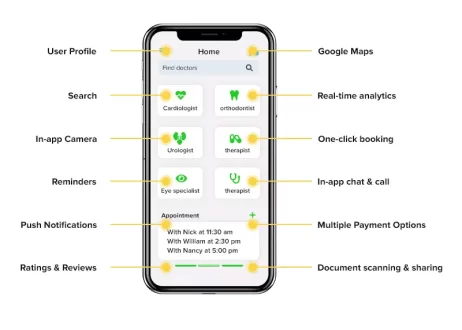
LinkedIn marketing solution enables companies to create a company page. Companies can enhance their marketing efforts by creating sponsored content, sponsored InMails, and text advertisements.

Talent solutions

It is the most important service provided by LinkedIn. Through this service companies and recruiters can find talented employees as well as capable partners.

This service includes LinkedIn recruiter, job slots, recruitment media, career pages, and work with our ads.

Sales solutions

This solution can help a user grow his sales through various social selling strategies and tools like InMail, lead recommendations, saved leads..etc.

Recruitment Solutions

It is the lighter version of talent solutions, through this subscription users can get access to automatic candidate tracking, smart suggestions, integrated hiring..etc.

LinkedIn Acquisitions

LinkedIn provides an e-learning platform and slides hosting service through Lynda and SlideShare.

Through Lynda, users can learn creative skills, software, and technology through videos. Lynda is the most recent acquisition by LinkedIn.

SlideShare is a web 2.0-based slide hosting service, which enables the user to upload files in various formats like PowerPoint, open documents, or PDF. SlideShare services are free for every user.

Why is LinkedIn better?

LinkedIn has a clearer motive and great revenue model which is not dependent on only advertisements.LinkedIn provides a facility by which people can search for jobs and make their lives better.

LinkedIn has an upper hand over other social networking sites as time spent on this social network isn’t considered as time wasted by the users.

How to Start a Social networking site similar to LinkedIn?

After going through these interesting facts about LinkedIn if you also want to start a similar social networking platform then check out ConnectIn at an affordable price.

The NCrypted Blog
Privacy Overview

This website uses cookies so that we can provide you with the best user experience possible. Cookie information is stored in your browser and performs functions such as recognizing you when you return to our website and helping our team to understand which sections of the website you find most interesting and useful. Read our privacy policy for details.